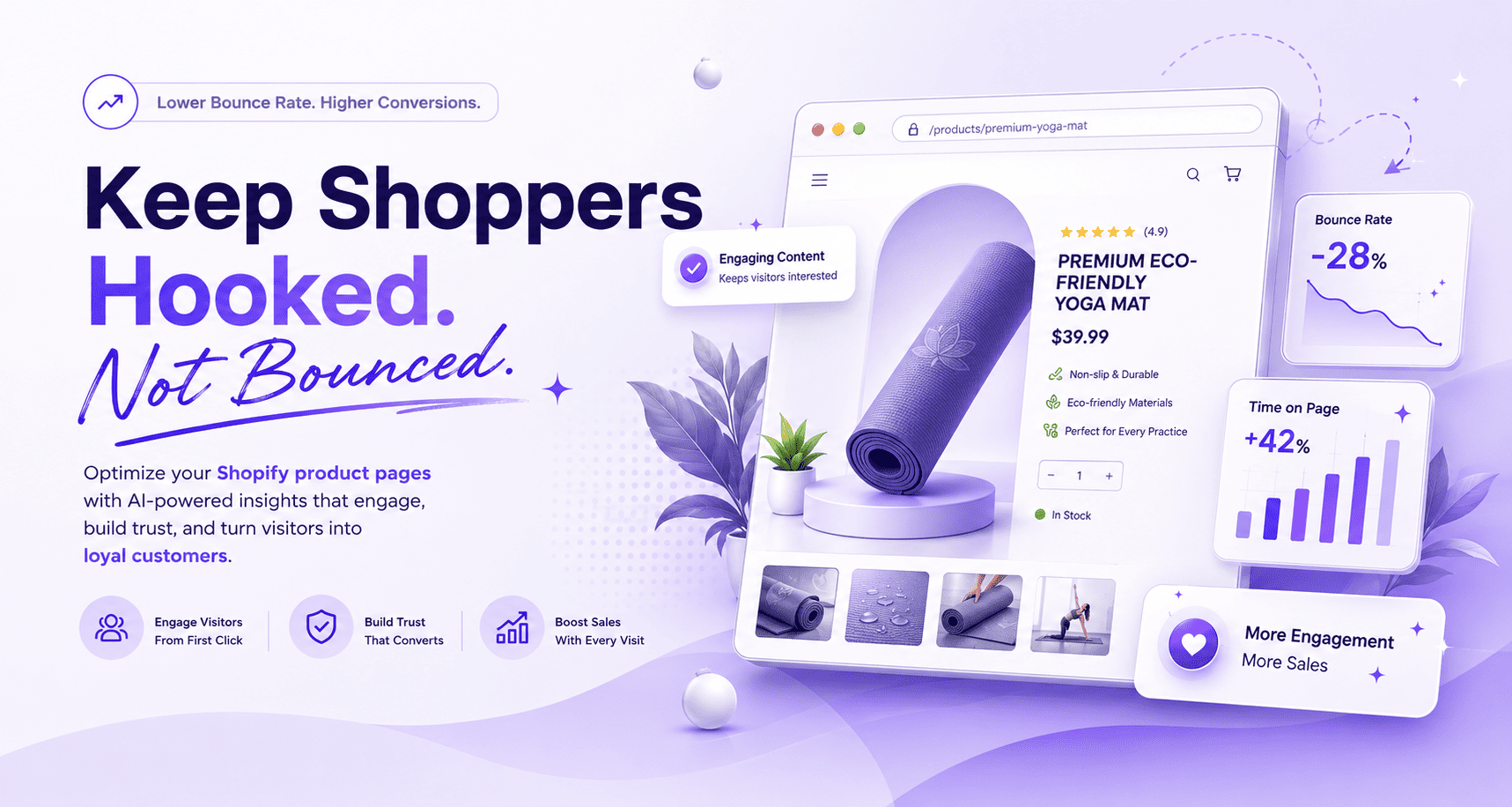

To reduce bounce rate on Shopify product pages, make the page load faster, match the visitor's intent, improve the above-the-fold section, use stronger product images, add trust signals, make the copy more benefit-led, reduce intrusive popups, and give shoppers clear next steps. A high bounce rate usually means visitors don't see enough reason to stay, click, scroll, or buy.
Tracking bounce rate is a bit like checking a thermometer when something feels off. It tells you something is wrong without telling you what. The fix isn't to chase the number itself, but to figure out what part of the product page experience is sending visitors away within seconds of arrival.
This guide walks through what bounce rate actually measures on Shopify, what a healthy benchmark looks like by page type, the most common causes of high bounce rate, twelve practical fixes for product pages, and how to use Shopify analytics, GA4, and heatmaps to find the pages that need work first.
Want to create more engaging Shopify product pages faster? Use PagePilot to generate AI product pages, descriptions, images, sections, and ad copy without starting from scratch.
TLDR: How Do You Reduce Bounce Rate on Shopify?
To reduce bounce rate on Shopify, start with page speed, mobile layout, product page clarity, trust signals, stronger visuals, and better content. Make sure the page matches the ad, search query, or traffic source that brought the visitor there. Add product reviews, shipping details, benefit-led copy, FAQs, related products, and clear calls to action. Then use Shopify analytics, GA4, heatmaps, and session recordings to find the pages where visitors leave fastest.
Key Takeaways
- A high Shopify bounce rate usually means the page failed the first-impression test.
- Product pages should immediately show what the product is, why it matters, how much it costs, and why shoppers can trust it.
- Page speed directly affects bounce rate, especially on mobile and paid social traffic.
- Better product content reduces bounce rate by giving shoppers reasons to scroll, compare, and continue.
- Product images and videos are engagement tools, not decoration.
- Popups can increase bounce rate when they appear too early, cover the product, or feel aggressive.
- Trust badges, reviews, shipping details, and return policies reduce hesitation, especially for first-time visitors.
- Product recommendations and internal links reduce single-page exits by giving shoppers a useful next step.
- PagePilot helps merchants create and test better Shopify product pages faster with AI-generated product pages, descriptions, images, sections, and ad copy.
What Is Bounce Rate on Shopify?
Shopify bounce rate is the percentage of sessions where a visitor lands on your store and leaves without taking another meaningful action, such as clicking to another page, adding a product to cart, or continuing the shopping journey. On product pages, a high bounce rate often means the page didn't match the shopper's expectation or didn't create enough trust to keep them engaged.
Bounce rate is not the same as exit rate. Bounce rate measures sessions where the visitor lands and leaves without another meaningful action. Exit rate measures sessions where the visitor leaves from that page after viewing one or more pages. The distinction matters because exit rate includes engaged sessions while bounce rate doesn't, and the fixes look different depending on which one is the problem.
What Is a Good Bounce Rate for a Shopify Store?
There's no single perfect Shopify bounce rate. Product pages, landing pages, collection pages, and blog posts all behave differently. A product page with paid social traffic will naturally bounce more than a collection page reached from email or branded search, and benchmarks have to account for that.
These ranges follow standard ecommerce benchmarks, and context matters heavily when evaluating any individual page.
Product Pages Above 55% Need Closer Review
As a rough rule, product pages above 55% bounce rate deserve review, especially if they receive paid traffic, rank for commercial keywords, or have strong product-market fit. The goal isn't to chase a universal benchmark. The goal is to reduce bounce rate on the pages that should be converting or moving shoppers deeper into the store.
Why Is My Shopify Bounce Rate So High?
Most high-bounce product pages have an intent, speed, trust, or content problem. The diagnostic table below maps each common cause to what shoppers actually experience and what to do about it.
Most high-bounce pages have more than one cause. The diagnostic order below tackles them in the sequence that usually delivers the biggest lift first.
How to Reduce Bounce Rate on Shopify Product Pages
The twelve fixes below cover the most common bounce-rate problems on Shopify product pages, ordered roughly by impact. Start with the first three for the fastest gains, then work through the rest based on what your diagnostic data shows.
1. Make Sure the Page Matches the Visitor's Intent
Bounce often happens when the visitor expected one thing and landed on another. If your ad promises a pain-point solution, the product page should repeat that same angle above the fold. If the visitor comes from search, the product title, image, and opening copy should confirm that they found the right product.
The intent-match checklist runs through matching the ad headline to the product page headline, repeating the core benefit from the campaign, using the same product image or visual angle from the ad, aligning price and offer with the ad, using landing pages for different audiences where needed, and avoiding sending all traffic to a generic product page.
PagePilot helps merchants create different product page versions for different campaigns, product angles, or audiences, making it easier to test which version keeps visitors engaged.
2. Improve Above-the-Fold Clarity
The first screen should explain what the product is, why it matters, whether shoppers can trust it, and what they should do next. If visitors have to scroll, zoom, or decode the page before understanding the offer, many will leave before reaching the part that converts.
The above-the-fold essentials are a clear product title, a strong main image or product video, a benefit-led subtitle, visible price, star rating and review count, variant selector, shipping promise, return or guarantee note, an obvious add-to-cart button, and trust or payment icons. These are the elements current Shopify product page guidance consistently calls out as conversion-critical, and missing any of them creates friction visitors won't always work through.
3. Speed Up the Product Page
Page speed affects Shopify bounce rate because slow pages make visitors leave before the product page has a chance to persuade them. Speed matters most on mobile, paid social traffic, and image-heavy product pages, where every second of delay costs measurable conversion.
The speed checklist covers compressing product images, using modern image formats where possible, removing unused Shopify apps, limiting third-party scripts, lazy-loading below-the-fold media, avoiding oversized videos, using a fast theme, testing mobile performance through Google PageSpeed Insights, monitoring Core Web Vitals, and checking app impact after every install. Faster pages reduce bounce rate, lift conversion, improve SEO, and make paid ad spend more efficient, which is why this fix usually delivers the biggest immediate lift.
4. Optimize Product Pages for Mobile First
Many Shopify product page visitors come from mobile ads, social feeds, email, or search. If the mobile product page feels cramped, slow, or hard to use, bounce rate rises quickly because mobile shoppers have less patience and smaller margins for error than desktop ones.
The mobile checklist includes a product image that loads quickly, a CTA visible without hunting, a sticky add-to-cart button, easy variant selection, readable font size, short paragraphs, collapsible details, reviews easy to open, shipping details near the CTA, no intrusive full-screen popups, large tap targets, and a fast checkout path. Most Shopify traffic arrives on mobile, which means mobile is where the product page actually lives, not a smaller version of desktop.
5. Use Better Product Images and Videos
Images affect Shopify bounce rate because shoppers often decide whether to stay before reading the full description. Clear product images help visitors understand the product, trust the quality, and imagine using it. Weak images make the page feel risky or irrelevant, regardless of how strong the rest of the page is.
The image essentials are a main image that clearly shows the product, a product-in-use image, a close-up detail shot, a scale or size reference image, a lifestyle image, a "what's included" image, a comparison image where useful, a short demo video or GIF for products that need explanation, and compressed files for speed. Strong product visuals consistently outperform extra copy in reducing bounce on product pages.
6. Rewrite Generic Product Descriptions
Better content reduces bounce rate when it gives shoppers a reason to keep reading, scrolling, or clicking. Product descriptions should explain the benefit, use case, features, proof, and buying details clearly. Supplier copy, vague claims, missing benefits, no specifications, no use cases, no objections answered, no brand voice, and keyword stuffing all push bounce rate up.
Stronger product copy opens with a benefit-led line, follows with feature-to-benefit bullets, covers product use cases, lists specs and materials and fit and compatibility, includes shipping and returns details, answers common FAQs, ends with a short CTA, and supports SEO with a clear title and meta description.
Feature-to-Benefit Table
Use PagePilot to generate AI product descriptions that translate features into benefits automatically, instead of rewriting every product page by hand.
7. Add Trust Signals Near Decision Points
Trust badges help reduce bounce rate when they answer a real shopper concern, such as payment security, returns, guarantees, shipping, or product quality. They work best when paired with reviews, clear policies, and credible product information, and they lose impact when they're scattered randomly across the page.
The trust signals that move the needle most include product reviews, a star rating near the title, photo and video reviews, a secure checkout badge, payment method icons, return policy details, shipping promise, guarantee information, a customer support link, warranty details, real press mentions, and real UGC where available. Each one answers a specific objection, and the placement should sit near the decision point that objection blocks.
8. Show Shipping and Return Details Before Checkout
Visitors often bounce when they can't quickly understand delivery time, shipping cost, or return rules. This is especially true for dropshipping stores, where shoppers may already worry about slow delivery or product quality before they ever read the description.
Near the add-to-cart button, show estimated delivery date or range, shipping cost, free shipping threshold, tracking availability, return window, processing time, and any real guarantee. Hiding these details until checkout is one of the most common causes of late-funnel bounce, because the visitor was ready to buy but couldn't confirm what they were committing to.
9. Use Popups Carefully
Popups hurt Shopify bounce rate when they appear too early, block the product, interrupt mobile users, or ask for too much before the shopper understands the offer. They help when they're well-timed, relevant, easy to close, and tied to a useful offer.
Good popup use covers exit intent, delayed email capture, cart recovery, first-order offer after engagement, back-in-stock signup, and size guide or quiz prompts where relevant. Bad popup use covers immediate full-screen popups, multiple popups stacking, hard-to-close popups, irrelevant discounts, popups before the product loads, and aggressive spin wheels on premium product pages. The popup app itself isn't usually what hurts bounce rate, but the timing and offer behind it almost always are.
10. Improve Navigation and Internal Links
Navigation reduces bounce rate by giving visitors a clear next step if the first product isn't right for them. Product pages should make it easy to explore related products, collections, FAQs, size guides, policies, and bestsellers without forcing visitors back to the homepage or hitting the back button.
Add breadcrumbs, related collections, related products, bestsellers, recently viewed products, size guides, FAQ links, policy links, a search bar, and clear menu labels. Each of these gives an exiting visitor somewhere else to go inside the store instead of leaving entirely.
11. Add Product Recommendations and Cross-Sells
Product recommendations reduce bounce rate when they show relevant alternatives, bundles, or complementary products. They give visitors another path forward instead of leaving when the first product isn't a perfect fit.
Use recommendations for similar products, bestsellers, frequently bought together items, matching accessories, recently viewed products, "complete the set" suggestions, lower or higher price alternatives, and bundles. The recommendations only need to make sense for the visitor in front of them, and the right placement is usually below the product description but above the footer.
12. Add FAQs That Answer Bounce-Causing Objections
FAQs reduce bounce risk by answering the questions that stop shoppers from clicking, adding to cart, or continuing. If visitors leave because they can't find sizing, compatibility, shipping, returns, or usage details, FAQs keep them engaged long enough to find the answer.
Common bounce-causing FAQ topics include how long shipping takes, what's included, how to use the product, sizing guidance, compatibility with other products or devices, return policy details, warranty information, cleaning or maintenance instructions, tracking availability, and use-case specifics. Answer these once, near the product page where the question naturally comes up, and the bounce rate from those visitors drops.
How Do I Find High-Bounce Pages in Shopify?
To find high-bounce Shopify pages, start with Shopify analytics to identify low-performing product pages, then use GA4 to segment by landing page, source, device, and engagement. For deeper diagnosis, use heatmaps, scroll maps, session recordings, and on-page surveys to see what visitors actually do before leaving.
The diagnostic sequence runs through opening Shopify analytics and reviewing product and page performance, identifying pages with traffic but low engagement or low conversion, checking GA4 landing page reports, segmenting by traffic source, segmenting by device, comparing bounce rate with add-to-cart rate, checking page speed, watching heatmaps and session recordings, reviewing ad-to-page message match, and prioritizing high-traffic, high-bounce product pages first. Behavioral analytics tools like session replays and heatmaps are more useful than analytics dashboards alone, because they show what visitors actually do rather than just what they didn't do.
Metrics to Track Alongside Bounce Rate
Bounce rate alone misses too much context. Track it alongside engagement rate, product page bounce rate, add-to-cart rate, scroll depth, time on page, click-through to related products, checkout starts, conversion rate, revenue per session, mobile vs desktop bounce rate, traffic source bounce rate, page load time, and app impact. The combination shows whether bounce rate is a real problem or a symptom of something the other metrics already explain.
What Shopify Apps Help Reduce Bounce Rate?
The best Shopify apps to reduce bounce rate depend on the cause. PagePilot improves product page relevance and engagement. Lucky Orange, Hotjar, and MIDA help diagnose behavior. Judge.me, Loox, and Yotpo add reviews and social proof. Rebuy, Wiser, and LimeSpot add product recommendations. Privy and Justuno support exit-intent or lead capture when used carefully.
Install one app per bounce-rate problem rather than stacking five at once. Every app adds scripts, and a heavy app stack often becomes its own bounce-rate problem.
How PagePilot Helps Reduce Bounce Risk on Shopify Product Pages
PagePilot helps Shopify merchants create AI-generated product pages, product descriptions, product images, page sections, and ad copy. That matters for bounce rate because visitors decide quickly whether a product page is relevant, trustworthy, and worth exploring, and a clearer, more complete product page gives shoppers more reasons to stay.
PagePilot Helps Merchants Create Stronger Product Page First Impressions Faster
The fit covers AI product page generation, AI product descriptions, AI product images, AI ad copy, conversion-focused sections, product testing workflows, dropshipping product pages, Shopify publishing, replacing raw supplier copy, and faster page version testing. Each of these directly addresses a common bounce-rate cause on dropshipping and product-test stores, where the default page often loses visitors before the product gets a chance.
PagePilot Does Not Replace Analytics or Testing
PagePilot creates better page versions faster, but reducing bounce rate still requires measurement. Track bounce rate, engagement rate, add-to-cart rate, and conversion rate before and after changes, then iterate based on what the data shows. The fastest path to a lower bounce rate is testing more page versions, not assuming the first one is the best.
Use PagePilot to create more engaging Shopify product pages, descriptions, images, sections, and ad copy faster, so you can test what keeps shoppers on the page.
Shopify Bounce Rate Reduction Checklist
The checklists below cover the four areas where bounce-rate fixes deliver the biggest gains: first impression, content, UX and technical, and measurement.
First-Impression Fixes
- Match the page to the ad or search query
- Improve product title and subtitle
- Show strong product image above the fold
- Add reviews near the product title
- Make price and CTA visible
- Add shipping and return reassurance near CTA
- Remove intrusive popups
Content Fixes
- Rewrite supplier copy
- Add benefit-led product descriptions
- Add product specs and use cases
- Add FAQs
- Add product video or GIF
- Include comparison details where useful
- Add trust badges and policy links
UX and Technical Fixes
- Compress images
- Remove unused apps
- Improve mobile layout
- Add sticky add-to-cart
- Improve navigation
- Add breadcrumbs
- Add product recommendations
- Fix broken elements
- Monitor Core Web Vitals
Measurement Fixes
- Review Shopify analytics
- Check GA4 landing page data
- Segment by traffic source
- Segment by device
- Use heatmaps and session recordings
- Track add-to-cart rate
- Track engagement rate
- A/B test major changes
- Prioritize high-traffic product pages first
Reducing Bounce Rate on Shopify With PagePilot
To reduce bounce rate on Shopify product pages, fix the first impression first. Make the page fast, relevant, mobile-friendly, visually clear, and trustworthy. Then improve the content with better product descriptions, images, FAQs, reviews, shipping details, and product recommendations. Finally, use Shopify analytics, GA4, heatmaps, and testing tools to confirm which changes keep visitors engaged.
Bounce rate is rarely about one thing. It's the cumulative effect of small friction points that each cost a few percentage points of attention, and the stores that get bounce rate under control are the ones that treat product pages as systems rather than templates. Speed, clarity, trust, content, mobile UX, and next-step logic all matter, and the right fix depends on which one is leaking the most attention on your store.
For Shopify merchants who need better product pages faster, the bottleneck is usually the time it takes to build, rewrite, or test page variants. Build more engaging Shopify product pages faster with PagePilot's AI product page builder and test more versions in a week than you used to test in a month.
FAQs About Reducing Bounce Rate on Shopify
Why is my Shopify bounce rate so high?
Your Shopify bounce rate may be high because the page loads slowly, doesn't match the traffic source, has weak product images, lacks trust signals, uses generic copy, has poor mobile UX, or interrupts visitors with popups too early.
How do I reduce bounce rate on Shopify?
Reduce bounce rate on Shopify by improving page speed, matching product pages to visitor intent, strengthening above-the-fold content, adding better images, improving product descriptions, showing reviews and trust signals, reducing popups, and adding clear next steps.
How do I reduce bounce rate on product pages?
Reduce product page bounce rate by improving the first screen, adding clear product benefits, using stronger images and videos, showing shipping and returns, adding reviews, making the add-to-cart button visible, and linking to related products.
What is a good bounce rate for a Shopify store?
A good Shopify bounce rate depends on the page type and traffic source. As a rough benchmark, product pages often fall around 30% to 50%, while rates above 55% usually deserve closer review.
Why are visitors leaving my Shopify product pages?
Visitors may leave Shopify product pages because the product value is unclear, the page loads slowly, the product image is weak, the copy feels generic, reviews are missing, shipping details are unclear, or the page doesn't match the ad or search result.
What causes visitors to leave Shopify stores quickly?
Visitors leave Shopify stores quickly when they encounter slow load times, confusing navigation, intrusive popups, poor mobile design, missing trust signals, unclear product benefits, unexpected prices, or a page that doesn't match their expectations.
Does page speed affect Shopify bounce rate?
Yes. Page speed affects Shopify bounce rate because slow-loading pages cause visitors to leave before engaging. This is especially important for mobile shoppers and paid traffic.
How does page speed affect Shopify bounce rate?
Page speed affects bounce rate by shaping the first impression. If images, scripts, apps, or videos slow the page down, visitors may leave before seeing product details, reviews, or the add-to-cart button.
How can navigation reduce bounce rate?
Navigation reduces bounce rate by giving visitors useful next steps. Add breadcrumbs, related products, collections, product recommendations, FAQs, search, and clear menu labels so shoppers can keep exploring.
Does better content reduce bounce rate?
Better content reduces bounce rate when it answers shopper questions, explains product benefits, shows use cases, handles objections, and gives visitors a reason to keep scrolling or clicking.
How do images affect Shopify bounce rate?
Images affect Shopify bounce rate because shoppers often judge product relevance and quality visually before reading. Clear product images, lifestyle photos, detail shots, and short videos help keep shoppers engaged.
Do popups hurt Shopify bounce rate?
Popups can hurt Shopify bounce rate if they appear immediately, cover the product, are hard to close, or interrupt mobile users. They help when they're delayed, relevant, easy to close, and tied to a useful offer.
Can trust badges reduce bounce rate?
Trust badges help reduce bounce rate when they address real concerns such as secure checkout, returns, shipping, guarantees, or payment options. They work best alongside reviews and clear product information.
Do product recommendations reduce bounce rate?
Product recommendations reduce bounce rate by giving shoppers another relevant option if the first product isn't right for them. Use related products, bundles, bestsellers, and recently viewed products.
How do I find high-bounce pages in Shopify?
Find high-bounce pages by reviewing Shopify analytics, GA4 landing page reports, traffic-source segments, device segments, and product page performance. Use heatmaps and session recordings to understand what visitors do before leaving.
What Shopify apps help reduce bounce rate?
Apps that help reduce bounce rate include PagePilot for stronger product pages, Lucky Orange or Hotjar for behavior analytics, Judge.me or Loox for reviews, Rebuy or Wiser for recommendations, Privy for exit-intent offers, and Hyperspeed or TinyIMG for page speed.