You've spent weeks perfecting your Shopify store, studying successful Shopify product page examples to understand what drives sales, yet visitors still leave without subscribing to your email list or completing a purchase. When designed thoughtfully, pop-ups can capture attention at the right moment and turn browsers into customers without causing frustration. This article will show you exactly how to add a pop-up on Shopify while protecting your conversion rates and keeping your user experience smooth.
The right tools make all the difference when implementing pop-ups that actually work for your store, not against it. PagePilot's AI page builder helps you create and deploy strategic pop-ups that match your brand, appear at optimal times, and guide visitors toward actions that benefit both of you. Whether you want to grow your email list, reduce cart abandonment, or promote special offers, you'll discover practical methods that respect your audience while achieving your business goals.
Summary
- Most Shopify pop-ups fail because they interrupt before they inform. Immediate pop-ups (triggered at 0 seconds after page load) convert at just 4.16%, significantly lower than pop-ups shown after users have engaged with the page. Visitors haven't read a headline, seen a product, or understood the value yet, so the interruption creates friction rather than helping guide their decision.
- Context transforms generic offers into persuasive ones. A visitor browsing winter jackets who sees a pop-up offering free shipping on outerwear over $100 responds differently than someone who sees "10% off your first order" with no connection to what they're viewing. Pop-ups tied to specific behaviors (scroll depth, cart value, page type) match the visitor's current intent rather than treating all traffic as identical.
- Pop-ups amplify the existing experience rather than creating demand. On strong product pages with clear messaging and trust signals, a well-timed pop-up can lift conversion. On weak pages with vague descriptions or missing information, the same pop-up highlights those gaps more quickly.
- Page speed costs compound abandonment issues that pop-ups are meant to address. Most pop-up apps load external scripts, track behavior, and trigger animations that slow page rendering, especially on mobile connections where most traffic originates. Speed Boostr reports that 97% of visitors leave without buying, with page speed often contributing silently to that abandonment.
- Exit-intent pop-ups can recover up to 15% of abandoning visitors according to Privy's research, but only when triggered by genuine engagement signals rather than arbitrary time delays. Pop-ups based on scroll depth (50% or 70% down the page) signal genuine interest, while those appearing after five seconds on the page interrupt before the visitor has had a meaningful opportunity to evaluate.
- Segmentation matters more than blanket deployment because first-time visitors from paid ads need different messaging than returning customers who've already purchased twice. Privy found that 70% of visitors who see irrelevant pop-ups immediately dismiss them without reading, wasting the opportunity to match message to intent across different traffic sources and visitor behaviors.
PagePilot's AI page builder addresses the root conversion problem by generating high-converting product pages in under two minutes, removing the need to patch weak messaging with pop-ups.
Why Most Shopify Pop-Ups Don’t Work
Most Shopify pop-ups fail because they interrupt before they inform.
They appear:
- At the wrong time
- Offer generic value
- Slow down the very pages they're meant to improve
The problem isn't pop-ups themselves. It's how they're deployed. Pop-ups can convert. The data proves it. But most stores never reach that potential because they treat pop-ups as a plug-and-play fix rather than a strategic tool. The gap between what works and what gets implemented is wide, and it costs conversions every day.
The Timing Problem
The first mistake happens in the first three seconds. A visitor lands on your product page, and before they've read a headline or seen an image, a pop-up blocks the screen. At that moment, you haven't earned the right to ask for anything. You've only created friction.
Why Latency Beats Urgency
Immediate pop-ups assume interest that doesn't exist yet. The visitor doesn't know if your product solves their problem. They don't know if your brand is credible. They haven't formed any opinion about whether they want to hear from you again. Asking for an email address at that stage feels presumptuous, not helpful.
The pattern repeats across thousands of Shopify stores. Pop-ups fire on page load because it's the default setting in most apps. Store owners install the tool, accept the preset timing, and wonder why conversion rates stay flat. The issue isn't the pop-up. It's the moment.
Generic Offers Don't Persuade
“10% off your first order” appears everywhere. It's the default discount, the safe choice, the offer that requires no thought. And because it's everywhere, it's also invisible.
When an offer lacks context, it feels transactional. A visitor browsing winter jackets isn't interested in a generic discount. They care about whether the jacket fits, is warm enough, and ships on time. A pop-up that interrupts that evaluation with an unrelated offer doesn't help. It distracts.
Micro-Conversions and the Power of Reciprocity
The same discount, presented after someone adds a product to the cart or lingers on a specific category page, carries more weight. Context creates relevance. Relevance creates persuasion. Without that connection, the pop-up is just noise.
The Hidden Speed Cost
Pop-ups add weight. Most pop-up apps load external scripts, track behavior, and trigger animations. Each of those actions takes time. On mobile connections, where most traffic lives, that time adds up.
According to Speed Boostr, 97% of visitors leave without buying, and page speed is often a silent contributor to that abandonment. When a pop-up slows load time by even half a second, it compounds an existing problem. The visitor who might have stayed now bounces before the page fully renders.
The Technical Toll: Bloat vs. Benefit
The irony is sharp. Pop-ups are added to capture emails and reduce abandonment. But when they slow the page, they increase abandonment instead. The tool meant to improve conversion becomes the reason for the drop in conversion.
Pop-Ups Amplify What Already Exists
Here's the uncomfortable truth: pop-ups don't create demand. They amplify the experience that's already there. If your product page has strong, clear messaging, compelling images, and obvious value, a well-timed pop-up can lift results. If the page is weak, the pop-up highlights that weakness more quickly.
Think of it this way. A pop-up asking for an email on a page with vague product descriptions and low-quality images doesn't fix those problems. It highlights them. The visitor sees the pop-up, dismisses it, and then encounters a page that doesn't persuade. The pop-up didn't cause the failure, but it didn't help either.
Minimum Viable Credibility
For dropshippers testing products quickly, this creates a specific challenge. Speed matters. Getting a product page live fast allows you to validate demand before competitors move in. But if the page itself doesn't convert, adding a pop-up won't change that.
Tools like PagePilot's AI page builder help stores launch high-converting product pages in under two minutes, removing the bottleneck between idea and execution. Once the page is strong, a pop-up becomes a multiplier. Before that, it's just another distraction.
The Real Issue is Intent
Most pop-ups fail because they're treated as a shortcut. Store owners add them, hoping to compensate for unclear messaging, weak product pages, or poor user experience upstream. But pop-ups don't replace strategy. They support it.
When a pop-up is added with intent, timed to match visitor behavior, offering something relevant to what the person is doing, it works. When it's added as an afterthought, using default settings and generic messaging, it becomes part of the problem.
Strategic Intent: Moving Beyond Default Settings
The difference isn't the tool. It's how the tool gets used. Pop-ups are easy to install. That ease creates the illusion that they'll work automatically. They won't. They work when they're part of a broader plan, not when they're the plan itself.
What a Shopify Pop-Up Actually is (and Isn’t)
A Shopify pop-up is a front-end overlay that appears on your store in response to a specific trigger:
- Time on page
- Scroll depth
- Exit intent
- A direct click
It lives before checkout and sits on top of your existing page content rather than replacing it. In practical terms, pop-ups are used to capture attention while a visitor browses and request a small action before the shopper moves on:
- An email signup
- A click
- Acknowledgement of an offer
What Pop-Ups Can Actually Do
Pop-ups are effective at:
- Capturing emails or SMS subscribers
- Presenting limited-time incentives
- Nudging visitors toward the next step when interest is already there
Used well, they guide users without forcing them, especially when triggered by behavior rather than instantly on page load.
The keyword is *support*. A pop-up works best when it reduces friction within a functional flow. Someone browsing winter jackets who scrolls 70% of the way down the page has shown interest. A pop-up offering free shipping on orders over $100 at that moment feels helpful, not intrusive. The page did its job first. The pop-up simply removed a barrier to purchase.
Amplification vs. Interruption: The Science of Intent
According to Privy's research on pop-up strategies, 78% of visitors who engage with a well-timed pop-up are more likely to convert than those who don't. That stat matters because it shows pop-ups amplify existing intent. They don't manufacture it.
What Pop-Ups Can't Fix
Pop-ups don't replace product clarity, pricing logic, trust signals, or page structure. They also don't change checkout behavior, especially on platforms like Shopify, where the checkout experience is intentionally locked down.
A pop-up can influence what happens before checkout, but it can't compensate for a confusing product page or a weak value proposition.
Fix the Foundation First
This is where many stores go wrong. Pop-ups are often treated as a shortcut, as if adding one will magically lift conversion on its own. In reality, pop-ups support conversion, but they don't create it.
Teams often add a pop-up to a page with vague product descriptions and low-quality images, then wonder why email capture rates remain flat. The pop-up didn't cause the failure, but it exposed the underlying weakness faster.
When ‘More’ Becomes ‘Less’
The pattern repeats across thousands of stores. A pop-up asking for an email on a page that hasn't yet persuaded the visitor feels premature. The visitor dismisses it, then encounters a page that doesn't answer their questions. The pop-up becomes noise, not a signal.
For dropshippers testing products quickly, this creates a specific tension. Speed matters. Getting a product page live fast allows you to validate demand before competitors move in. But if the page itself doesn't convert, adding a pop-up won't change that.
Validating at the Speed of Market
Tools like PagePilot's AI page builder help stores launch high-converting product pages in under two minutes, removing the bottleneck between idea and execution. Once the page is strong, a pop-up becomes a multiplier. Before that, it's just another distraction.
The Real Expectation
A Shopify pop-up is a tactical tool, not a cure-all. When it's aligned with strong pages and clear messaging, it can make a meaningful difference. When it's used to patch over deeper issues, it usually makes those issues more obvious instead.
The right expectation is this: pop-ups work when the underlying page is already doing its job. They capture value that would otherwise be lost, an email from someone about to leave, a discount code that tips a hesitant buyer, a reminder that free shipping is available. They don't create demand. They harvest it.
Evaluating Your Page's Readiness
Understanding that distinction changes how you approach pop-ups entirely. You stop asking, “Will this pop-up fix my conversion rate?” and start asking, “Is my page strong enough that a pop-up can actually help?” That second question is harder to answer, but it's the one that matters.
The next step isn't deciding *if* you need a pop-up, it's understanding the different ways to add one and what each method actually unlocks.
Related Reading
- Shopify Product Page Examples
- How to Make Your Shopify Store Look Professional
- How to Increase Conversion Rate Shopify
- Best Size for Shopify Product Images
- eCommerce Product Page Optimization
- Shopify Banner Size
- How to Create Multiple Product Pages in Shopify
- How to Change Favicon on Shopify
- How to Add Size Chart in Shopify
- How to Customize Shopify Checkout Page
3 Different Ways to Add a Pop-Up on Shopify
There's no single path to adding a pop-up on Shopify. The method you choose depends on how much control you need, how comfortable you are with code, and how much weight your store can afford to carry.
Each approach trades something for something else.
- Speed for flexibility.
- Simplicity for performance.
- Control for complexity.
The choice isn't about finding the “best” method. It's about matching the tool to your actual constraints.
1. Shopify App Store Pop-Up Apps
Most store owners start here because it's the fastest route from idea to implementation. Apps like Privy, Wisepops, and Justuno offer:
- Drag-and-drop editors
- Prebuilt templates
- Trigger options that require no technical knowledge
You:
- Install the app
- Customize the design
- Set a trigger
- The pop-up goes live
The appeal is obvious. You can have a working pop-up in fifteen minutes. No code. No developer. No uncertainty about whether it will break something else on your site.
Why Milliseconds Matter
But that speed comes with trade-offs. Every app adds scripts to your store.
Those scripts:
- Load external resources
- Track visitor behavior
- Execute animations
On mobile connections, where most of your traffic originates, those extra requests slow page load times. According to Privy's research on pop-up strategies, exit-intent pop-ups can recover up to 15% of abandoning visitors, but only if they load fast enough to trigger before the visitor leaves.
Managing App-Induced Friction
The other risk is app bloat. Install three or four pop-up or marketing apps, and your store suddenly runs multiple overlapping scripts. Each one fires its own tracking pixels, loads its own stylesheets, and competes for the same screen space. The result is slower performance and conflicting triggers that confuse visitors rather than guide them.
Apps work best when you need something functional quickly and don't have the resources to build custom solutions. They favor accessibility over optimization. If your priority is to test a pop-up strategy quickly, this is the right starting point. Just know that you're trading some performance and flexibility for that speed.
2. Theme-Based Pop-Ups
Some Shopify themes, including Dawn, ship with native pop-up functionality built directly into the theme code. These pop-ups are typically designed for email capture or announcements and integrate seamlessly with your store's design system because they share the same codebase. The performance advantage is real. Theme-based pop-ups don't require external apps or third-party scripts.
They load with the page, not after it. That means:
- Faster rendering
- Fewer HTTP requests
- No risk of conflicts with other installed apps
Beyond the Page-Load Timer
The limitation is the scope. Theme pop-ups rarely offer advanced targeting or behavior triggers. You can set them to appear on page load or after a delay, but options like:
- Exit intent
- Scroll depth
- Ccart value thresholds are usually unavailable
The design controls are also more rigid. Customizing beyond the theme's built-in options often requires editing Liquid code, which brings its own learning curve.
Brand Cohesion Over Complexity
This approach works well if your needs are straightforward. A simple email-capture pop-up that appears after 10 seconds on the homepage doesn't require complex targeting. It just needs to load fast and look consistent with your brand.
If that describes your use case, theme-based pop-ups deliver better performance without adding unnecessary complexity.
3. Custom Code Pop-Ups
Building a pop-up from scratch using HTML, CSS, and JavaScript gives you complete control. You decide exactly when it appears, how it behaves, what data it captures, and how it integrates with the rest of your store.
There are:
- No app fees
- No external scripts
- No limitations imposed by someone else's framework
The cost is time and expertise. Writing a custom pop-up that handles edge cases, works across devices, and doesn't break when your theme updates requires real development skill. You also inherit the maintenance burden. If something breaks, you're responsible for fixing it.
Scaling from Lean to Custom
For stores with in-house developers or on-retainer agencies, this approach makes sense. You can optimize for exactly what you need without carrying the weight of features you'll never use.
For dropshippers testing products quickly, it's usually overkill. The time spent building a custom pop-up could be used to validate demand or improve product pages.
Optimizing for Learning, Not Just Launching
That's the real tension. Custom code provides greater control but also increases complexity. Most stores don't need that level of control. They need something that works well enough and fast enough without slowing the rest of the operation.
Tools like PagePilot's AI page builder remove the bottleneck between idea and execution by generating high-converting product pages in under two minutes. The same principle applies to pop-ups. If the goal is speed and validation, choose the simplest method that provides the control you need.
Choosing Without Overthinking
The decision tree is simpler than it appears.
- If you need advanced targeting and don't have development resources, use an app.
- If your needs are basic and you want the best performance, check if your theme has native support.
- If you have technical expertise and specific requirements that no app satisfies, build it yourself.
Avoiding Technical Overlap
The mistake is layering all three. Installing multiple apps while also running theme pop-ups and custom code:
- Creates conflicts
- Slows your store
- Confuses visitors
Pick one approach. Commit to it. Measure the results. Adjust if needed.
The real risk isn't choosing the wrong method. It's adding too many solutions and creating more problems than you solve. But knowing how to add a pop-up only matters if you know exactly where to place it and what triggers to use.
Related Reading
- Shopify Variants vs Options
- Shopify Websites Examples
- Best Shopify Themes For Conversion
- How To Add Frequently Bought Together On Shopify
- Shopify Variants Vs Options
- How To Add Size Chart In Shopify
- Product Recommendations Shopify
- How To Change Favicon On Shopify
- Shopify Order Confirmation Page
- How To Choose A Shopify Theme
- How To Customize Shopify Checkout Page
How to Add a Pop-Up on Shopify (Step-by-Step)

Adding a pop-up on Shopify takes minutes. Open the App Store, install a tool like Privy or Justuno:
- Customize the template
- Set a trigger
- Publish
The technical execution is straightforward. What separates stores that convert from stores that annoy is the strategic layer underneath:
- Knowing when to show the pop-up
- What to say
- Who should see it
Triggers That Respect the Journey
The setup itself follows a predictable sequence, but each decision point carries weight. Choosing a trigger based on visitor behavior rather than default settings changes outcomes. Targeting specific pages instead of blanket deployment reduces friction.
Testing across devices before launch prevents mobile usability issues that silently kill conversions.
Choose Your Installation Method First
Before opening any app or editing theme code, decide which approach fits your store's current constraints.
- If you're testing a pop-up strategy for the first time and need results this week, install an app.
- If your theme includes native pop-up functionality and your needs are simple (email capture on homepage), use that instead.
- If you have development resources and specific requirements that no app satisfies, write custom code.
The failure point is usually mixing methods. Installing an app while also activating theme-based pop-ups creates conflicts. Two overlays competing for the same screen space confuse visitors and slow page load. Pick one path. Commit to it for at least two weeks before switching.
Configure the Trigger Based on Engagement
Most apps default to time-based triggers: show the pop-up after five seconds on the page. That setting exists because it's simple, not because it performs well.
Five seconds isn't enough time for a visitor to:
- Evaluate your product
- Read your headline
- Decide if your store is credible
Better triggers tie to behavior. Scroll depth (50% or 70% down the page) signals genuine interest. Exit intent captures attention when someone moves to close a tab. Cart value thresholds let you offer free shipping only to visitors who have added products totaling $75 or more.
Timing the Value Exchange
The critical difference is intent. A visitor who scrolls 70% of the way down a product page has shown interest. A pop-up at that moment feels helpful rather than intrusive. A visitor who lands on your homepage and sees a pop-up three seconds later hasn't shown anything yet. The interruption creates friction before value exists.
Write the Offer With Context
Generic discounts don't persuade. “10% off your first order” could apply to any store selling anything. It carries no specificity, no urgency, no connection to what the visitor is actually doing.
Contextual offers work because they match the visitor's current intent.
- Someone browsing winter jackets sees a pop-up offering free shipping on outerwear over $100.
- Someone who added a product to the cart but hasn't checked out sees a reminder that the item is low in stock.
- Someone reading a blog post about skincare routines sees an email signup that offers weekly tips, not just a discount.
The message should answer an unspoken question the visitor already has. If it doesn't, it's noise.
Target Specific Pages and Audiences
Not every pop-up belongs on every page. A discount offer makes sense on product pages where purchase intent exists. It feels out of place on an About page where someone is evaluating trust. An email capture pop-up works on blog posts where the content value is clear. It interrupts checkout flows where the visitor has already committed.
The End of the Generic Offer
Most apps let you limit pop-ups by:
- Page type:
- Product
- Collection
- Homepage
- Traffic source:
- Paid ads
- Organic search
- Direct
- Visitor status:
- First-time
- Returning
- Logged-in
- Device type:
- Desktop
- Mobile
- Tablet
Targeting matters because intent varies. A first-time visitor arriving via a Facebook ad needs different messaging than a returning customer who has already purchased twice. Treating them the same wastes both opportunities.
Data Integrity in Rapid Testing
For dropshippers testing products at speed, this targeting becomes even more important. You're validating demand quickly, which means every visitor interaction needs to move toward a clear signal: interested or not. Pop-ups that appear on the wrong pages or at the wrong time muddy that signal.
Tools like PagePilot's AI page builder help stores launch high-converting product pages in under two minutes, removing the bottleneck between idea and live test. Once the page is live, a well-targeted pop-up amplifies what's already working. Before that, it's just another variable slowing down validation.
Test Across Devices Before Launch
A pop-up that looks subtle on a 27-inch monitor can dominate a mobile screen. The close button that's easy to tap on a desktop becomes a tiny target on a phone. The animation, which runs smoothly at high bandwidth, stutters over a 4G connection.
Test on:
- Desktop browsers:
- Chrome
- Safari
- Firefox
- Mobile devices:
- iPhone
- Android
- Different screen sizes:
- Small phones
- Tablets
- Large displays
Pay special attention to the mobile. According to Shopify's internal data, over 70% of e-commerce traffic comes from mobile devices. If your pop-up blocks navigation, covers the add-to-cart button, or requires precise tapping to dismiss, you've created friction for most of your audience.
Measure What Happens After Launch
Most store owners:
- Install a pop-up
- See email signups increase
- Assume success
That's only half the picture. The real question is whether those emails convert, and whether the pop-up hurts conversion elsewhere.
The Net Impact Audit: Measuring Beyond the Lead
Track:
- Email capture rate (how many visitors submit)
- Conversion rate on pages with the pop-up vs without
- Bounce rate changes after pop-up activation
- Page load time before and after installation
If email signups increase but product page conversion drops, the pop-up is creating friction. If bounce rate spikes on mobile, the pop-up is likely blocking content or slowing load time. The data tells you whether the tool is helping or hurting.
The setup takes minutes. The optimization takes weeks. Most stores stop after step one. But even a perfectly configured pop-up can backfire if it makes one of the most common mistakes stores overlook.
Common Pop-Up Mistakes That Hurt Conversion
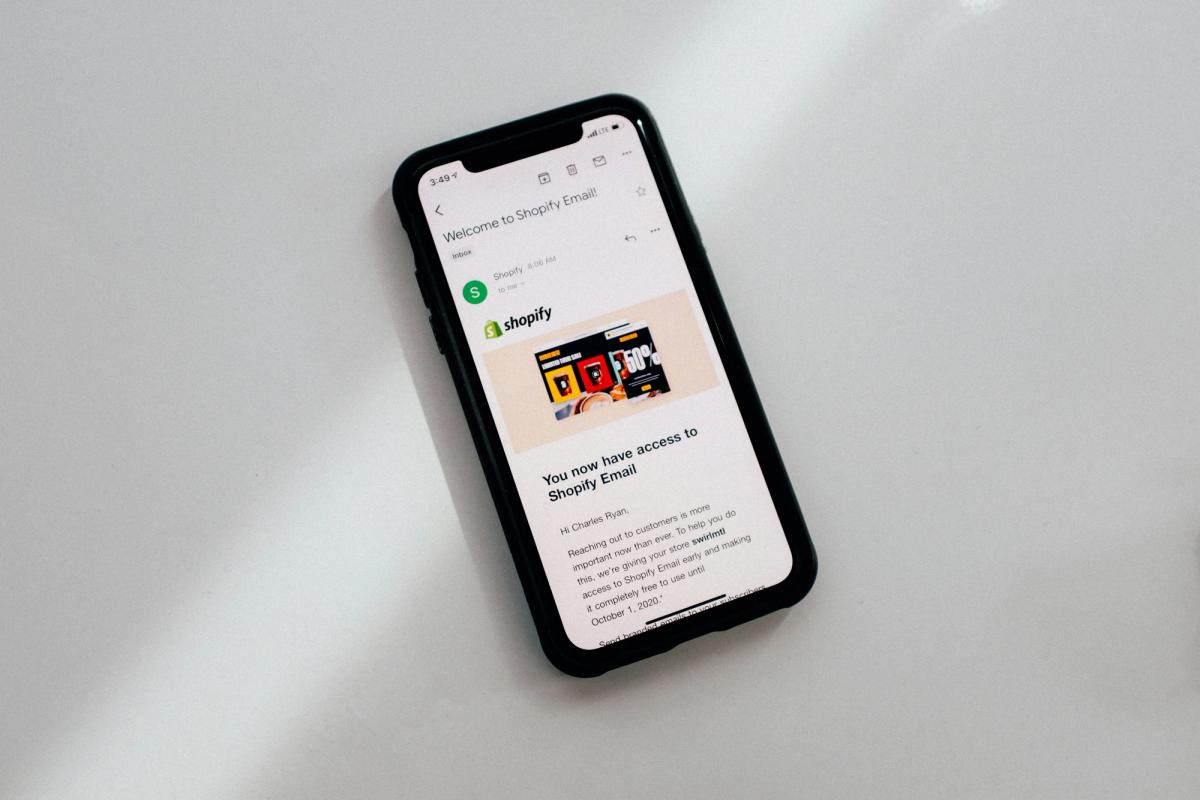
Pop-ups don't usually fail because the idea is wrong. They fail because of how they're used. The most damaging mistakes are surprisingly common, and they don't just reduce conversion. They actively make the shopping experience worse.
Showing Pop-Ups Immediately on Page Load
One of the fastest ways to lose a visitor is interrupting them before they've had a chance to orient themselves.
Data from Wisepops shows that pop-ups triggered immediately (0 seconds after page load) convert at just 4.16%, significantly lower than pop-ups shown after users have engaged with the page. At that moment, visitors haven't read a headline, seen a product, or understood the value, so the pop-up feels like friction rather than help.
Immediate pop-ups don't feel persuasive. They feel impatient.
Using Generic Discounts With No Context
“10% off your first order” is everywhere, and that's exactly the problem.
When discounts aren't tied to what the shopper is viewing or doing, they feel interchangeable and forgettable. Generic offers train users to ignore pop-ups or, worse, delay purchasing until a discount appears. Instead of increasing urgency, they often reduce it. A pop-up without context doesn't answer why now, and without that, conversion suffers.
Interrupting High-Intent Actions
Pop-ups that appear while someone is adding to the cart, reading reviews, comparing variants, or scrolling through product details often do more harm than good.
Research from Owlestudio's UX analysis shows that 82% of users report leaving a website due to intrusive pop-ups. This issue gained broader attention after Google's 2023 Helpful Content Update, which emphasized user experience and penalized sites that disrupted it.
The SEO Penalty: When Marketing Sabotages Traffic
While pop-ups weren't the sole focus, many sites relying on intrusive or poorly timed pop-ups saw significant ranking drops, and in some cases, near-total traffic loss.
The takeaway was clear. When pop-ups interfere with user intent instead of supporting it, they hurt performance across both conversion and search.
Running Pop-Ups on Weak Product or Landing Pages
Pop-ups are often added to compensate for unclear pages, but that's the wrong approach.
If the underlying product or landing page doesn't clearly explain the value, build trust, or answer objections, then a pop-up won't fix the problem. It will amplify it. Visitors don't convert because of the pop-up. They convert despite it, or they leave.
Pop-ups work best when the page already does most of the selling.
Why You Can’t “Fix” Bad UX with Pop-ups
For dropshippers testing products at speed, this creates a specific tension. You need pages to live fast to validate demand before competitors move in. But launching a weak page and hoping a pop-up will compensate wastes the traffic you're paying for.
Tools like PagePilot's AI page builder remove the bottleneck by generating high-converting product pages in under two minutes, eliminating the need for designers or copywriters. Once the page is strong, a pop-up becomes a multiplier. Before that, it's just another variable slowing down validation.
Targeting Everyone Instead of Segmenting Behavior
Showing the same pop-up to every visitor regardless of where they came from, what they're viewing, or whether they've visited before treats all traffic as identical. It's not.
According to Privy's research on common pop-up mistakes, 70% of visitors who see irrelevant pop-ups immediately dismiss them without reading. A first-time visitor from a Facebook ad needs different messaging than a returning customer who's already purchased twice. Someone browsing blog content responds differently than someone on a product page with items in the cart.
Blanket deployment wastes the opportunity to match the message to the intent.
The Core Insight
Pop-ups don't create demand. They amplify whatever experience already exists.
On strong pages, a pop-up can increase conversion rates. On weak pages, it magnifies confusion and friction. That's why the question isn't “Should I use a pop-up?” It's “Is the experience underneath it worth amplifying?”
But there's another way to improve conversion without interrupting visitors.
Related Reading
- Shopify T-shirt Stor
- Shopify Electronics Store
- Shopify Beauty Stores
- Shopify Contact Us Page Example
- Best Shopify Theme For Print On Demand
- Pagefly Alternatives
- Best Trust Badges For Shopify
How PagePilot Improves Conversion Without Relying on Pop-Ups

PagePilot shifts conversion optimization upstream, focusing on the product page itself rather than interrupting visitors mid-browse. By generating high-converting pages in under two minutes, it removes the need to patch weak messaging with pop-ups.
When the page does the selling, pop-ups become optional, not necessary.
Solving the Root Problem, Not the Symptom
Pop-ups often get added when conversion rates stall. The page isn't persuading, so store owners install an overlay hoping to capture emails or nudge hesitant buyers. The pop-up becomes a band-aid for unclear value propositions, weak product descriptions, or missing trust signals.
PagePilot addresses the underlying issue. It builds product pages with clear structure, persuasive copy, and logical flow from the start. Visitors understand what they're buying, why it matters, and what happens next without needing an interruption to clarify. When the page answers questions before they're asked, fewer people leave confused.
Building the Foundation of Trust
The pattern shows up in testing cycles. Dropshippers launching products with AI-generated pages report higher add-to-cart rates before any pop-up gets installed. The page itself creates momentum. Pop-ups can still help, but they're amplifying strength, not compensating for weakness.
Optimizing Where Shopify Allows Flexibility
Shopify locks down checkout customization intentionally. You can't change the flow, add upsells, or modify the layout without upgrading to Shopify Plus. That restriction forces conversion gains to happen earlier in the journey, on pages where you still control the experience.
Product and landing pages sit in that zone of flexibility. You can adjust messaging, reorder sections, test different images, and refine calls to action. PagePilot operates entirely in this space, generating pages optimized for clarity and persuasion before checkout even begins.
Out-Experimenting the Competition
The advantage for stores is the ability to test multiple products quickly. Each new product gets a conversion-optimized page in minutes, not hours. You're not waiting on copywriters or designers.
You're not launching with placeholder text, hoping a pop-up will make up the difference. The page goes live, ready to convert, and you validate demand faster.
Reducing Abandonment Before It Starts
Exit-intent pop-ups are designed to capture visitors who are about to leave. They trigger when someone moves their cursor toward the browser tab, offering a last-second discount or email capture form. The tactic works sometimes, but it's reactive. You're trying to salvage traffic that's already decided to go.
Better product pages reduce the need for rescue. When visitors see clear product benefits, understand sizing or specifications, and trust the brand through reviews or guarantees, fewer of them reach for the close button. Hesitation drops. Clarity increases. The natural next step is to add to the cart, not leave.
Solving the Sale Before the Objection
PagePilot's AI page builder analyzes product details and generates copy that anticipates objections. It structures pages to answer common questions in logical order. It positions trust signals where they matter most. The result is fewer confused visitors and fewer people who need a pop-up to stay.
Matching Speed to Testing Velocity
Dropshippers testing products at speed face a specific constraint. The faster you validate demand, the faster you can scale winners and cut losers. Every hour spent building a product page is an hour competitors could be capturing the same audience.
Most teams handle this by launching with a minimal number of pages, generic descriptions copied from suppliers, and stock images. Then they add pop-ups, hoping to compensate for the weak presentation. The page doesn't persuade, so the pop-up has to work harder. Conversion suffers, and so does the signal you're trying to read. Is the product bad, or was the page just unclear?
The “Fail Fast” Framework: Achieving Pure Market Signals
Teams using PagePilot's AI page builder compress page creation from hours to minutes, removing that bottleneck entirely. Product pages go live conversion-ready, with persuasive copy and structured layouts that don't need pop-ups to patch gaps.
Testing cycles accelerate because the page itself provides a clearer signal. If it converts, scale it. If it doesn't, move on. No ambiguity about whether weak messaging clouded the result.
Changing the Baseline
Pop-ups work best when the underlying page is already functional. They capture value that would otherwise slip away. But if the page itself is weak, the pop-up can't fix that. It just makes the weakness more obvious.
PagePilot raises the baseline. Every product page starts with clear messaging, logical structure, and persuasive copy. Pop-ups become a multiplier, not a requirement. You can still add them for email capture or limited-time offers, but you're not depending on them to make up for unclear product descriptions or missing trust signals.
Overcoming the “Perfect Launch” Trap
The reframe matters. Pop-ups are a tactic. Page quality is the foundation. When the foundation is strong, tactics amplify results. When it's weak, tactics just add noise.
But understanding how to improve conversion is only half the equation. The other half is knowing where to start without overthinking the first move.
Start a FREE Trial and Generate 3 Product Pages with Our AI Page Builder today
If you want to increase Shopify conversion without relying on pop-ups to fix weak pages, start a free PagePilot trial and generate up to 3 high-converting product pages with no credit card required. The trial removes the risk. You see exactly what AI-generated pages look like, how fast they deploy, and whether they convert better than what you're running now.
Clockspeed Advantage: Winning the Race to Validation
The constraint most dropshippers face isn't knowing what works. It's getting pages live fast enough to validate demand before the window closes. PagePilot compresses that cycle from hours to minutes, letting you test products at the speed the market actually moves.
Three pages are enough to determine whether the tool fits your workflow and performs well. If they don't, you've lost nothing. If they do, you've found a bottleneck you can eliminate permanently.