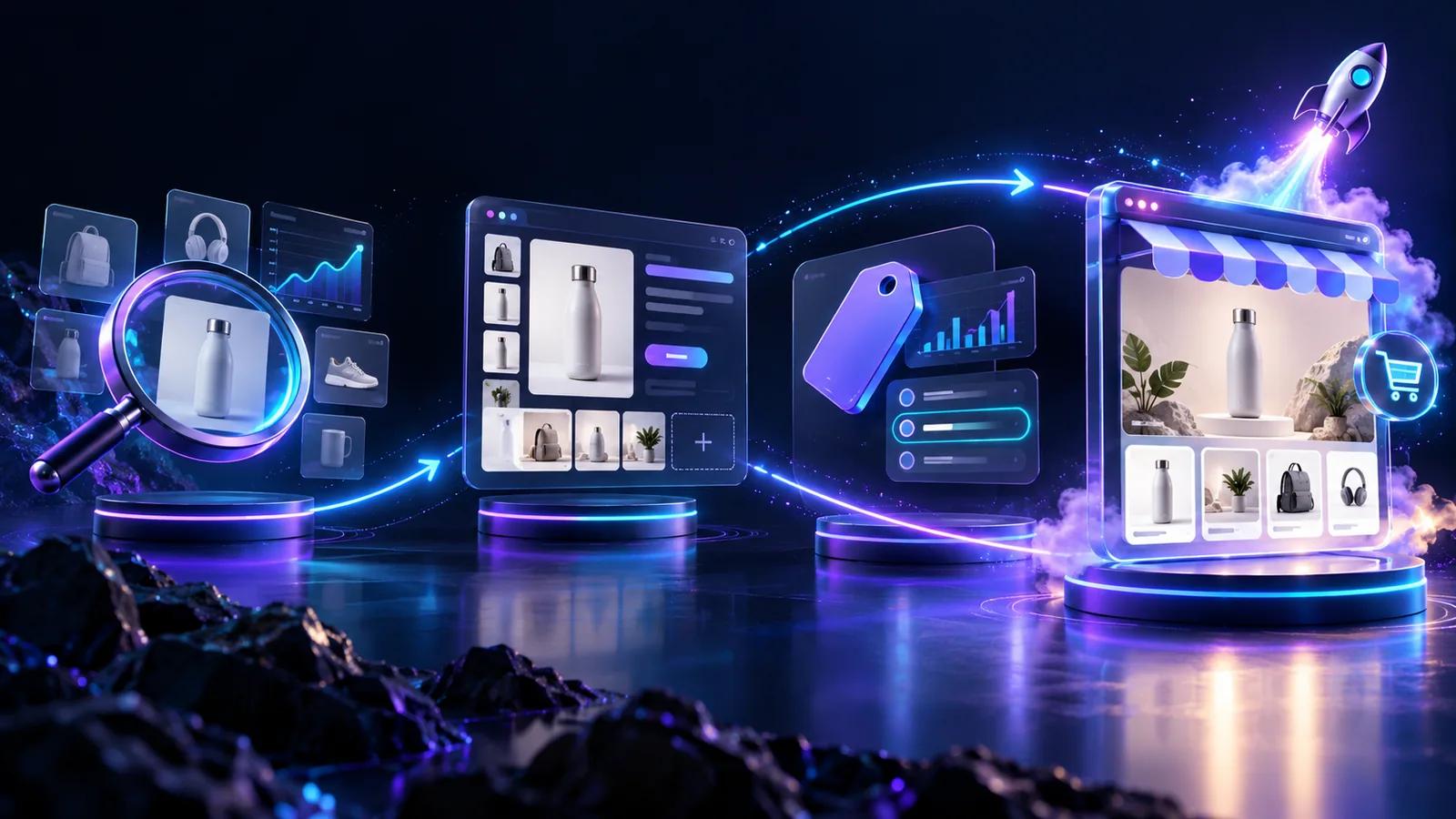

Shopify product page CRO is about fixing the parts of the page that decide whether a visitor buys or bounces. On a product page, that usually means the first screen they see, the product images, the description, the reviews, the shipping details, mobile load speed, and how easy it is to find the add-to-cart button.
That matters because most Shopify stores do not convert at 5%. The average Shopify store converts at around 1.4%, while stronger stores often reach 3–5%. For dropshipping stores, the gap can feel even bigger. A lot of the traffic comes from cold TikTok or Meta ads, so visitors often land on the page with no brand trust, no context, and no reason to wait around if the page feels unclear.
That makes the product page one of the most important places to fix before you scale ad spend. If the page does not explain the product quickly, make the offer clear, and remove basic doubts, the ad budget leaks before the product gets a fair test.
This checklist covers 15 product page elements that matter most for dropshipping CRO, ordered by impact.
Want to build dropshipping product pages faster? Use PagePilot to generate AI-powered Shopify product pages, descriptions, images, and ad copy without starting from scratch.
Key Takeaways
- Most weak Shopify product pages leak in layers, not from one obvious flaw. The issue is usually a mix of unclear copy, thin visuals, missing trust, hidden delivery details, and poor mobile experience. The review should frame CRO as finding the leaks, not hunting for one magic fix.
- The first screen does most of the early selling. If the above-the-fold section does not explain the product, price, audience, trust, delivery, and next step quickly, the rest of the page may never get a fair chance.
- Dropshipping pages often fail because they still feel like supplier pages. Raw product copy and basic AliExpress-style images make the store feel temporary. PagePilot helps by turning a supplier link into a more usable first draft, but the page still needs a real offer behind it.
- Trust signals matter most near the buying decision. Reviews, guarantees, shipping clarity, and payment reassurance do more work near the add-to-cart button than they do buried in the footer.
- Urgency only helps when it’s believable. Real stock limits, shipping cutoffs, and launch windows can support conversions. Fake countdowns and false scarcity can make a dropshipping store look less trustworthy.
- Mobile performance is not a side issue for dropshipping. TikTok and Meta traffic usually lands on a phone, so the mobile hero image, page speed, and add-to-cart access carry more weight than desktop polish.
- CRO is where PagePilot stops and testing begins. PagePilot can speed up the first version of the page by generating structure, copy, images, and sections. It does not replace the work of testing the offer, reading the data, and improving the page after traffic comes in.
- The real value of PagePilot is speed to a testable page. It is strongest when the product is still unproven and the goal is to get a solid first version live quickly, not when a store needs deep manual CRO work on a proven page.
What Is Shopify Product Page CRO?
Shopify product page CRO is the practice of optimizing a Shopify product page so that a higher percentage of visitors add a product to cart and complete a purchase. It covers above-the-fold clarity, product images, descriptions, reviews, trust signals, shipping visibility, mobile UX, page speed, and structured testing.
On a Shopify store, that usually means fixing the moments where a shopper hesitates. They do not understand the product fast enough. The images look like supplier photos. The add-to-cart button is hard to find on mobile. Shipping is unclear. Reviews are missing or too far down the page.
Those small doubts matter more on product pages than almost anywhere else, because this is where paid traffic either turns into revenue or disappears.
In practice, Shopify product page CRO looks at:
- Whether the first screen explains the product and offer quickly
- Whether the images make the product feel real, useful, and worth the price
- Whether the copy turns features into buyer benefits
- Whether the add-to-cart button is visible when the shopper is ready
- Whether reviews, guarantees, payment icons, and delivery details reduce hesitation
- Whether the page loads quickly and feels easy to use on mobile
- Whether tests are run one at a time, so the store learns what actually changed performance
CRO is not the same as buying more traffic. It makes the traffic you already have work harder.
For example, if a store does $50,000/month in revenue, a 1% relative lift is worth about $500/month. That is not magic growth, but it compounds because the improvement applies to every future visitor landing on that page.
Why Are My Shopify Product Pages Not Converting?
Most Shopify product pages fail because too many small doubts pile up before the shopper clicks add to cart.
A visitor might understand the product, but not trust the store. They might like the offer, but have no idea when it ships. They might even be interested, but the mobile page loads slowly or the add-to-cart button disappears below the fold.
That is why the better question is “where is the page leaking confidence?”
These problems usually compound for dropshipping stores. A weak headline might not kill the page on its own. Neither will one supplier image, unclear shipping, no reviews, or a slow mobile load. But together, they make the store feel risky.
Shopify Product Page CRO Checklist: The 15-Point Audit
Not every CRO fix deserves the same attention.
Start with the parts of the product page shoppers see before they trust you: the first screen, the images, the add-to-cart path, the copy, shipping clarity, and mobile speed. Those usually decide whether a visitor keeps going or leaves before the product gets a fair chance.
Make the Above-the-Fold Section Instantly Clear
The first screen of a Shopify product page has one job: help the shopper understand the product fast enough to keep going.
Within about five seconds, the page should answer:
- What is this product?
- Who is it for?
- Why should I care?
- How much does it cost?
- Is it trusted?
- When will it arrive?
- How do I add it to cart?
If the shopper has to scroll before they understand the product, price, shipping promise, trust signal, or next step, the page is already leaking intent.
A strong above-the-fold section usually includes:
- A specific product title
- A clear product image or short video
- Star rating and review count
- Price and discount, if there is one
- A short benefit-led subtitle
- Variant selector
- Shipping promise
- Add-to-cart button
- Payment icons or checkout reassurance
- Return or guarantee microcopy
Use Product Images That Answer Buyer Questions
Product images have to do some of the work a physical store would normally do.
A shopper cannot pick the product up, turn it over, feel the material, check the size, or ask someone nearby whether it will fit their use case. Your image gallery has to answer those questions before doubt takes over.
For most products, aim for:
- 5 to 8 images minimum
- Multiple angles, such as front, back, side, and top
- Product-in-use or lifestyle shots
- Scale reference, such as next to a hand, desk, model, or common object
- Close-up detail shots
- Packaging or “what’s included”
- A comparison image if it helps explain the product
- UGC-style visuals, especially for dropshipping products
- Compressed images so the page stays fast
For simple products, 4 to 6 strong images may be enough. For visual, technical, fashion, home, or dropshipping products, 6 to 10 images or a short video usually gives shoppers a better chance to understand the product quickly.
Do not add near-duplicates just to hit a number. Every image should answer a buyer question.
Add a Short Product Video or GIF When the Product Needs Demonstration
Some products do not make sense until shoppers see them working.
That is especially true for dropshipping products, where the product is often an impulse item, a gadget, or a problem-solver that needs a quick visual explanation.
A short video or GIF is useful for:
- Gadgets
- Beauty tools
- Pet products
- Home organization products
- Fitness products
- Kitchen tools
- Before-and-after products
- Any product where the function is not obvious from a static photo
If shoppers need to see how the product works before they believe it, a 15-to-60-second demo can do more than a long description.
Put the Add-to-Cart Button Where Shoppers Can Actually Find It
The add-to-cart button should not become a scavenger hunt.
On the desktop, it should sit close to the price and variant selector. On mobile, it should either appear early or stay available through a sticky add-to-cart bar so shoppers do not have to scroll back up when they are ready to buy.
Good CTA setup looks like this:
- Place the button near the price
- Make it high contrast and large enough to tap
- Use direct text like “Add to cart,” “Buy now,” or “Get yours”
- Avoid vague button text like “Submit” or “Continue”
- Keep variant selection close to the CTA
- Use a sticky add-to-cart button on mobile
- Do not bury the CTA under long descriptions
For dropshipping stores, sticky add-to-cart is often one of the lowest-effort mobile changes worth testing first.
Rewrite Supplier Copy Into Buyer-Focused Copy
Supplier copy is one of the easiest ways to make a dropshipping product page feel unfinished.
A good product description does not just list what the product is. It helps the shopper understand why the product matters, how it fits into their life, what problem it solves, and what might stop them from buying.
A simple structure works best:
- One-sentence benefit summary
- Short paragraph explaining the product value
- Feature-to-benefit bullets
- Use cases
- Specs or materials
- Care or use instructions
- CTA
The fastest fix is to turn every feature into a buyer benefit.
This is where PagePilot’s AI product description workflow is useful. It can turn supplier information into benefit-led page copy, which saves time when you are testing a new product and do not want to write every description from scratch.
Add Product Reviews Near the Buying Decision
Reviews matter most when the shopper is deciding whether the risk feels acceptable.
That is why the star rating should appear near the product title or price, not only in a review block at the bottom of the page. Full reviews can sit lower down, but the first trust signal should appear early.
Useful review elements include:
- Star rating near the product title
- Review count near the top of the page
- Full review section below product details
- Photo and video reviews where available
- Review snippets near the CTA
- Reviews that mention fit, shipping, quality, or use case
- Verified-purchase badges
Do not fake reviews. Generic five-star praise with no specifics is easy to spot, and fake reviews can violate platform and app policies. Five honest reviews are better than fifty suspicious ones.
Show Shipping Details Before Checkout
Shipping uncertainty stops shoppers before they even add to cart.
This matters even more for dropshipping stores, where visitors may already expect longer delivery times. Hiding shipping details until checkout does not make the problem disappear. It just pushes the anxiety later, where it can become cart abandonment.
Put the key shipping details near the CTA:
- Estimated delivery window
- Free shipping threshold, if applicable
- Shipping cost
- Tracking availability
- Returns window
- Money-back guarantee, if real
- Processing time
The goal is not to promise impossible delivery. The goal is to remove the surprise.
Put Trust Signals Where Shoppers Hesitate
Trust signals should sit near the decision point, not only in the footer.
A shopper who is hovering around the add-to-cart button is asking quiet questions. Is this safe? Can I return it? Will it arrive? Is this store real? That is where reassurance works hardest.
Use trust elements such as:
- Secure checkout badge
- Payment icons
- Money-back guarantee
- Clear return policy
- Shipping promise
- Verified reviews
- Customer photos
- Warranty information
- Press mentions, if real
- “Ships from” information, if relevant
- Customer support contact
A small cluster of three or four trust elements near the add-to-cart button usually does more than the same icons buried in the footer.
Use Urgency Carefully
Urgency can help, but only when shoppers believe it.
Real deadlines give people a reason to act now. Fake countdowns and made-up scarcity do the opposite. They make the store feel less trustworthy, which is already a common problem for dropshipping pages.
Good urgency includes:
- A limited-time launch offer with a real end date
- A genuine sale deadline
- Low-stock messaging only when stock is actually low
- A shipping cutoff for a delivery date
- A seasonal deadline
- A bundle offer deadline
Bad urgency includes:
- Countdown timers that reset on refresh
- “Only 3 left” when inventory is unlimited
- Stacked popups demanding immediate action
- Flashing banners
- Pressure with no proof
Real scarcity can support conversion. Fake scarcity damages the brand.
Make the Page Mobile-First
For dropshipping, mobile is usually the main surface, not the backup version.
A lot of traffic comes from TikTok, Instagram, and Meta ads. That means shoppers often land on the product page from a phone, with low patience and no prior trust. A page that looks fine on desktop but feels clunky on mobile is failing the audience it was built for.
Mobile product pages need:
- Sticky add-to-cart button
- Fast-loading hero image
- Large tap targets, ideally at least 44px high
- Short paragraphs
- Clear variant selection
- Visible reviews
- Easy-to-open FAQ accordions
- No intrusive popups
- Price and CTA visible without friction
- Product video optimized for mobile bandwidth
The two changes to check early are simple: does the hero image load fast, and can the shopper buy without hunting for the button?
Improve Page Speed Before Adding More Apps
Slow product pages quietly waste paid traffic.
The temptation is to add another popup, badge, timer, widget, or review app. Sometimes that helps. But if the page is already heavy, more CRO apps can make the buying experience worse.
Start with the basics:
- Compress product images, ideally using WebP where possible
- Remove unused Shopify apps
- Limit third-party scripts
- Avoid heavy review widgets
- Lazy-load below-the-fold media
- Use optimized theme sections
- Avoid autoplay-heavy pages
- Test mobile speed regularly with Google PageSpeed Insights
For product images, keeping files under 200KB where possible is a practical target. The page still needs to look good, but giant media files should not be the reason shoppers leave before the CTA loads.
Add FAQs That Answer Last-Minute Objections
A good FAQ section should not feel like filler. It should answer the questions that would otherwise stop someone from buying.
For dropshipping products, those questions are usually about delivery, quality, sizing, use, compatibility, and returns.
Useful FAQ topics include:
- How long does shipping take?
- What is included?
- Is this suitable for a specific use case?
- How do I use it?
- What size should I choose?
- Is it compatible with a device or product?
- Can I return it?
- Does it come with a warranty?
- How do I clean or care for it?
- Is tracking included?
FAQs also help with SEO because they add useful, indexable content to the product page. But the conversion reason comes first: they reduce doubt when the shopper is close to deciding.
Use Upsells and Bundles Only When They Make Sense
Upsells can raise average order value, but they can also distract from the main purchase.
The best upsells feel like a helpful next step. The worst ones feel like the store is trying to squeeze more money out of the shopper before they even understand the product.
Good upsells include:
- Quantity discounts
- Matching accessory
- Refill or consumable pack
- Bundle with a related item
- Protection case
- Gift packaging
- Replacement part
Bad upsells include:
- Random unrelated products
- Too many popups
- Upsells before the shopper understands the main product
- Forced bundles
- Discounts so steep they make the product feel cheap
Get the main product page converting first. Then layer upsells on top.
Add Shopify Product Page SEO Basics
Even in a CRO checklist, SEO still matters.
Paid traffic may be the immediate focus, but product pages can also bring in organic traffic. The key is to avoid treating SEO as keyword stuffing. A product page can be search-friendly and conversion-friendly at the same time.
Cover the basics:
- Descriptive product title
- Unique product description
- SEO title
- Meta description around 150–160 characters
- Image alt text
- Clean URL slug
- Product schema markup
- Review schema, if applicable
- FAQ schema, if applicable
- Internal links from relevant collections and blog posts
- Breadcrumb navigation
For structured data, Google Search Central's product schema documentation is the best reference point.
Test One Product Page Element at a Time
CRO only teaches you something if you can tell what caused the change.
If you change the hero image, headline, price display, CTA, reviews, shipping message, and offer at the same time, the conversion rate might go up. But you will not know which change mattered.
Useful product-page tests include:
- Main product image
- Product title
- Price presentation
- Discount format
- Add-to-cart button copy
- Sticky add-to-cart on or off
- Product description opening line
- Review placement
- Shipping message
- Trust badge layout
- Offer or bundle structure
- Urgency message
- FAQ placement
- Product video
- Page length
Test one major element at a time. Otherwise, you are not building a CRO process. You are just editing and hoping.
Create conversion-focused Shopify product pages faster with PagePilot. Generate the first version with AI, then test from there.
How Successful Dropshipping Stores Structure Product Pages
Strong dropshipping product pages usually follow the shopper’s doubts in order.
First, they explain the product quickly. Then they prove it works. Then they reduce the risk of buying from a store the shopper may not know yet.
A good dropshipping product page usually starts with a clear buy box above the fold. That includes the product media, title, rating, price, variant selector, shipping promise, add-to-cart button, and trust or payment reassurance.
After that, the page should build confidence instead of just adding more content.
Recommended Dropshipping Product Page Structure
The order matters. A shopper should not see bundles before they understand the product. They should not have to scroll to find shipping. And they should not reach reviews before the page has explained what the product actually does.
For most dropshipping pages, the biggest mistake is copying the supplier’s structure instead of building around the buyer’s decision. Supplier pages describe the item. A good Shopify product page sells the use case, removes doubt, and makes the next step obvious.
Build dropshipping product pages faster with PagePilot. Start from an AliExpress, Amazon, or Shopify product link, generate the first page structure, then edit it for your offer before testing.
Shopify Product Page CRO Checklist by Priority
Use this order when a Shopify product page is not converting and you need to find the biggest leaks first.
Do the early fixes before adding more complexity. A bundle, popup, or upsell will not save a page where the product is unclear, the images look like supplier leftovers, or the buy button is hard to find on mobile.
How PagePilot Helps Dropshipping Stores Build Better Product Pages Faster
PagePilot is useful when the slow part is turning a supplier product into a page you can actually test.
Most dropshippers do not get stuck because they have never heard of reviews, trust signals, product benefits, or mobile CTAs. They get stuck because every new product needs the same work again: rewrite the supplier description, clean up the offer, find better visuals, build the sections, and publish the page before the product loses momentum.
PagePilot shortens that first pass. You can start with an AliExpress, Amazon, or Shopify product link and generate a first version of the product page instead of building from a blank Shopify page or pasting in supplier copy.
What PagePilot helps with:
- Turning a product link into a Shopify product page draft
- Rewriting supplier copy into benefit-led product descriptions
- Creating product images that are more usable than raw supplier photos
- Generating ad copy for Meta and TikTok tests
- Publishing the page to Shopify faster
- Starting from DTC templates and CRO sections instead of an empty layout
That does not mean the page is finished.
PagePilot can get you closer to a testable page, but you still need to check the offer, images, shipping message, reviews, CTA placement, and mobile experience. CRO still happens after traffic hits the page.
The value is that PagePilot speeds up the first 80%: structure, copy, images, sections, and the first publishable draft. The last 20% still comes from testing, reading the data, and improving the page once you know whether the product is worth the work.
Use PagePilot to generate the first version of your dropshipping product page from a product link, then test and improve it from there.
Final Shopify Product Page CRO Checklist
Use this as the final check before you push a product page live.
Above-the-fold check
- Clear product title
- Strong main image
- Visible price
- Clear discount, if there is one
- Star rating or review count near the title or price
- Short benefit-led subtitle
- Variant selector
- Add-to-cart button visible before scrolling
- Shipping estimate near the buying area
- Trust or payment reassurance near the CTA
Product proof check
- Product video or GIF if the product needs demonstration
- Product-in-use visuals
- Close-up or detail images
- Scale reference where size matters
- Reviews and UGC
- Quality reassurance, especially for dropshipping products
- Clear “what’s included” section
Copy check
- Unique copy instead of supplier text
- Benefit-led description
- Feature-to-benefit bullets
- Product specs where shoppers need them
- Use cases that help buyers picture the product in real life
- Objection-focused FAQs
Buying path check
- Sticky mobile add-to-cart
- Simple variant selection
- Clear shipping estimate
- Return policy
- Payment icons
- Trust badges
- Related product or bundle only if it helps the main purchase
- No fake urgency
SEO and technical check
- SEO title
- Meta description
- Product schema
- Fast mobile load time
- Compressed images
- Clean mobile layout with no intrusive popups
Dropshipping-specific check
- Delivery expectations are realistic
- Supplier copy has been rewritten
- Supplier images are not the only visuals
- Reviews or proof feel specific, not generic
- Return policy is easy to understand
- FAQs answer the doubts a cold buyer would actually have
- Urgency is real, not a reset timer or fake stock warning
- The first test has a clear angle, offer, and success metric
Final Verdict: How Do You Improve Shopify Product Page Conversions?
Improving Shopify product page conversions starts with a shopper’s decision whether the page feels trustworthy enough to keep going.
That means the product should make sense above the fold. The images should answer questions a shopper cannot ask in person. The copy should explain the buyer benefit, not repeat supplier specs. Shipping, returns, reviews, and the add-to-cart button should all be easy to find before the shopper even starts doubting the purchase.
The stakes are higher for dropshipping stores. Most visitors arrive from cold TikTok or Meta ads, so they do not know the brand, may not trust the product yet, and are usually judging the page on mobile. A slow, vague, or generic supplier-looking product page can lose the sale faster than you can say fair test.
PagePilot helps with the first version of that page. It can generate the structure, descriptions, images, ad copy, and Shopify page draft faster than building from scratch. That does not replace CRO testing. But it gets merchants past the blank-page stage faster, so they can see whether the product deserves more work once real traffic hits the page.
Build the first version of your Shopify product page faster with PagePilot, then test and improve it from there.