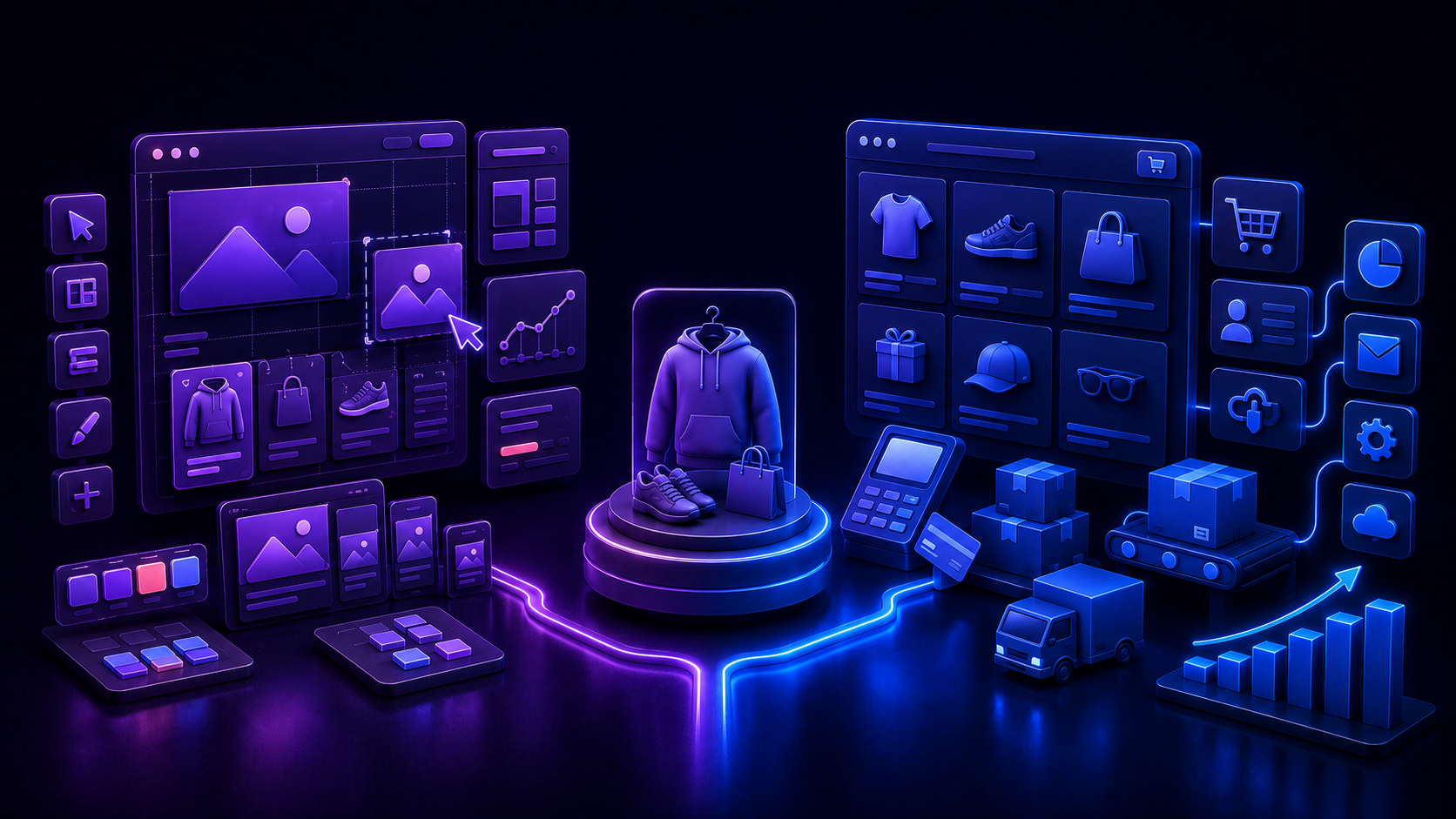

Some platforms are built to make the website feel completely custom. Others are built to make the buying process work smoothly at scale. That is the core Webflow vs. Shopify trade-off. Webflow gives designers more visual control over the page, brand, and site experience. Shopify gives ecommerce teams more infrastructure for products, checkout, apps, orders, fulfillment, dropshipping, and conversion optimization.
Webflow is a strong choice when the website experience and visual design matter most, especially for smaller stores or design-led brands. Shopify is usually the better choice when selling products is the main business, especially for dropshipping, paid traffic, product testing, product pages, apps, checkout, and long-term ecommerce growth. Framed as Webflow vs. Shopify ecommerce specifically, the deciding factor is almost always how much operational selling depth the business needs versus how much visual control it wants to keep.
Webflow vs. Shopify: The Short Answer
Choose Webflow if you want a highly custom, design-led website with ecommerce features attached. Choose Shopify if you want an ecommerce-first platform built for products, checkout, inventory, apps, fulfillment, dropshipping, and scaling. Weighing Webflow or Shopify for ecommerce specifically, most sellers whose main business is selling products land on Shopify. Choose Shopify with PagePilot if you want to create high-converting Shopify product pages, product descriptions, visuals, ad creatives, and landing-style pages faster.
What Is Webflow?
Webflow is a visual website builder, ecommerce website builder, and web design platform that gives teams strong control over layout, interactions, CMS content, and brand experience. It includes hosting, animations and interactions, localization, AI credits, and a CMS built for content-heavy sites, alongside dedicated Ecommerce Standard, Plus, and Advanced plans for online selling.
Webflow's ecommerce plans currently start around $29 a month for Standard, with a 2% transaction fee, moving up to Plus at roughly $74 a month and Advanced around $212 a month, both at 0% transaction fee, when billed annually. Every ecommerce plan includes a custom shopping cart, Webflow checkout, product pages, and product collections built around Webflow's design tools. Webflow is not weak at ecommerce. It can sell products and run a real online store. The better question is whether Webflow is the right ecommerce system once a seller needs product testing, dropshipping workflows, checkout depth, apps, fulfillment, and conversion tooling at scale.
What Is Shopify?
Shopify is a hosted ecommerce platform and online store platform built specifically for online selling: creating a store, accepting payments, managing products and inventory, processing orders and shipping, marketing, SEO, and analytics, all from web or mobile. Shopify ecommerce tooling covers most of what a merchant needs without stitching together a separate cart, checkout, and fulfillment system. Shopify states there are no setup fees, though third-party transaction fees can apply if a merchant uses a payment provider other than Shopify Payments.
Shopify is less about designing a website from scratch and more about running a store. It gives sellers product and inventory management, Shopify checkout, shipping and fulfillment tools, apps, themes, dropshipping support, and analytics out of the box. Shopify does not offer the same design freedom as Webflow by default. Tools like PagePilot exist specifically to make Shopify product pages more flexible, conversion-focused, and faster to launch, closing a lot of that gap on the pages that matter most.
Webflow vs. Shopify: Key Differences at a Glance
Is Webflow or Shopify Better for Ecommerce?
Is Shopify better than Webflow for ecommerce? For most product-first sellers, yes. Is Webflow good for ecommerce at all, though? It can be, just not usually as the primary system once selling becomes the whole business. Shopify is usually better for ecommerce. Webflow is usually better for custom website design with ecommerce attached. Webflow starts with design freedom and adds selling features. Shopify starts with ecommerce operations and adds design flexibility through themes, apps, and page builders.
Sellers evaluating AI store builders as part of that decision sometimes compare PagePilot vs DropMagic or BuildYourStore vs PagePilot once Shopify is already the front-runner over Webflow.
Webflow is better when...
Visual design is the top priority, the store has a small or simple catalog, or the brand needs a highly custom website experience. It also fits when the site is content-heavy or marketing-led, the business sells a few products alongside services or digital experiences, the team has Webflow design expertise, or the store does not rely heavily on dropshipping apps or rapid product testing.
Shopify is better when...
Product sales are the main business, the store needs stronger product pages, or the seller plans to run paid traffic. It also fits when dropshipping or print-on-demand is part of the model, the brand needs ecommerce apps for reviews, bundles, upsells, subscriptions, cart drawers, email, and SMS, or the store needs better product testing workflows as it scales. Sellers who want best Shopify page builders alongside tools like PagePilot for AI Shopify product pages tend to land here too.
Webflow vs. Shopify for an Online Store
Looking at the Webflow vs. Shopify online store question directly, for a small, design-led online store, Webflow can work well. For a store where ecommerce is the main business, Shopify is usually the stronger choice, and browsing Shopify homepage examples is a quick way to see how far that design range can stretch once the store is built out.
Webflow for online stores
Webflow is useful when the seller wants a store that feels highly custom and brand-driven. It can be a good choice for boutique brands, creative businesses, portfolio-led stores, content-led stores, and sellers with a limited catalog, thanks to custom visual design, strong brand storytelling, CMS-driven content, and polished product presentation.
The trade-off is less ecommerce app depth, a less dropshipping-native setup, fewer product testing workflows, and more limited ecommerce operations compared with Shopify. Some fulfillment integrations may also require manual workarounds rather than a fully automated flow.
Shopify for online stores
Shopify is useful when the seller needs a real ecommerce operating system: products, collections, checkout, orders, fulfillment, apps, analytics, and growth built around selling rather than added on top of a website. A strong product and catalog foundation, the Shopify checkout ecosystem, and a large app store make it easier to add cart, upsell, bundle, review, and subscription tools as the business grows.
Merchants weighing the switch often want to know how much it costs to build a Shopify website before committing, since the base plan rarely tells the whole story once apps and a page builder enter the picture.
Which Is Easier to Build a Store On?
Shopify is usually easier for ecommerce beginners. Webflow can be easier for designers who already know Webflow, but it usually has a steeper learning curve for ecommerce sellers specifically.
Why Shopify is easier for ecommerce stores
Ecommerce is built in, product setup is straightforward, and store themes are ecommerce-focused from the start. Checkout is part of the platform, apps are built around ecommerce workflows, and dropshipping tools are easier to add without designing every store element from scratch.
Why Webflow can feel harder
More design freedom means more design decisions, and ecommerce setup is not as plug-and-play for sellers. Dropshipping workflows are less native, the app ecosystem is less ecommerce-specific, and some integrations may need more manual setup than a merchant expects going in.
When Webflow may feel easier
Webflow may feel easier if the user is already a Webflow designer, agency, or creative team that wants total control over the look and feel of the store, rather than a merchant prioritizing ecommerce operations first.
Sellers who end up on Shopify still weigh page-building costs, and the Atlas AI store builder pricing breakdown alongside a direct GemPages vs PageFly comparison is a reasonable place to start that research.
Which Converts Better for Products?
Neither platform automatically converts better, and ecommerce conversion rate depends on far more than which builder made the page. Conversion depends on product-market fit, offer, traffic, copy, visuals, product page structure, trust signals, checkout friction, page speed, mobile experience, and follow-up.
Webflow conversion strengths
Custom landing page design, strong visual storytelling, and more control over layout and brand experience suit high-consideration products well. It also fits design-led launches and creative campaigns where the page needs to feel less template-based.
Shopify conversion strengths
An ecommerce-first product page ecosystem, a stronger checkout ecosystem, and a larger app ecosystem for reviews, bundles, upsells, cart drawers, and subscriptions make Shopify easier to optimize over time. It connects more naturally with ecommerce analytics and conversion tools, and with best Shopify apps to increase conversion rates layered on top, along with AI tools like PagePilot for product pages, descriptions, visuals, and ad creatives.
Simple conversion takeaway
Webflow can create beautiful and persuasive product experiences. Shopify usually gives sellers more ecommerce-specific tools to improve conversion over time. For product pages tied to paid traffic, dropshipping, and fast testing, Shopify plus PagePilot is usually the better conversion workflow.
Can Webflow Handle Dropshipping?
Webflow dropshipping and Shopify dropshipping are not close calls in practice. Webflow can support some dropshipping or print-on-demand workflows through integrations, but Shopify is usually much better for dropshipping. Dropshipping depends on supplier apps, product imports, inventory syncing, fulfillment workflows, product testing, ad creatives, reviews, upsells, cart tools, and fast page launches, and Shopify has a much stronger ecosystem built around all of it.
Webflow for dropshipping
Webflow may work for limited print-on-demand or supplier workflows, especially if the brand prioritizes design and has a small catalog. Printful's own help documentation notes that its dedicated Webflow integration was discontinued, and sellers continuing to sell print-on-demand products through Webflow may need manual order submission and manual product or inventory updates. That is a meaningful operational gap once volume grows past a handful of products.
It is not usually the best fit for aggressive product testing or large-scale dropshipping, since it has fewer dropshipping apps, less supplier ecosystem depth, and less native support for fast product testing than a store platform built around exactly that.
Shopify for dropshipping
Shopify is usually better for dropshipping because it supports supplier apps, product imports, product testing, fulfillment workflows, cart tools, reviews, upsells, bundles, and paid traffic pages more naturally. Shopify's own guidance on starting a dropshipping business outlines several paths depending on a seller's experience and goals, which reflects how many entry points the ecosystem has built around this exact model.
A larger dropshipping app ecosystem also means sellers can lean on a full dropshipping platform or a curated list of best apps for dropshipping instead of stitching together workarounds.
Where PagePilot fits for dropshipping
PagePilot helps Shopify dropshippers move from product idea to product page faster, generating product pages, descriptions, AI visuals, ad creatives, and conversion-focused sections without building every page manually. Once a seller has a working page format, choosing which dropshipping products with high profit margin are worth testing matters just as much as the page itself.
Webflow vs. Shopify for Product Pages
This is where the platform choice becomes practical, and where product page conversion really gets decided. Webflow product pages are strongest when the brand needs a custom visual experience, the catalog is small, and design and storytelling matter more than app depth. That fits teams with strong design skills who want the product page to feel custom rather than store-template-based.
Shopify product pages are strongest when the page needs reviews, variants, bundles, upsells, subscriptions, cart drawers, FAQs, and trust sections, the seller runs paid traffic, or the store tests products often. Writing AI-generated Shopify product descriptions instead of a generic template usually closes most of the gap Webflow's design freedom would otherwise win on. Webflow gives more visual freedom. Shopify gives more ecommerce momentum, and PagePilot helps Shopify sellers create more persuasive product pages faster.
Webflow vs. Shopify for Paid Ads
Paid traffic makes the product page and checkout more important. The more money a seller spends on ads, the more the store needs strong product pages, trust signals, fast page launches, cart tools, analytics, and checkout reliability behind every click.
Use Webflow when the campaign needs a custom brand experience, the seller has a design team, and the product is high-consideration and storytelling-heavy, more like a custom campaign experience built from product landing pages than a standard ecommerce product page. Employ Shopify when the ad sells physical products, the seller needs product, variant, order, and fulfillment workflows, or the store relies on reviews, bundles, cart tools, subscriptions, or upsells.
Some of the same best practices for high-converting landing pages that apply to a dedicated campaign page carry over directly to a well-built Shopify product page, and the same thinking behind how you optimize a landing page for lead generation still applies once the goal shifts from a lead form to a purchase.
Webflow vs. Shopify for SEO
Both platforms can support SEO, but they are strong in different ways. Webflow's strengths are strong control over custom page design, CMS flexibility, and custom site architecture, which suits marketing sites, landing pages, and content-led pages with educational or editorial content.
Shopify's strengths are product and collection architecture, ecommerce-focused themes, and blog-to-product internal linking, which fits ecommerce category and product SEO more naturally. Google's own ecommerce SEO best practices reflect a lot of that product-led structure. Use Webflow if the site is primarily a custom marketing or content experience with ecommerce attached. Use Shopify if the SEO strategy revolves around products, collections, and buying intent.
Webflow vs. Shopify for Apps and Integrations
Webflow has useful integrations for websites, marketing, automation, CMS workflows, forms, and some ecommerce and fulfillment connections. Shopify has a deeper ecommerce-specific app ecosystem covering dropshipping apps, product sourcing, fulfillment, reviews, bundles, upsells, cart drawers, subscriptions, email and SMS, loyalty, and analytics.
Sellers comparing dedicated Shopify page builders as part of that app stack can look at best PageFly alternatives to see what else is on the shortlist.
A direct side-by-side of PagePilot vs GemPages and PagePilot vs Shogun helps show how the workflows differ. Webflow has strong website integrations. Shopify has stronger ecommerce integrations, and that difference tends to matter more as the catalog grows.
Should You Move From Webflow to Shopify?
Move from Webflow to Shopify if ecommerce has become the main business and Webflow is limiting dropshipping, checkout, fulfillment, product testing, apps, product pages, or conversion optimization. Sellers weighing AI store tools as part of that move can start with a general look at AI store builder pricing or a full AI store builder pricing comparison to see where the costs land.
Signs you should switch from Webflow to Shopify
You are selling more products, need better product management, or want stronger checkout and cart tools. It is also a sign if you are running paid ads and want to test products faster, need dropshipping or supplier apps, or want reviews, bundles, upsells, subscriptions, or cart drawers that Webflow was not built around. Fulfillment workflows becoming too manual is often the tipping point once ecommerce is clearly the core business rather than a side feature.
Reasons to stay on Webflow
The site is mostly a marketing or content site, the catalog is small, and design control is the top priority. Staying also makes sense if the store is simple and already profitable, the business has strong Webflow expertise, or the site needs a custom visual experience that matters more than ecommerce app depth. Sellers who were only using Webflow to avoid a funnel tool in the first place might also find that a ClickFunnels pricing breakdown puts that alternative in perspective before ruling it out entirely.
Webflow to Shopify migration checklist
Start by auditing current Webflow products, CMS pages, URLs, forms, and integrations, then identify top-selling products and highest-traffic pages before deciding which pages should stay as marketing content and which should become Shopify product pages. Map Webflow product categories to Shopify collections, choose a Shopify theme, and rebuild product pages for conversion instead of copying them over exactly, improving descriptions, visuals, reviews, and FAQs along the way.
Set up payments, taxes, shipping, and fulfillment, connect analytics and ad pixels, and add apps for reviews, bundles, upsells, and fulfillment before rebuilding paid traffic pages as Shopify landing-style product pages. Comparing GemPages pricing against Shogun page builder pricing at this stage helps decide which page-building tool fits the rebuilt store. Test the cart and checkout flow, set up redirects where needed, and use PagePilot to create stronger Shopify product pages faster once the new structure is in place.
Where PagePilot Fits After Choosing Shopify
Choosing Shopify gives ecommerce sellers the store infrastructure. PagePilot helps with the pages that need to turn traffic into buyers: generating Shopify product pages with AI, turning product URLs into Shopify landing pages, writing AI product descriptions, and creating AI product images and ad creatives without needing a designer or developer on staff.
It also helps with writing high-converting Shopify product descriptions with AI instead of relying on a flat default template, and with reducing bounce rate on Shopify product pages once traffic starts arriving from paid campaigns.
Sellers testing a single hero product can look at how a one-product Shopify store compares with a general store for conversion. Webflow gives you design freedom. Shopify gives you ecommerce muscle. PagePilot helps Shopify product pages convert.
Webflow vs. Shopify Pros and Cons
Sellers still comparing dedicated Shopify page builders before committing to a workflow can check best GemPages alternatives alongside the pros and cons below.
Webflow Pros and Cons for Ecommerce
Shopify Pros and Cons for Ecommerce
Webflow vs. Shopify: Final Decision
Webflow is better for custom websites, design-led brands, content-heavy sites, and smaller stores where visual control matters most, while high-converting Shopify pages are usually the faster path once selling products is the whole point of the site. Shopify is better for ecommerce-first stores, product catalogs, dropshipping, paid ads, checkout, apps, fulfillment, product testing, and scaling. Webflow can handle some ecommerce and limited dropshipping workflows, but Shopify is usually the stronger platform once the store needs to sell products seriously, and page performance matters either way, since a slow page loses buyers regardless of platform and Core Web Vitals is worth checking on whichever one you choose.
If you choose Shopify over Webflow, do not settle for generic product pages. Your product pages still need strong copy, visuals, trust sections, objections, and a clear buying path, and PagePilot helps you create those Shopify pages faster with AI so the ecommerce muscle you chose really turns into sales.