Try PagePilot.ai 100% FREE! No credit card required.

The Shopify cart drawer and slide cart that boosts AOV
PagePilot turns your Shopify cart into a slide cart with built-in upsells, countdown timers, and a free-shipping progress bar. It is fully editable, needs no code, and goes live in minutes.
Free trial available. No credit card required.
What is a Shopify cart drawer?
PagePilot's editable cart drawer is a slide-out Shopify cart that lets shoppers review and edit their order in place while showing upsells, countdown timers, a free-shipping progress bar, and trust badges. It is no-code and on-brand, and it lifts average order value by turning the cart into a high-intent selling moment.
Everything a high-converting slide cart needs
A cart upsell drawer that does the selling for you, built on the same no-code engine used by 400K+ Shopify merchants.
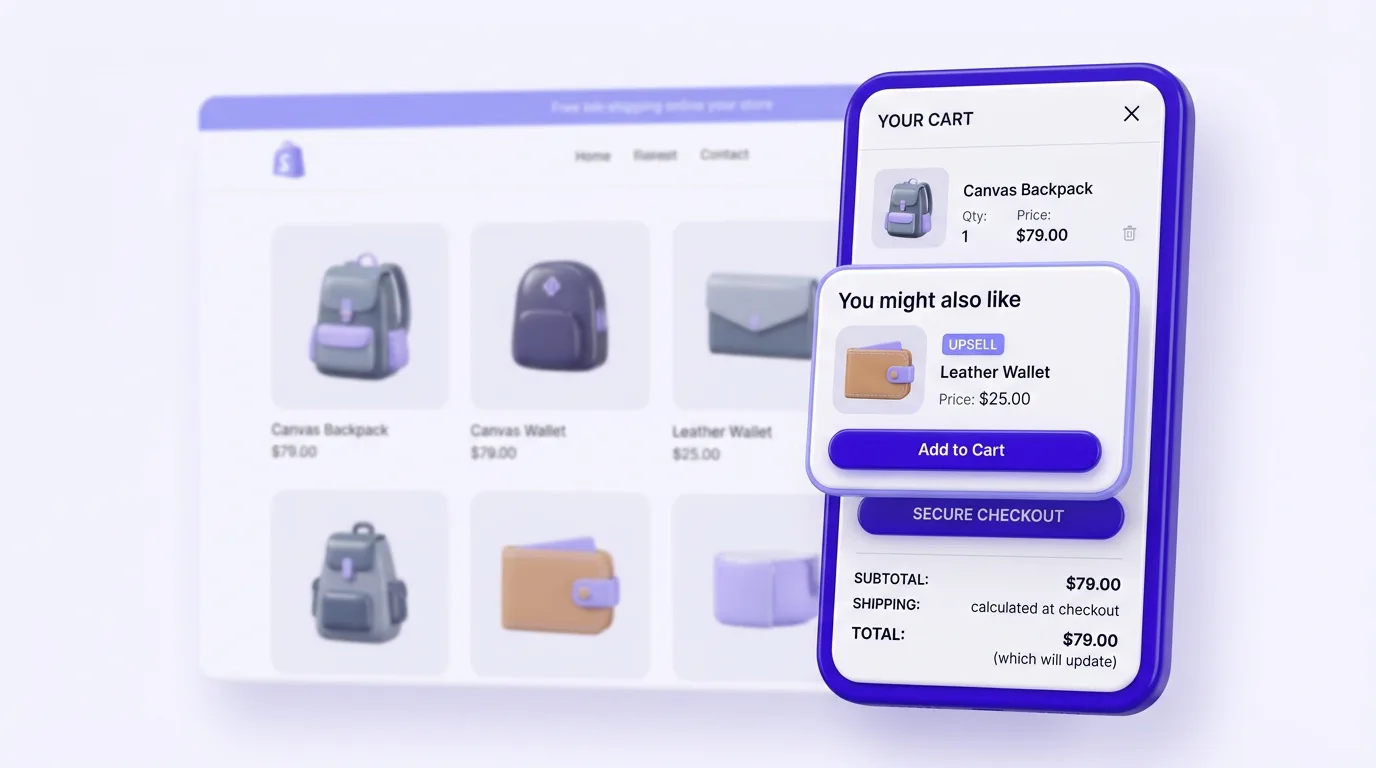
Upsells & cross-sells in the cart
Add one-click offers and automatic recommendations inside the drawer to raise every order total.
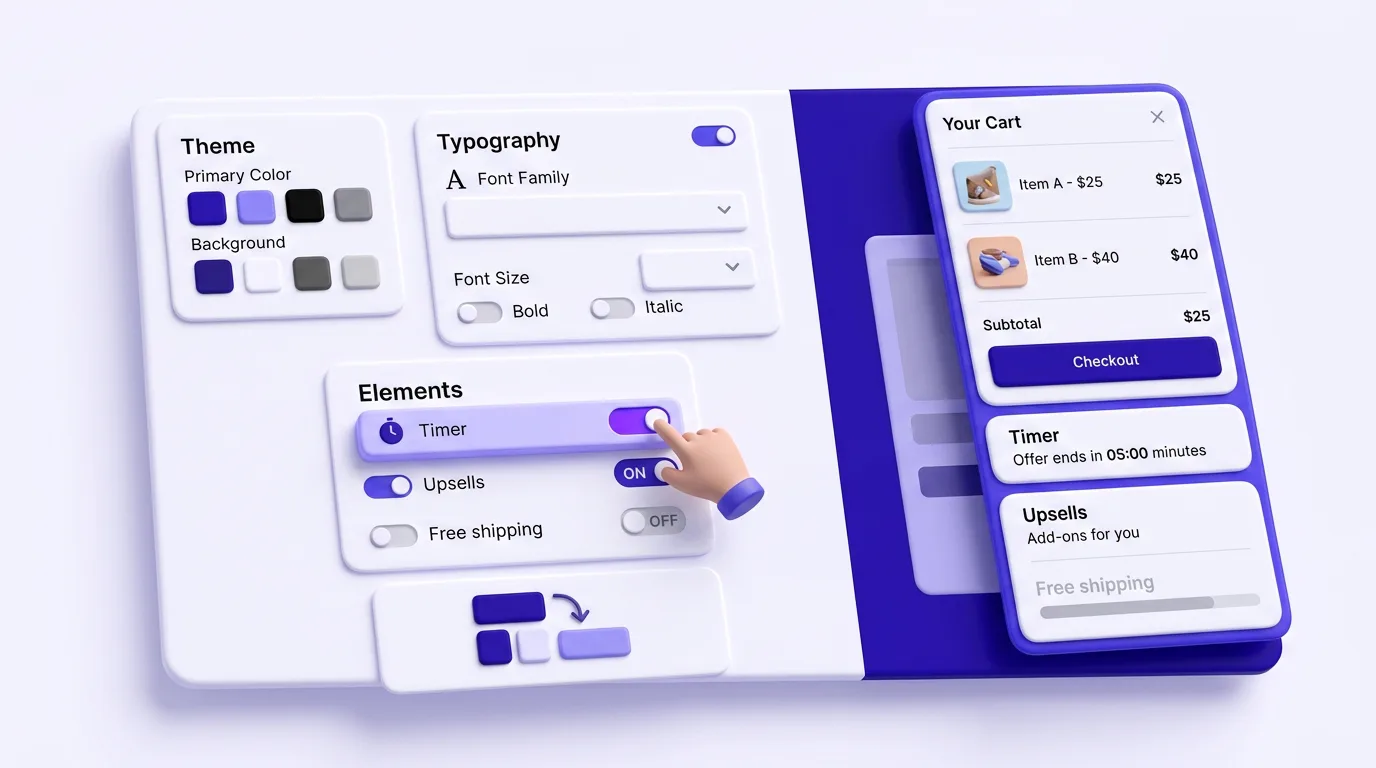
One-click edits, zero liquid
Match colors, fonts, and layout to your brand and publish instantly, with no theme editing required.
Countdown timers
Reservation timers create scarcity and push shoppers to complete checkout faster.
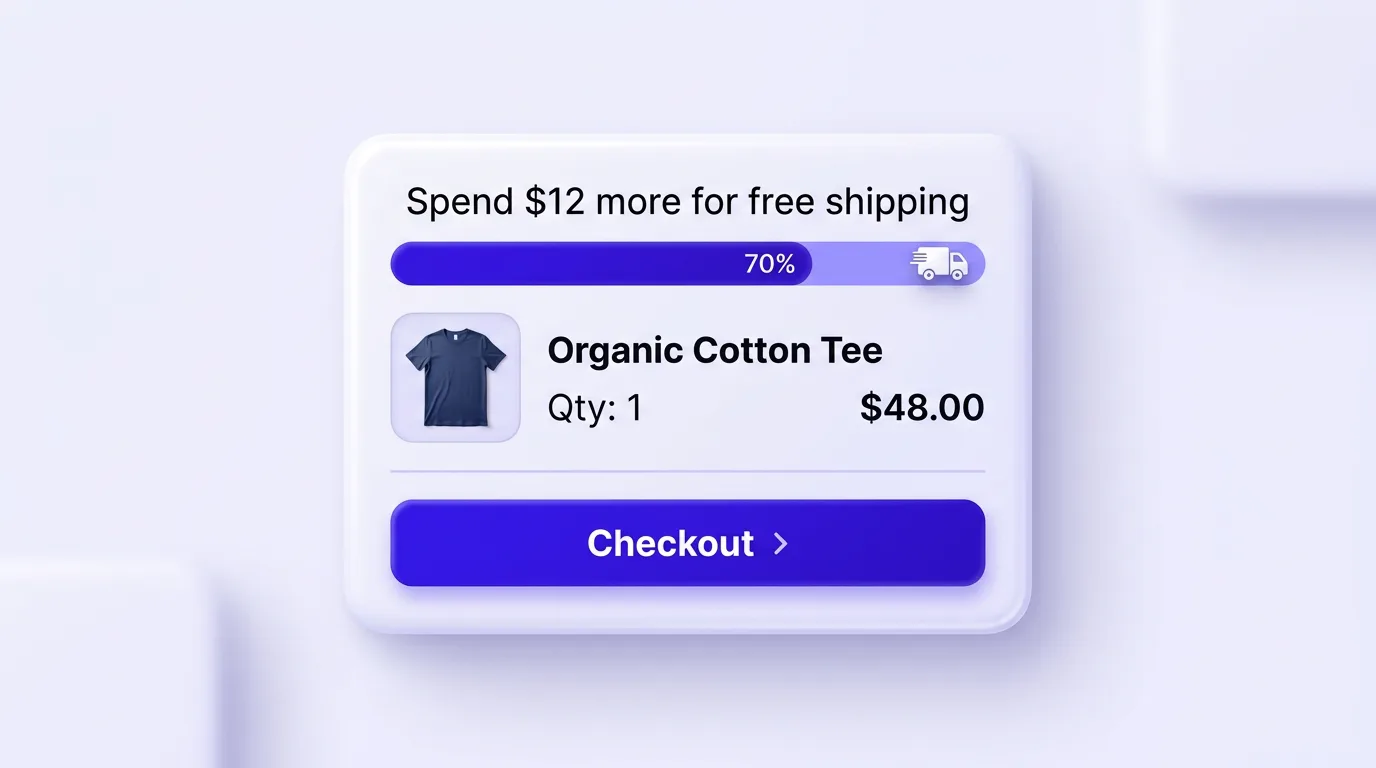
Progress bar
Show how much more to spend to qualify for free delivery, a top AOV lever.
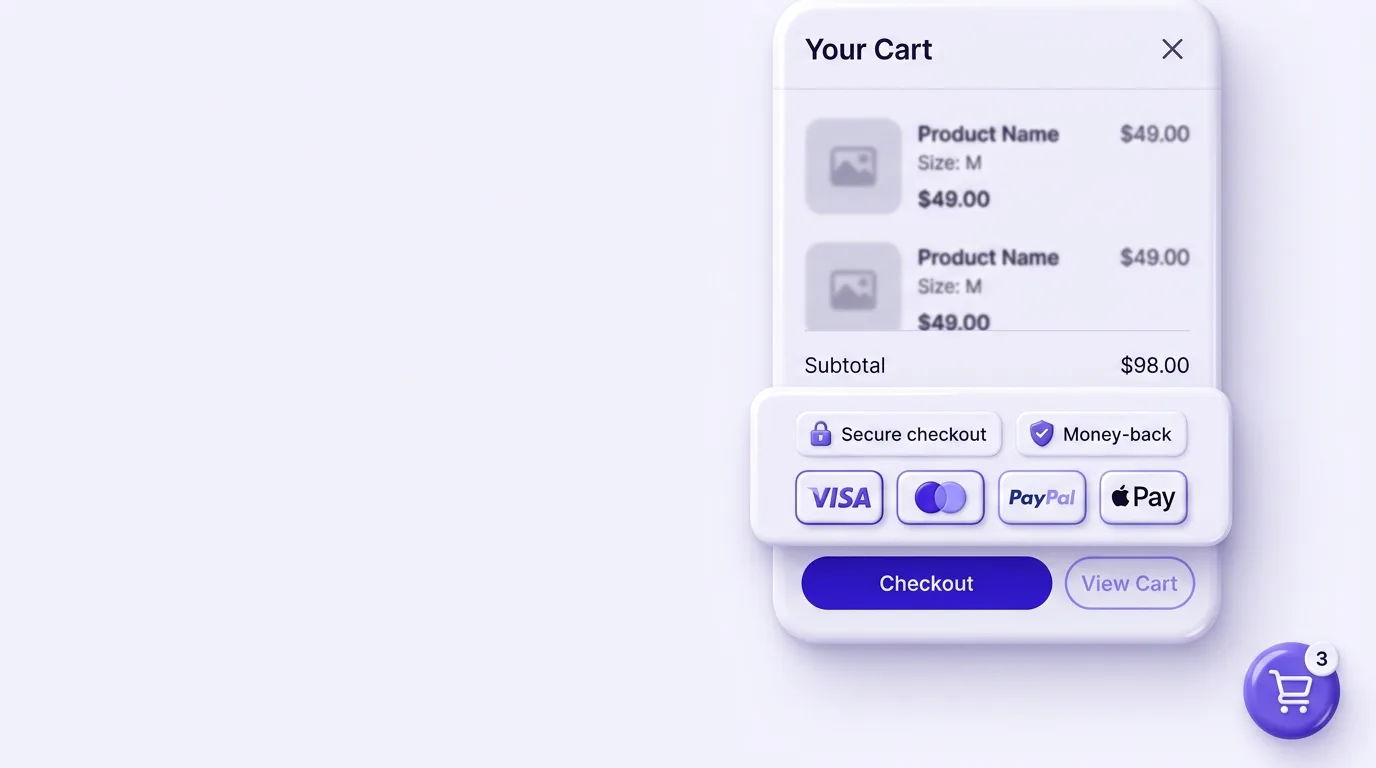
Sticky cart & badges
A sticky cart and trust badges keep buyers confident from product page to checkout.
Why use a cart upsell drawer?
Shoppers who reach the cart are your highest-intent buyers. PagePilot's editable cart drawer meets them there with relevant offers and incentives, so you grow revenue without spending more on ads. Merchants commonly see a 10 to 30% lift in average order value.
- • One-click upsells & cross-sells inside the slide cart
- • Free-shipping progress bar to push "one more item"
- • Countdown timers that add urgency at the decision point
- • Trust badges that reduce checkout hesitation

How customizable is the Shopify cart drawer?
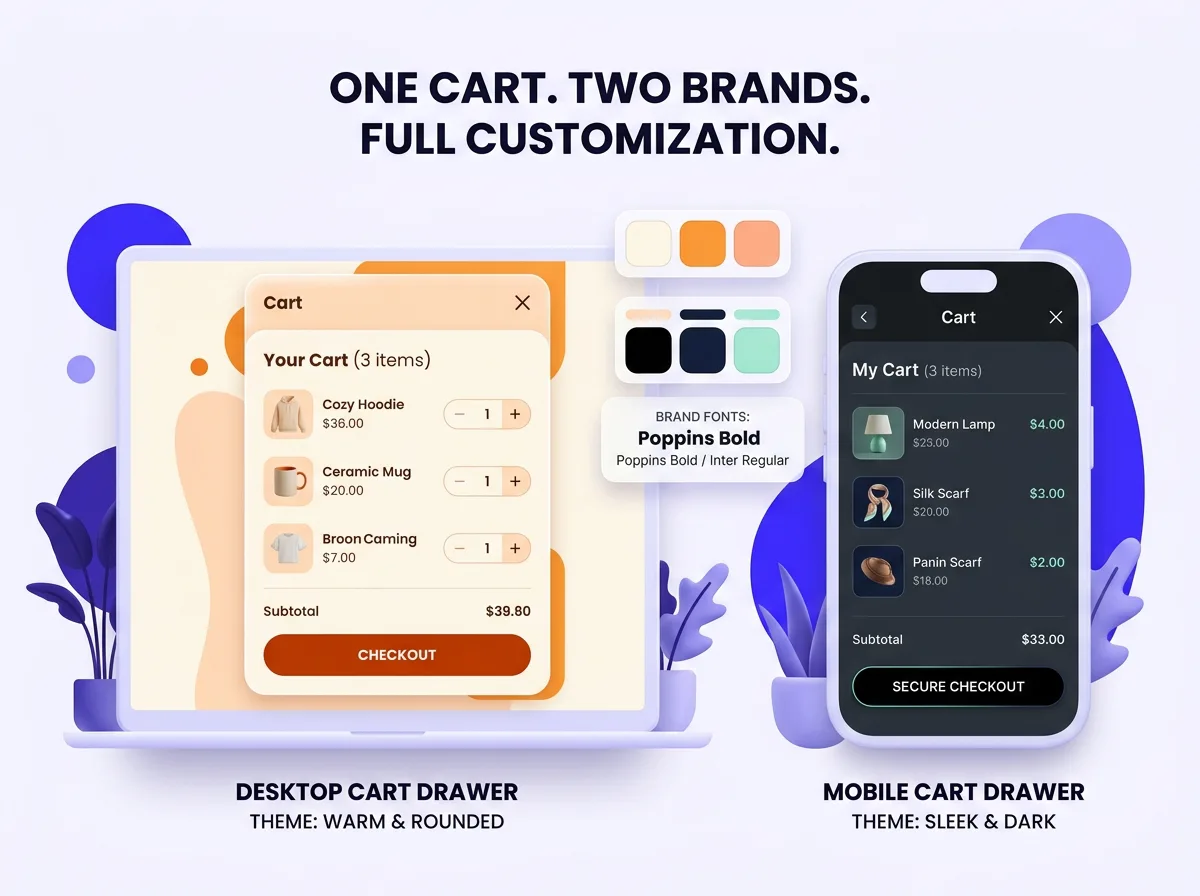
Completely. The drawer inherits your brand, and the colors, fonts, layout, copy, and offers all stay editable to match your store. It works with any Shopify theme and looks native on desktop and mobile, with no code and no developer in the loop.
- • Brand-matched colors, fonts & button styles
- • Drag-in upsell products with automatic rules
- • Editable headings, badges & shipping thresholds
- • Works on every Shopify theme, fully responsive
What's inside the editable cart drawer
Customizable design
Match colors, fonts, button styles, and layout to your brand on any Shopify theme.
Product upsells & cross-sells
Add one-click offers and rule-based recommendations directly inside the cart drawer.
Countdown timers & urgency
Trigger scarcity with reservation timers that hold the cart and push shoppers to checkout.
Free-shipping progress bar
Show exactly how much more to spend to qualify for free delivery, a proven AOV driver.
Trust badges
Show secure-checkout, money-back, and payment badges right where buyers decide.
One-click edits, no code
Every change is visual and instant. You never touch theme files or liquid.
+$200M
Revenue Generated
+400K
Shopify Merchants
10-30%
Typical AOV Lift
< 5 min
Setup Time
Why pick the PagePilot cart drawer app
A theme's built-in slide cart just holds items. A standalone cart upsell app can slow your store and bolt onto checkout. PagePilot gives you a fast cart drawer and a full page builder in one.
How does the cart drawer work?
- 1
Install PagePilot
Add PagePilot to your Shopify store in one click, with no code or theme editing.
- 2
Customize & add offers
Match the drawer to your brand, drag in upsells, and switch on timers and the free-shipping bar.
- 3
Publish & grow AOV
Go live in minutes and watch average order value climb as shoppers add more to cart.
Cart drawer FAQ
What is a Shopify cart drawer?
A Shopify cart drawer (or slide cart) is a panel that slides in from the side of the screen when a shopper adds a product, so they can review and edit their order without leaving the page they are on. PagePilot turns that drawer into a revenue tool with upsells, timers, free-shipping progress bars, and trust badges.
How does PagePilot's editable cart drawer increase AOV?
PagePilot's cart drawer raises average order value in three ways. It surfaces relevant upsells and cross-sells while a shopper is already in a buying mindset. It adds a free-shipping progress bar that nudges them to add one more item. And it uses countdown timers to create urgency. Merchants commonly see a 10 to 30% AOV lift after enabling cart upsells.
Do I need to write any code to customize the cart drawer?
No. PagePilot's slide cart is fully no-code. You match colors, fonts, and layout to your brand, drag in upsell products, and toggle timers, badges, and the free-shipping bar from a visual editor. Every change is one click and goes live instantly, with no theme editing or developer required.
Will the cart drawer match my Shopify theme and brand?
Yes. The drawer inherits your brand by default, and you can edit the colors, fonts, button styles, spacing, and layout to match your store. It works with any Shopify theme, so the sticky cart looks native and on-brand on both desktop and mobile.
Can I add product upsells and cross-sells inside the drawer?
Yes. You can pick specific upsell and cross-sell products, set automatic rules based on cart contents, and show one-click "add to cart" offers inside the drawer. This cart upsell drawer keeps shoppers in the checkout flow while raising the order total.
Does the free-shipping progress bar really work?
Yes. A free-shipping progress bar shows shoppers exactly how much more they need to spend to qualify for free delivery, and it is one of the highest-converting AOV levers in ecommerce. With PagePilot you set the threshold and message, and the bar updates live as items are added.
Is the editable cart drawer free to try?
You can start with a free trial of PagePilot, no credit card required. Paid plans start at $39/month and include the editable cart drawer, upsells, timers, the free-shipping bar, and the full no-code page builder for Shopify.
How long does it take to set up the slide cart?
Most merchants launch the PagePilot cart drawer in under 5 minutes. Install the app, customize the drawer to your brand, switch on upsells and the free-shipping bar, then publish. No code and no theme editing needed.
How do I enable a cart drawer in Shopify?
You can enable a cart drawer in Shopify in two ways. Some themes, like Dawn, have a built-in option under Theme settings to swap the cart page for a drawer. For full control, install a cart drawer app like PagePilot, which adds a slide cart with upsells and a free-shipping bar to any Shopify theme without editing code or liquid.
What is the difference between a Shopify cart page and a cart drawer?
A Shopify cart page is a separate page the shopper is sent to after adding a product, while a cart drawer (slide cart) slides in over the current page so they never leave it. The drawer keeps shoppers in the buying flow, which reduces drop-off and gives you a place to show in-cart upsells, timers, and a free-shipping progress bar.
Which is the best Shopify cart drawer app for upsells?
The best Shopify cart drawer app is the one that raises average order value without slowing your store or forcing theme edits. PagePilot pairs a fast, on-brand slide cart with one-click upsells, cross-sells, countdown timers, trust badges, and a free-shipping bar, all from a no-code editor, so it works as both a cart drawer and a full page builder.
Explore more Shopify tools
Drag & drop page builder
Build high-converting Shopify pages with no code.
Shopify sections & blocks
A library of conversion-ready sections and blocks.
AI product pages
Generate full Shopify product pages with AI.
Product page templates
Proven templates that convert browsers into buyers.
Just getting started? Spin up a free AI Shopify store and add the cart drawer in minutes.
Ready to boost your AOV with an editable cart drawer?
Launch a fully editable Shopify slide cart with upsells, timers, and a free-shipping bar in under 5 minutes. You will not need to write code or hire a developer.
Start Free Trial