Try PagePilot.ai 100% FREE! No credit card required.

 Amazon to Shopify
Amazon to Shopify: paste a link, get a branded product page
PagePilot imports the Amazon images, bullet points, and A+ content, then rewrites the copy in your own brand voice and builds a Shopify product page. You keep it trademark-safe and publish to the store you control.
Free trial available. No credit card required.
What is Amazon to Shopify product import?
Amazon to Shopify product import is how PagePilot turns an Amazon listing into a branded Shopify product page. You paste the Amazon URL, and the AI pulls the images, bullet points, and A+ content, rewrites the copy in your brand voice to keep it trademark-safe, and publishes the page to the Shopify store you control.
Why move a product off Amazon?
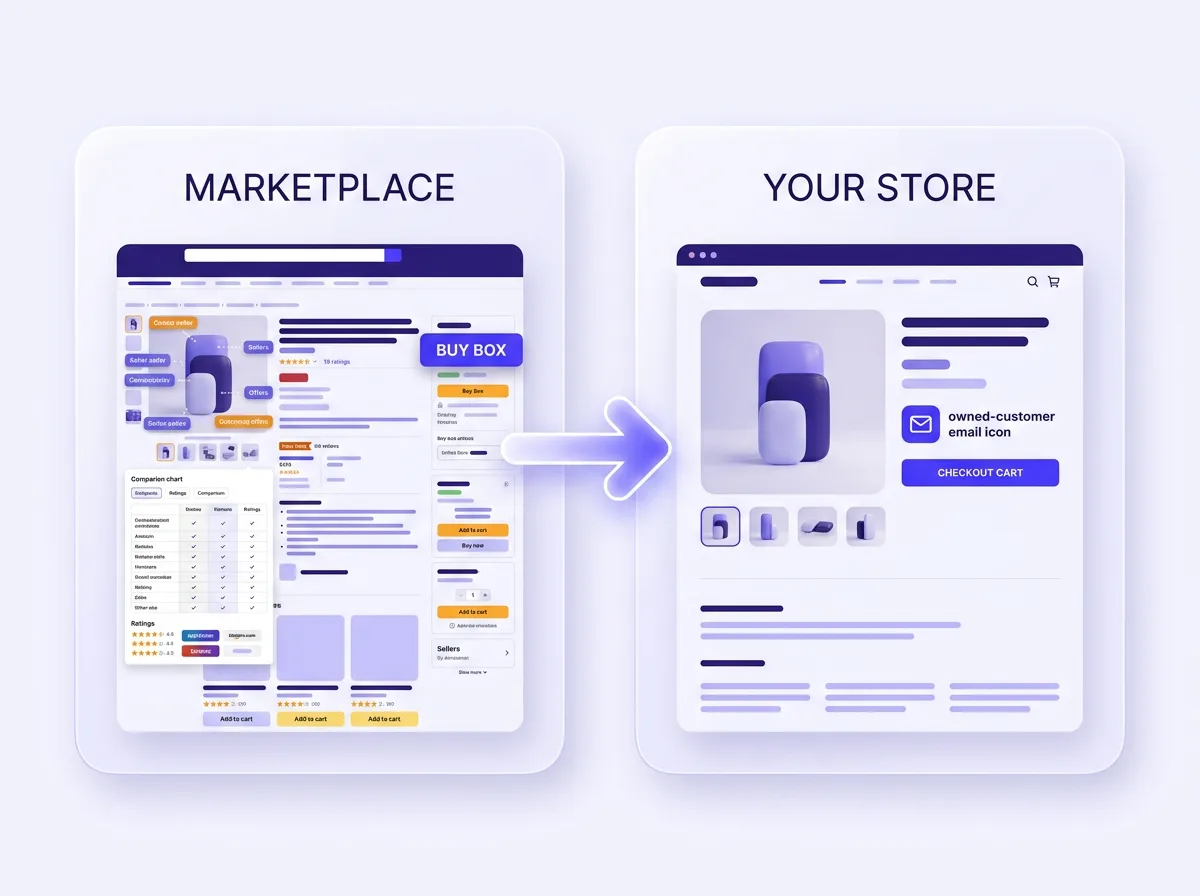
On Amazon you rent the customer. The buyer belongs to Amazon, the price sits next to a dozen competing offers, and the listing can be suppressed or changed without warning. Moving the product to a Shopify store you own changes that.
- ✓You own the customer, the email list, and the checkout, not the marketplace.
- ✓You set one price without a buy box fighting ten other sellers.
- ✓You keep the brand front and center instead of an Amazon template.
- ✓You run your own offers, upsells, and post-purchase flow.
- ✓You are not one policy change away from a suppressed listing.
- ✓You build retargeting audiences from your own store traffic.
What PagePilot pulls from an Amazon listing
Amazon listings carry a lot of work you already paid for: photography, bullet points, and A+ content. PagePilot reads all of it from the link, then cleans it up for your page.
Bullet points, rewritten for your brand
The five Amazon bullet points get read and rewritten as clean benefit lines in your brand voice, in 30+ languages, so nothing reads like a recycled marketplace listing.
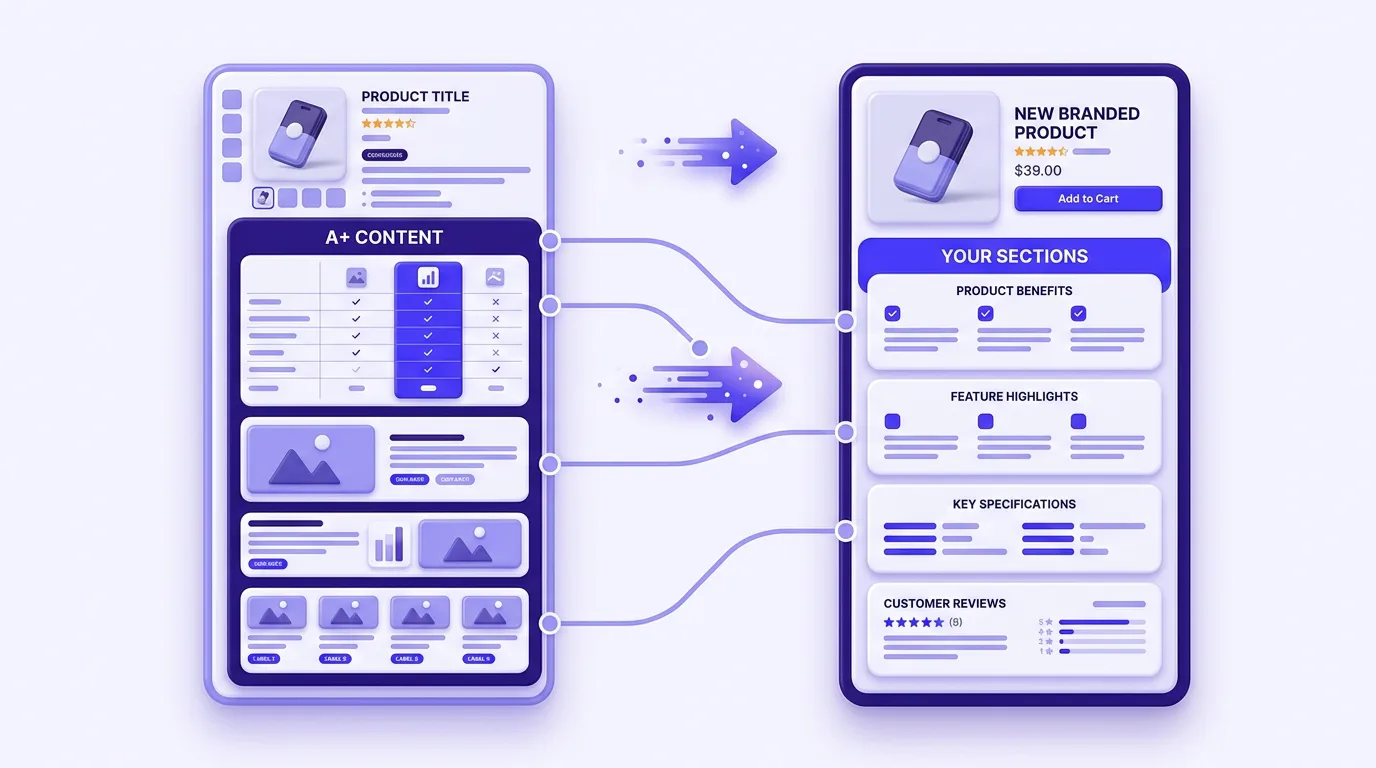
A+ content, rebuilt as your sections
The comparison tables and image blocks from Amazon A+ content get parsed and rebuilt as your own page sections, then restyled to match your Shopify theme.

Gallery images imported
Every photo in the Amazon gallery comes across so you start with real product visuals you can keep, swap, or regenerate.
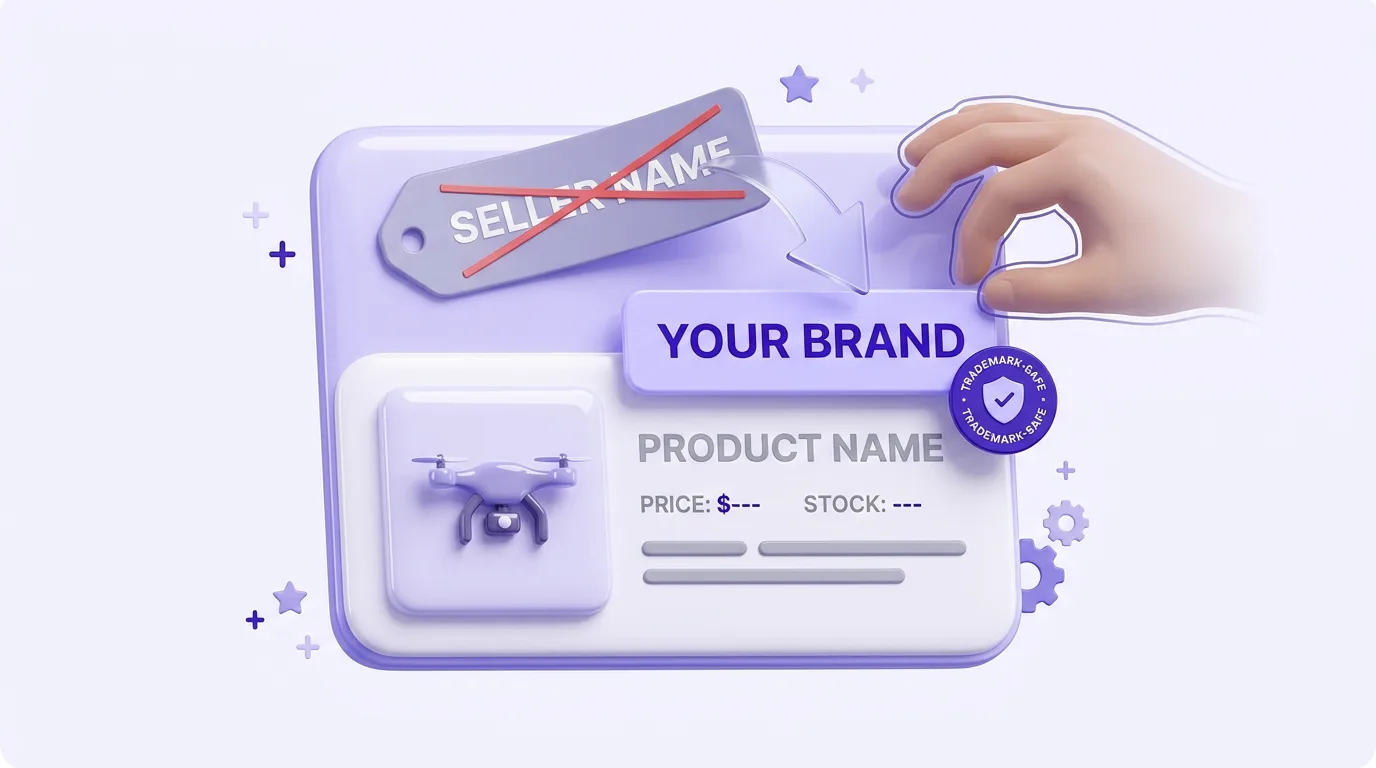
Brand names you can strip
Remove seller names and trademarked phrases before you publish, so the page reads as your own brand and stays clean.
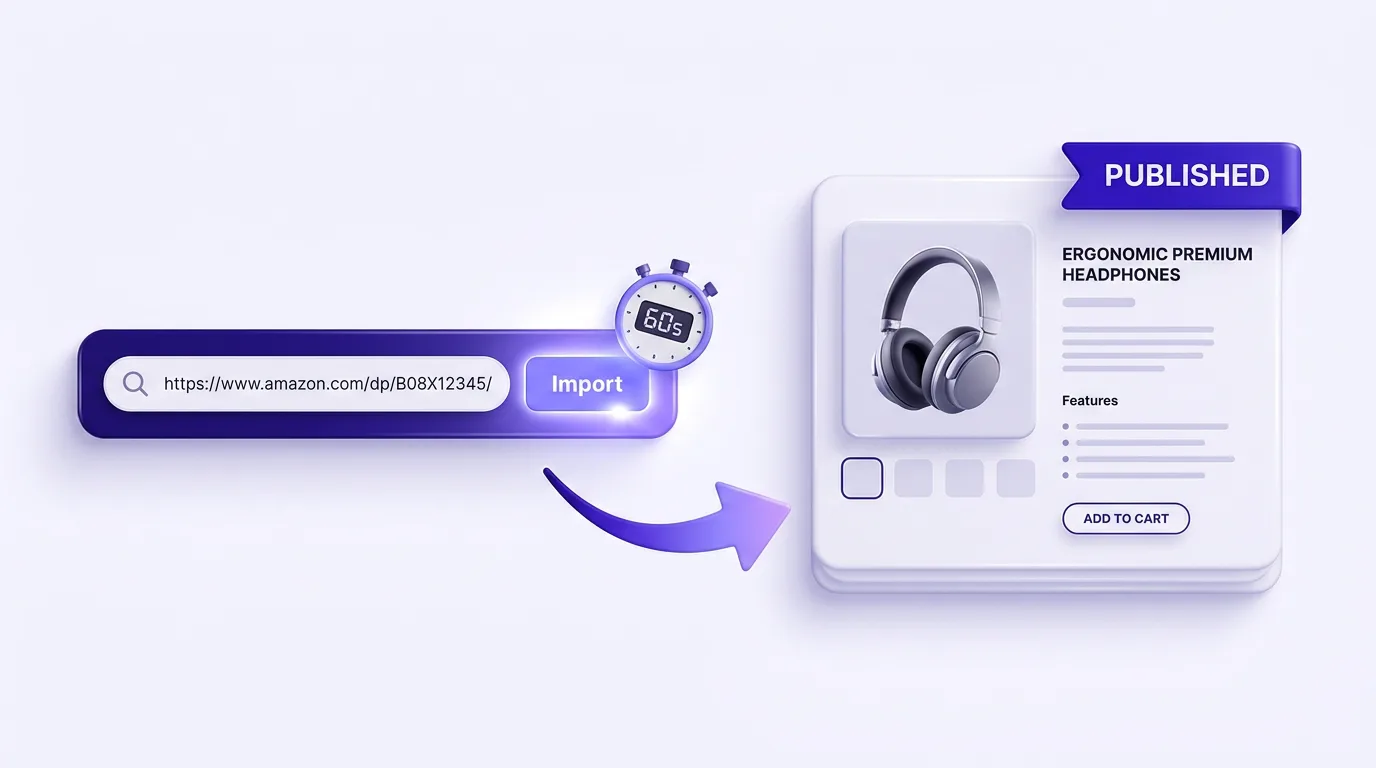
Link to page in 60 seconds
The page is built in seconds and most merchants publish to Shopify in under a minute. Power users import 10+ products a day.
Everything that comes across from the link
Here is exactly what the Amazon to Shopify product import reads and what it leaves under your control.
Gallery images
Every product photo from the Amazon gallery comes across so you start with real visuals, not placeholders.
The five bullet points
Amazon bullet points get read and rewritten into clean benefit lines that match how you talk to your buyers.
A+ content modules
The branded A+ comparison tables and image blocks get parsed, then rebuilt as your own sections.
Long description & specs
The full description and the listed specifications become structured, editable copy on your page.
Product title
The title is shortened and rephrased so it reads like your brand instead of a keyword-stuffed Amazon title.
Your own price
You set the Shopify price yourself. The Amazon price never carries over, so your margins stay yours.
How the Amazon to Shopify import works
Three steps from an Amazon URL to a branded Shopify product page. No spreadsheets and no manual re-entry.
- 01
Paste the Amazon link
Copy the URL of any Amazon product page and drop it into PagePilot. The importer reads the images, bullets, description, and A+ content in seconds.
- 02
AI rewrites it as yours
The AI rewrites the bullet points and A+ copy in your brand voice, strips trademarked names you do not want, generates the layout, and builds the page.
- 03
Edit and publish to Shopify
Tweak anything in the drag and drop editor, set your price, and publish the branded product page to the Shopify store you control.
Imported, then rewritten in your voice
An Amazon listing is written to win the Amazon search box. That tone rarely fits a Shopify brand store. PagePilot reads the bullets and A+ content and rewrites them as original copy, so your page reads like you wrote it and avoids duplicate content penalties. Then you refine every line in the drag and drop editor.
- ✓Rewrite bullet points into benefit-led lines that match your brand
- ✓Strip seller names and trademarked phrases before you publish
- ✓Regenerate any section or image until the wording fits
Amazon dropshipping to Shopify, on a store you own
Selling the same product through your own Shopify store changes the economics. On the marketplace you split the buy box with other sellers and hand the customer to Amazon. On a Shopify store you own the price, the email list, and the checkout, so every Amazon dropshipping product you import becomes a page you control.
- ✓No buy box: one price, your offer, no competing sellers on the page
- ✓You keep the customer email and build retargeting from your own traffic
- ✓Lower per-order fees than Amazon referral and FBA costs at scale
Works with the rest of PagePilot
The Amazon import runs on the same engine as AI product page generation. Start with the pillar guide on AI product pages or build a free AI Shopify store first.
AI Product Page Generation
The paste-any-link engine behind this page. Works with Amazon, AliExpress, Etsy, and TikTok Shop URLs.
AI Product Pages
The full guide to AI product pages for Shopify, from layout to conversion.
AliExpress to Shopify
Importing dropshipping products instead? Paste an AliExpress link and get the same branded page.
Free AI Shopify Store
No store yet? Spin up a full AI-built Shopify store for free, then fill it with imported products.
Amazon to Shopify FAQ
How do I move an Amazon product to Shopify?
Paste the Amazon product URL into PagePilot. The AI imports the product images, the bullet points, the description, and the visible A+ content, then rewrites all of that copy in your own brand voice and lays it out as a Shopify product page. You review it, edit anything in the drag and drop editor, and publish to your Shopify store. Most merchants go from an Amazon link to a published page in under 60 seconds.
What does PagePilot pull from an Amazon listing?
PagePilot pulls the gallery images, the title, the five bullet points, the long description, and the A+ content modules that Amazon shows on the page. It also reads the listed specs. Pricing and inventory stay under your control: you set your own price in Shopify, because the Amazon price does not carry over.
Will my imported page be a copy of the Amazon listing?
No. PagePilot does not paste the Amazon copy onto your page. The AI reads the bullet points and A+ content, then writes original descriptions in your brand voice so your page reads as yours and avoids duplicate content penalties. You can regenerate any section until the wording fits your store.
Is importing from Amazon to Shopify trademark-safe?
PagePilot rewrites the marketing copy in your own words and lets you remove brand names, seller names, and trademarked phrases before you publish. You stay responsible for what you sell and whether you have the rights to it, but the rewrite step keeps you from republishing another seller A+ content word for word.
Can I edit the images and bullet points after import?
Yes. Every imported Amazon product opens in PagePilot's drag and drop editor. Swap or regenerate images, rewrite the bullets, reorder sections, and restyle the page to match your Shopify theme, all without touching theme code.
Do I need a Shopify app or any code to do this?
No code and no separate migration app. PagePilot connects to your Shopify store directly. After the AI builds the page from the Amazon link, you publish it to your store with one click.
How many Amazon products can I import per day?
There is no manual data entry, so the limit is how fast you can paste links. Power users build 10 or more product pages a day this way. Paid plans cover unlimited publishing.
Is the Amazon to Shopify import free to try?
You can import an Amazon product and build the Shopify page on a free trial with no credit card required. Paid plans start at $39 per month for unlimited publishing and the full set of AI features.
Can you connect Amazon to Shopify?
Yes. There are two ways to connect Amazon to Shopify. Amazon offers its own multichannel fulfillment and listing integrations that sync orders and inventory between an existing Amazon account and Shopify. PagePilot takes a different route built for product import: you paste an Amazon product link and the AI rebuilds the listing as a branded Shopify product page you own, no account connection or marketplace sync required.
Is it cheaper to sell on Amazon or Shopify?
Amazon charges referral fees of roughly 8 to 15 percent per sale plus optional FBA storage and fulfillment fees, so your margin shrinks on every order. Shopify charges a flat monthly plan and standard payment processing, so once you cover the subscription your per-order cost stays low and predictable. For most sellers moving volume, a Shopify store you own is cheaper at scale and you keep the customer instead of renting them from the marketplace.
Ready to move your first Amazon product?
Paste an Amazon link and PagePilot imports the images, bullets, and A+ content, rewrites the copy in your brand voice, and builds a Shopify page you own. Free trial, no credit card required.
Start Free Trial