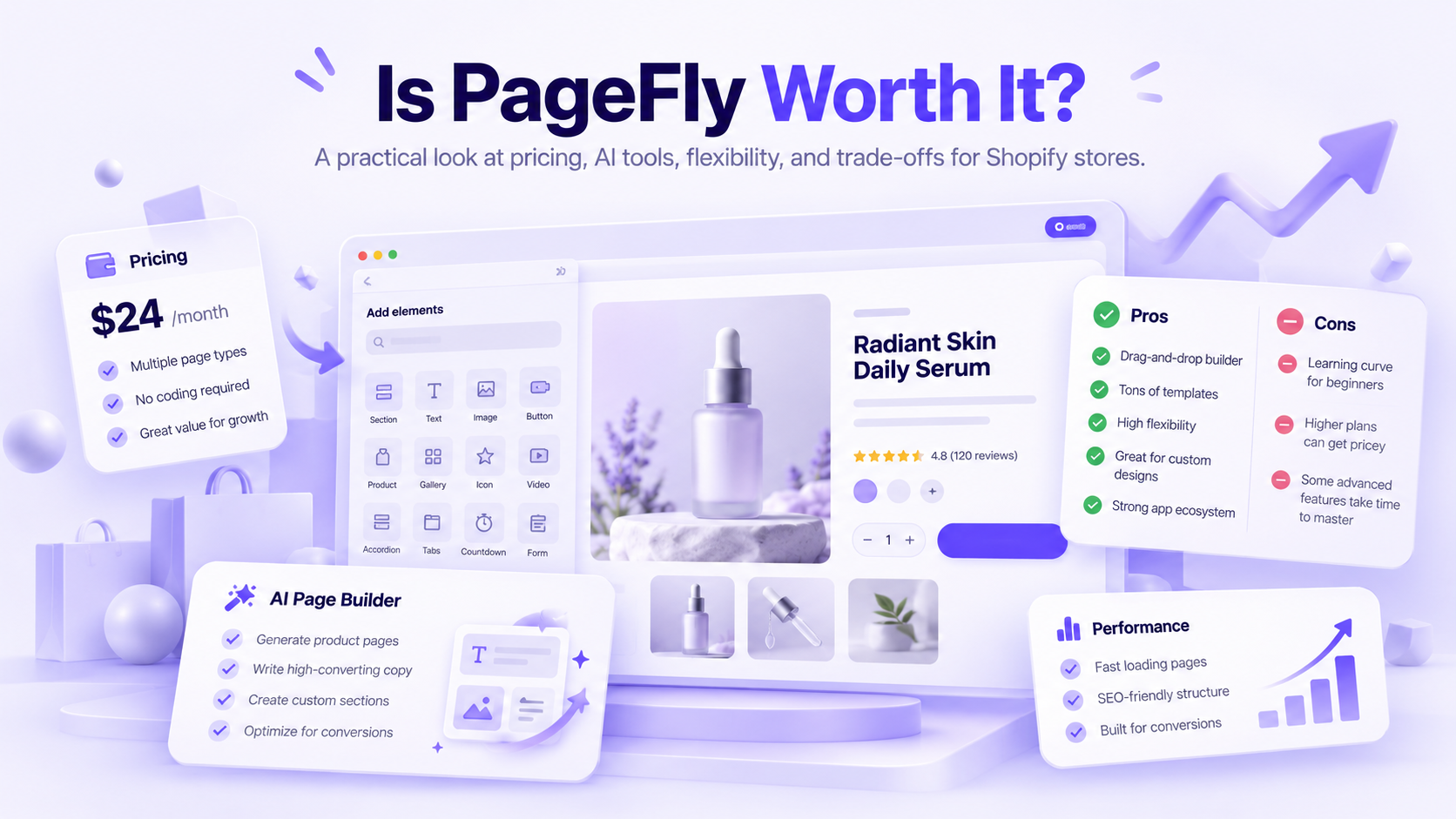

Wix is a strong all-around AI website builder for beginners, while Shopify is the better starting point for businesses that primarily want to sell products online.
Framer and Webflow offer more design control, Hostinger is worth considering for a lower-cost website, and PagePilot specializes in generating Shopify product pages from product links.
These tools don't all build the same thing.
Some generate complete websites with hosting and business tools. Others create individual pages inside an existing ecommerce platform. And while AI can prepare layouts, copy, and images, it doesn't necessarily configure a working checkout or verify the information on your site.
Here's how the ten best AI website builders compare in 2026, including what they help create, their cost, and when each one makes sense the most.
Best AI Website Builders at a Glance
Pricing snapshot: October 12, 2026. USD where stated. Promotional prices, annual billing, AI allowances, ecommerce access, and renewal rates can differ. Free generation doesn't necessarily mean free publishing.
How We Evaluated These AI Website Builders
This comparison is based on official product documentation, published capabilities, pricing information, and the type of website each tool is designed to produce.
We considered whether the AI generates a complete website or individual pages, how much editing remains, whether ecommerce is built in, and what merchants need to pay to publish and operate the result.
We also looked at design controls, integrations, SEO functionality, and practical limitations.
These are recommendations by use case, not the results of a controlled hands-on benchmark. A product's advertised generation time or AI feature list isn't proof that it creates better websites than its competitors.
What Are the 10 Best AI Website Builders in 2026?
1. PagePilot: Best AI Website Builder for Shopify Product Pages
- Best for: Shopify merchants, dropshippers, and ecommerce teams that regularly create product pages and want to reduce the manual work involved.
- Choose PagePilot when: You use Shopify, regularly launch or test products, and want AI assistance with product-page creation, editing, and publishing.
- Skip it when: You need a complete non-Shopify website or rarely create new product pages.
- Official website: pagepilot.ai
PagePilot is an AI-powered Shopify product-page builder that turns supported product links into editable page drafts.
Instead of manually writing every product description, choosing a layout, and assembling individual sections, merchants can start with product information and use AI to generate much of the initial page.
They can then review the copy, edit the visuals, customize the layout, and publish the page to Shopify.
PagePilot doesn't replace Shopify as the ecommerce platform. It focuses on the product-page creation process within that environment.
What Can PagePilot AI Do?
PagePilot combines AI-assisted content creation with customizable product-page templates and ecommerce-specific features.
Its current capabilities include:
- AI product-page generation: Create editable pages using supported product links.
- Page and template builder: Customize layouts using more than eight professional direct-to-consumer (DTC) templates.
- AI image and text editing: Generate or revise product visuals and copy.
- 35+ CRO sections and blocks: Add sections for product benefits, FAQs, trust information, and other relevant content.
- Angle suggestions: Explore different ways to position a product for an intended audience.
- Customizable cart drawer: Adjust parts of the shopping-cart experience.
- Cart upsells: Offer relevant additional products during the buying process.
- On-page SEO tools: Support the preparation of search-focused product content.
- Multilingual support: Create and edit content in more than 30 supported languages.
- Shopify publishing: Publish prepared product pages to connected Shopify stores.
PagePilot also lists brand support, requests for custom sections and templates, and dedicated account management among its plan benefits.
These are advertised service features. The level of assistance and response times should be confirmed directly where they matter to a business.
How Does PagePilot Work for Product Testing?
Suppose a dropshipper is evaluating three travel accessories.
Each product has a different supplier listing, specifications, imagery, and potential audience.
The merchant can use PagePilot to prepare product-page drafts, review suggested positioning angles, and customize the content before deciding which pages to publish.
That can reduce repetitive page-building work when investigating multiple offers.
However, producing several versions of a page isn't the same as running an A/B test. Merchants still need suitable analytics or experimentation tools to establish whether one version performs better.
PagePilot Pricing in 2026
PagePilot currently offers three monthly plans.
All three plans also list custom section and template requests, brand support, and dedicated account management.
- Lite ($39/month) supports one Shopify store, up to ten product pages per month, and 50 AI images. It's the most economical option for merchants with a smaller product-launch schedule.
- Starter ($59/month) supports three Shopify stores, unlimited product pages, and 200 AI images per month. It makes more sense for merchants launching products frequently or managing several stores.
- Scaler ($99/month) supports five Shopify stores, unlimited product pages, and unlimited AI images. It's suited to higher-volume product-page workflows.
The core builder, templates, CRO sections, and editing features are listed across all three plans. The primary differences are the number of stores, product-page allowance, and AI image limits.
PagePilot also advertises a free trial. Check the active trial conditions before relying on it for an actual Shopify launch.
Shopify's subscription is separate from PagePilot's pricing.
What Are PagePilot's Limitations?
PagePilot isn't a complete standalone website platform.
It doesn't independently replace Shopify's hosting, checkout, payment processing, inventory management, or fulfillment tools.
It's also specialized in Shopify product-page creation rather than building portfolios, service websites, or complex editorial sites.
And although PagePilot offers conversion-oriented layouts and cart features, using them doesn't guarantee higher conversion rates.
2. Shopify: Best AI Website Builder for Ecommerce
- Best for: Businesses that want AI-assisted store creation alongside a complete ecommerce platform for selling products, processing payments, and managing orders.
- Main limitation: Shopify is more involved than a general-purpose website builder because merchants must configure the commerce operation. Its newer AI features also have different availability and compatibility requirements.
- Choose Shopify when: Selling products is your primary goal and you need checkout, payments, inventory, orders, and ecommerce integrations in one platform.
- Skip it when: You're building a simple portfolio, informational website, or service-business site without substantial ecommerce requirements.
- Official website: www.shopify.com
Shopify takes the top spot for ecommerce because its AI features work within a platform that already handles the operational side of selling online.
It provides product and inventory management, checkout, payment options, shipping integrations, analytics, and an extensive app ecosystem. Merchants can build their storefront and manage orders without having to connect a separate commerce backend.
Shopify has also expanded its AI capabilities beyond product descriptions and basic content generation.
What Can Shopify AI Do?
Shopify currently offers several AI tools, each serving a different purpose:
- Shopify Magic: Helps generate and edit content, including product descriptions and other supported store copy.
- Sidekick: Shopify's AI assistant for working with store information, settings, content, and supported merchant tasks.
- AI-assisted themes and sections: Helps merchants generate storefront elements and customize supported theme components.
- Canvas: An AI-assisted visual design environment where merchants can work with Sidekick to build and modify storefront layouts.
Canvas was introduced on October 1, 2026. It lets merchants view multiple pages in a shared workspace, edit individual elements, and request design changes through Sidekick.
However, Canvas is still rolling out and has important restrictions.
At launch, it doesn't support third-party Shopify Theme Store themes, Markets, translations, app blocks, or app embeds. Themes edited in Canvas also don't receive standard theme updates.
That makes Canvas worth exploring for a new storefront, but merchants with existing customizations should check compatibility before adopting it.
What Does Shopify Still Require You to Do?
AI can prepare storefront layouts, content, and certain store components. It doesn't eliminate the work of running an ecommerce business.
Merchants still need to select and verify products, configure pricing, set up payment methods, establish shipping and return policies, and confirm that the checkout works.
Product claims, images, and AI-generated descriptions also need to be checked before publication.
A visually complete store isn't necessarily ready to fulfill customer orders.
Where PagePilot Fits Into Shopify
Shopify can manage an entire store, but merchants may still want a more specialized way to prepare product pages.
PagePilot works alongside Shopify, helping merchants generate product-page drafts from supported product links, customize the copy and visuals, and publish the finished pages.
This is especially useful for dropshippers and businesses regularly launching new products.
PagePilot is an additional subscription, not a feature included in Shopify's plans.
3. Wix: Best AI Website Builder for Beginners
- Best for: Small businesses, freelancers, service providers, and first-time website owners who want AI-assisted creation without managing hosting or code.
- Main limitation: Wix is a managed platform. Moving to another website system may require rebuilding page designs and transferring relevant content or ecommerce data.
- Choose Wix when: You want an approachable AI website builder with integrated business features and extensive visual editing.
- Skip it when: You specifically need Shopify's ecosystem for more specialized ecommerce operations.
- Official website: www.wix.com
Wix combines AI website generation with visual editing, hosting, and integrated business tools.
Its newer Harmony Editor, introduced in January 2026, uses Aria, an AI assistant that can help create and customize websites.
Rather than simply selecting a template and replacing placeholder text, users can describe the website they want and have AI prepare a design with pages, layouts, content, and visual elements.
They can then refine that design through conversational instructions or edit individual elements manually.
What Can Wix AI Do?
Wix Harmony and Aria can assist with:
- Generating a website from a business description.
- Creating additional pages and sections.
- Drafting headings, descriptions, and other content.
- Adjusting layouts and design elements.
- Changing colors and other visual details.
- Assisting with website settings and supported SEO tasks.
- Refining the generated site through visual editing.
For example, a photographer could generate a site with portfolio pages, service descriptions, an About page, and contact information.
They could then modify the initial design without rebuilding it.
Wix also offers ecommerce, bookings, marketing, customer management, and other business tools.
That makes it useful when a website needs to support several functions beyond displaying information.
Is Wix Good for Ecommerce?
Yes. Wix supports online stores, physical and digital products, payments, and related business functionality on eligible plans.
A small brand can create a storefront and manage products without moving to another provider.
However, merchants should compare Wix with Shopify when specialized fulfillment, inventory, product management, or app integrations become central to the business.
The better choice depends on the required workflow, not simply the number of products.
For a detailed comparison, see our Wix vs Shopify for ecommerce guide.
Wix Pricing
Wix lets users begin creating websites for free.
However, connecting a custom domain, removing Wix branding, accepting payments, and accessing certain business features require an eligible paid plan.
Pricing varies by region and subscription term.
For an ecommerce business, compare the actual plan needed to accept payments rather than the free website-creation option.
4. Hostinger: Best Budget AI Website Builder
- Best for: Individuals and small businesses looking for affordable AI-assisted website creation with hosting included.
- Choose Hostinger when: You want a relatively inexpensive hosted website and prefer AI-assisted setup with straightforward editing.
- Skip it when: You need extensive ecommerce integrations, advanced design systems, or complex custom business functionality.
- Official website: www.hostinger.com
Hostinger combines AI website generation, hosting, and website editing.
Its AI Builder supports two creation approaches.
Manual mode combines AI-generated website content with drag-and-drop editing.
Agentic mode allows users to create and modify websites through conversational instructions.
Both approaches are available within Hostinger's current AI Builder offering, although available functionality and AI allowances vary by plan.
This makes Hostinger an option for someone who wants to generate a website quickly without purchasing a separate hosting package or working with a developer.
What Can Hostinger AI Do?
Depending on the plan, Hostinger offers:
- Website generation from prompts.
- AI-assisted page layouts and written content.
- Manual and conversational editing.
- AI image and copy tools.
- Website hosting and SSL.
- Domain offers on eligible subscriptions.
- Ecommerce functionality on supported plans.
- Additional AI creation and management tools.
For example, a consultant could generate a homepage, services page, About page, and contact page, then refine the design using the visual editor.
A small retailer could use an ecommerce-capable plan to create a storefront and manage products.
However, ecommerce features aren't identical across every Hostinger plan.
5. Squarespace: Best for Design-Led Small Businesses
- Best for: Creative businesses, photographers, consultants, content creators, and brands that want a visually polished website with integrated selling tools.
- Choose Squarespace when: Visual presentation, content, and integrated business tools are central to the website, with ecommerce available as part of the offering.
- Skip it when: Your business depends on specialized Shopify applications or ecommerce infrastructure that Squarespace doesn't provide in the required form.
- Official website: www.squarespace.com
Squarespace combines website design, hosting, content management, and ecommerce functionality.
Its AI-assisted creation tools, including Blueprint AI, help users prepare an initial website design based on their business and preferences.
The generated structure can then be refined using Squarespace's visual editing tools.
This makes Squarespace particularly useful for businesses where imagery, content presentation, and brand identity play an important role.
A photography studio, for example, might need a portfolio, service descriptions, booking information, and a small online store.
Squarespace can support those requirements within one platform.
What Can Squarespace AI Do?
Its AI-assisted workflows can help with:
- Generating an initial website structure.
- Preparing page layouts and design suggestions.
- Drafting and editing website copy.
- Establishing an initial visual direction.
- Refining content for different website sections.
- Supporting additional business-content tasks.
Squarespace also includes blogging, portfolio pages, ecommerce, and integrations for appointments and other business needs.
The AI-generated first draft is editable, so the business can refine the design instead of accepting the initial output unchanged.
Is Squarespace Good for Ecommerce?
Yes. Squarespace supports physical products, digital products, services, memberships, and other selling experiences.
Its current Basic, Core, Plus, and Advanced website plans all support product selling, although fees and advanced commerce capabilities differ.
That means Squarespace shouldn't be dismissed as a platform only suitable for small portfolios.
The relevant question is whether its fulfillment integrations, catalog-management features, and ecommerce customization support the business.
For merchants whose operations depend heavily on Shopify-specific apps or specialized fulfillment workflows, Shopify may be a better fit.
See our Squarespace vs Shopify comparison for more detail.
6. 10Web: Best AI Website Builder for WordPress
- Best for: Businesses that want AI-assisted website generation while using WordPress or WooCommerce for their website operations.
- Main limitation: WordPress provides flexibility but also introduces decisions about plugins, compatibility, hosting, and maintenance. 10Web can assist with some of those tasks, but it doesn't eliminate them all.
- Choose 10Web when: You want AI-generated websites and prefer to work within WordPress or WooCommerce.
- Skip it when: You want a simpler, self-contained website platform without WordPress-specific administration.
- Official website: 10web.io
10Web offers AI website generation, visual editing, hosting-related services, and WordPress-oriented workflows.
Its website-building tools can prepare page structures, layouts, and content from prompts, allowing users to begin with an AI-generated design rather than an empty site.
10Web also advertises URL-based website recreation and ecommerce-oriented website creation.
That makes it relevant to businesses that want AI assistance without giving up the broader WordPress ecosystem.
What Can 10Web AI Do?
10Web's advertised capabilities include:
- Generating websites from prompts.
- Creating initial layouts and written content.
- Editing pages through AI and visual controls.
- Recreating supported website pages from URLs.
- Converting supported designs into editable pages.
- WordPress-based website workflows.
- Managed hosting options.
- Ecommerce creation and WooCommerce integration.
The company has also expanded its AI-native editing capabilities, so users should distinguish its newer builder from older WordPress and Elementor-based workflows when evaluating features.
Can 10Web Recreate an Existing Website?
10Web offers URL-to-site and page-recreation functionality, but that doesn't mean every part of an existing website can be transferred automatically.
Its documented recreation workflows include page-level limitations.
For example, recreating a visual layout doesn't necessarily transfer the original site's payment setup, forms, membership logic, database integrations, or custom backend functionality.
Those features may require separate configuration.
Users also need appropriate rights to reuse third-party images, text, and other protected material.
Is 10Web Good for Ecommerce?
10Web offers ecommerce creation capabilities and WooCommerce-related functionality.
For a business that already relies on WordPress, this can provide a way to accelerate storefront preparation while retaining access to the WordPress plugin ecosystem.
However, WooCommerce still requires operational setup.
Merchants need to verify payments, product variants, shipping, taxes, fulfillment, and the compatibility of any required extensions.
AI-generated storefront content doesn't automatically configure those business processes correctly.
10Web Pricing
10Web offers paid packages covering website generation, hosting, WordPress management, and ecommerce-related requirements.
Pricing differs by product and package. Review the current allowance for websites, hosting resources, AI generation, and WooCommerce support rather than assuming one subscription includes every service.
7. Framer: Best AI Website Builder for Modern Marketing Sites
- Best for: Startups, SaaS companies, portfolios, creative agencies, and marketing teams that want a distinctive website with substantial design control.
- Main limitation: Framer provides extensive design control, but complex ecommerce operations may require additional services. AI credits and higher-tier functionality also affect ongoing costs.
- Choose Framer when: You want a modern marketing website, portfolio, or SaaS site with flexible visual design and AI assistance.
- Skip it when: You're building a dedicated ecommerce operation and need a complete product, order, and fulfillment management system.
- Official website: www.framer.com
Framer combines AI-assisted website creation with a visual design environment and managed hosting.
Its AI tools can generate initial site structures, page sections, and content from prompts. The resulting designs can then be refined through Framer's editor.
Framer is particularly relevant to businesses that need a marketing website rather than a complex ecommerce operation.
A SaaS company, for example, could use it to build a homepage, product pages, pricing page, integration directory, and content hub.
The design team can then adjust layouts, typography, animations, and responsive behavior without treating the AI-generated version as the finished product.
What Can Framer AI Do?
Framer's current AI functionality includes:
- Generating website layouts and initial page structures.
- Creating and editing sections.
- Drafting and refining website content.
- Assisting with design and website changes.
- Supporting responsive page customization.
- Working alongside Framer's CMS and visual editing tools.
- Performing additional tasks through AI agents.
Framer also includes hosting, SEO settings, redirects, and other features needed to publish and manage a website.
That makes it a functioning website platform, not merely a prototyping application.
The Free plan's 500 AI credits are a one-time trial allowance, not 500 new credits every month.
Paid plan credits renew according to the subscription's billing cycle. Additional AI credits are available separately.
AI credit consumption depends on the complexity of the request and the work performed, so credits shouldn't be interpreted as a fixed number of websites that can be generated.
Framer also charges separately for certain advanced features, additional editors, localization, and other add-ons.
Is Framer Good for Ecommerce?
Framer can support commerce-related websites and integrations, but managing products, inventory, payments, and fulfillment isn't its main purpose.
A business that primarily sells physical products may find Shopify more suitable.
Framer is more compelling when visual design, marketing content, and a distinctive website experience are the principal requirements.
8. Webflow: Best AI Website Builder for Advanced Design Teams
- Best for: Design agencies, marketing teams, and businesses that need AI-assisted website creation with structured content and extensive customization.
- Main limitation: Webflow offers considerable control, but its learning curve, plan structure, and AI-specific restrictions can make it more involved than a beginner-oriented website builder.
- Choose Webflow when: You need a customized marketing website, structured CMS, reusable design components, or a sophisticated team workflow.
- Skip it when: You want the least complicated website setup or a dedicated ecommerce platform for selling and fulfilling products.
- Official website: webflow.com
Webflow combines visual website development, content management, hosting, and AI tools.
Its AI Site Builder can generate a multi-page website from a description of the business, including the initial site structure, content, and theme.
The result is editable within Webflow, where teams can refine layouts, components, typography, and responsive behavior.
Webflow is particularly useful when a website needs a consistent design system across many pages rather than a collection of individually designed landing pages.
What Can Webflow AI Do?
Webflow's AI functionality includes:
- Generating multi-page websites from prompts.
- Creating site structures and initial design systems.
- Generating reusable sections and components.
- Assisting with written content.
- Supporting CMS-related workflows.
- Generating supported code components.
- Providing AI-assisted SEO and site-improvement recommendations.
For example, a software company might use Webflow for a homepage, product sections, case studies, integration pages, and a resource center.
The marketing team can then maintain structured content and reusable components rather than manually updating every page.
What Are Webflow's AI Site Builder Limitations?
Webflow's AI Site Builder has specific restrictions.
It can create a new website or modify a site originally generated with that tool.
However, it cannot automatically redesign an existing Webflow website that was created through another workflow.
Webflow also distinguishes between AI site generation and other credit-based AI features.
The AI Site Builder itself doesn't consume ordinary Webflow AI credits. Other AI functions may have separate usage limits and credit requirements.
Without a qualifying paid Site or Workspace plan, AI-generated sites are limited to two pages.
A paid plan can expand the initial generation allowance to five pages, after which users can add more pages through Webflow's editing tools.
9. Durable: Best AI Website Builder for Service Businesses
- Best for: Consultants, freelancers, local service providers, and small businesses that need a website and basic customer-management tools.
- Main limitation: Durable focuses on smaller business websites and service workflows. Its free version is primarily for exploring and previewing a site rather than operating a complete public-facing business website.
- Choose Durable when: You need an AI-generated service-business website with built-in customer-management features.
- Skip it when: Your primary goal is operating a product-based ecommerce store with extensive inventory and fulfillment requirements.
- Official website: durable.com
Durable is an AI-powered small-business website and management platform.
It can generate an initial website from information about the business, including the services offered and other relevant details.
Users can then adjust the copy, images, layout, and business information before publishing.
Durable also provides CRM and lead-management capabilities, which makes it different from builders focused mainly on website appearance.
What Can Durable AI Do?
Durable's advertised functionality includes:
- Generating business websites.
- Drafting service descriptions and website copy.
- Editing website content and design.
- Generating images and promotional materials.
- Capturing customer inquiries.
- Managing customer information through its CRM.
- Supporting bookings and other business tasks on eligible plans.
- Automating selected customer-management and marketing activities.
Consider a local cleaning company.
It may need a homepage, service descriptions, contact forms, booking functionality, and a way to respond to new inquiries.
Durable is designed around this type of business requirement.
However, the merchant still needs to verify service areas, prices, contact information, business claims, and the accuracy of generated content.
10. Replo: Best AI Builder for Ecommerce Landing Pages and Campaigns
- Best for: Ecommerce brands that want AI-assisted page creation, campaign development, and optimization tools connected to their commerce workflows.
- Choose Replo when: You manage ecommerce campaigns, want AI-assisted page creation alongside analytics and optimization, and can justify a broader commerce platform.
- Skip it when: You need a simple portfolio, a basic service-business website, or only a small number of Shopify product pages.
- Official website: www.replo.app
Replo has expanded beyond a traditional drag-and-drop landing-page builder.
Its current platform includes AI-assisted page creation, store changes, integrations, analytics, and tools for repeatable ecommerce workflows.
This makes it relevant to brands that want a more comprehensive environment for developing and improving campaign pages.
For example, an ecommerce business preparing a seasonal promotion could use Replo to develop a landing page, connect relevant commerce data, and monitor the performance of the published experience.
What Can Replo AI Do?
Replo's current offering includes:
- Creating and editing ecommerce pages.
- Working from URLs and other creative references.
- Generating and modifying content through conversational instructions.
- Connecting supported commerce integrations.
- Creating repeatable workflows using reusable skills.
- Reviewing analytics from published pages.
- Monitoring revenue and conversion-related metrics.
- Generating optimization recommendations on eligible plans.
Replo can also use URLs as page-generation inputs.
That means URL-based creation isn't exclusive to PagePilot.
The distinction is the broader workflow.
PagePilot focuses on generating Shopify product pages from supported product links, while Replo provides a wider page-building and ecommerce optimization environment.
Which AI Website Builder Should You Choose?
The right AI website builder depends on what you need the finished website to do.
For a business planning to sell products, the choice usually becomes clearer when you separate the storefront from the underlying commerce operation.
- Shopify can manage the store, checkout, and orders.
- PagePilot can help create product pages within that Shopify environment.
- Replo can assist with broader ecommerce page and campaign workflows.
By contrast, Wix, Squarespace, Framer, and Durable may be more appropriate when the website has a different primary purpose.
The most useful buying question isn't which AI builder generates the most attractive first draft.
It's which one produces something you can operate, maintain, and improve without constantly working around the platform.
Can AI Build an Entire Ecommerce Website?
Yes, AI can create much of an ecommerce website, including its initial design, layouts, product descriptions, images, and navigation.
Platforms such as Shopify also provide AI assistance with merchant tasks. But creating the storefront isn't the same as preparing a business to accept, fulfill, and support real customer orders.
A functional store requires more than a homepage and a product grid.
Consider a merchant launching a store for travel accessories.
Shopify's AI tools could help prepare the storefront. PagePilot could help create individual product pages from supported links.
But someone still needs to confirm product dimensions, compare suppliers, set shipping charges, establish return policies, and test the checkout.
The same applies to inventory and fulfillment. A store can look complete while still lacking a reliable way to deliver orders.
AI is useful for reducing preparation work. It doesn't eliminate the responsibilities that come with selling products.
Are AI Website Builders Actually Worth It?
AI website builders are worth considering when they reduce the work required to produce a usable first draft and leave you with enough control to improve it. They're less valuable when the generated site needs extensive rebuilding or the platform cannot support your business requirements.
The real benefit isn't the AI label. It's how much useful work the tool completes.
Where AI Website Builders Help Most
- Getting past the blank page. A builder can suggest an initial structure, section order, and design direction.
- Producing first-draft content. AI can prepare service descriptions, product summaries, headings, and FAQs that a business can then check and refine.
- Creating repeatable pages. For merchants adding products regularly, a specialized AI workflow can reduce repetitive page-setup work.
- Making design changes. Conversational editing can help users create sections or adjust layouts without manually configuring every element.
- Exploring alternatives. AI can make it easier to compare different design directions or copy approaches before publishing.
These advantages matter most when the output is editable and the business has a clear idea of what the finished page must accomplish.
What AI Still Doesn't Do Reliably on Its Own
AI may produce convincing but inaccurate product descriptions.
It may generate generic messaging that could appear on hundreds of competing websites.
It can also create layouts that look attractive but fail to answer important customer questions.
More complicated functionality introduces additional risks.
A booking form, subscription checkout, custom database, or fulfillment integration needs to work reliably, not merely look correct in a screenshot.
Website owners also remain responsible for accessibility, security, privacy, and applicable legal requirements.
A useful AI builder should shorten the production process without making human review optional.
What Should You Check Before Paying for an AI Website Builder?
A builder can look inexpensive until you need a custom domain, ecommerce checkout, additional AI credits, or several published pages.
Don't Confuse Free Generation With Free Publishing
Some builders let you generate a website for free but require payment to connect a domain or activate business functionality.
Others provide free core software while charging for hosting or additional services.
A Shopify product-page tool may have its own subscription on top of the Shopify plan.
Compare what you'll need to pay to operate the finished result, not merely to produce the first draft.
Check the Cost After the Introductory Offer
Hostinger, for example, advertises substantial introductory discounts on some longer commitments.
That can be good value, but a multi-year promotional monthly equivalent isn't the same as an ordinary month-to-month subscription.
The same principle applies to platform trials, free AI credits, image allowances, and renewal rates.
Look at what the setup will cost after the initial offer ends.
Check Whether You Can Leave the Platform
Some website builders use proprietary layouts and editing systems.
You may be able to export content or certain data without being able to transfer the full design and functionality to another platform.
For a small portfolio, rebuilding may be manageable.
For an ecommerce store with hundreds of products, important landing pages, integrations, and established search traffic, migration can be a substantial project.
Check portability before the website becomes difficult to replace.
Test the Published Site, Not Just the Editor Preview
AI-generated designs can look impressive inside an editor while still having problems on mobile devices or slower connections.
Use Google PageSpeed Insights to examine loading performance and responsiveness.
Also check navigation, buttons, forms, checkout, image display, and mobile usability.
Google's ecommerce search documentation is useful when evaluating a store's technical SEO requirements.
No AI website builder guarantees rankings simply because it generates metadata or creates pages.
Which AI Website Builder Should You Start With?
Choose the tool that solves the largest part of your actual website-building problem.
For a general business website, Wix offers a straightforward combination of AI creation, editing, and business tools.
For a dedicated online store, Shopify provides the ecommerce infrastructure that design-focused builders may not offer in the same way.
For a highly customized marketing website, Framer or Webflow may provide greater control.
And for Shopify merchants who already know what products they want to sell, the next challenge may be creating accurate, useful product pages without assembling each one manually.
That's where PagePilot fits.
Building product pages for Shopify? Explore PagePilot's AI product page builder to generate editable pages from supported product links, then review and customize them before publishing.
Frequently Asked Questions
What Is the Best AI Website Builder in 2026?
Wix is a strong general-purpose choice for beginners because it combines AI-assisted website creation, visual editing, hosting, and business tools. Shopify is a better starting point for dedicated ecommerce stores. Framer and Webflow offer more design control, while PagePilot specializes in generating Shopify product pages from supported product links.
Which AI Website Builder Is Best for Ecommerce?
Shopify is a strong choice for ecommerce because it combines AI-assisted storefront design with products, inventory, checkout, payments, shipping, and integrations. Wix and Squarespace also support online selling. The right platform depends on catalog complexity, fulfillment requirements, and business tools. PagePilot can complement Shopify when product-page creation is the main bottleneck.
What Is the Easiest AI Website Builder for Beginners?
Wix is a good starting point for beginners who want to create and customize a website with AI. Durable is worth considering for simple service-business sites, while Hostinger offers budget-oriented website creation. Shopify is suitable for ecommerce beginners, though payments, shipping, inventory, and order management introduce additional setup tasks.
Can AI Create an Entire Shopify Store?
Shopify's AI tools can help generate storefront elements, content, and design components. Its newer Canvas experience also supports AI-assisted visual store creation, subject to rollout availability. Merchants still need to configure and verify products, payments, shipping, taxes, policies, and checkout. PagePilot can assist with creating individual Shopify product pages.
What Is the Best Free AI Website Builder?
Wix, Framer, and Webflow provide ways to begin creating websites without an immediate paid subscription, subject to publishing and usage limits. The best free option depends on what you need to publish. Custom domains, additional pages, removal of branding, and ecommerce checkout may require payment. Always compare free generation with free operation.
Are AI-Generated Websites Good for SEO?
AI-generated websites can rank in search results, but using AI doesn't automatically improve SEO. Search performance depends on useful content, site structure, crawlability, internal links, mobile usability, and other factors. Review generated copy for accuracy and originality, and verify that the platform supports important SEO settings before publishing.
How Is PagePilot Different From a General AI Website Builder?
PagePilot specializes in generating Shopify product-page drafts from supported supplier or product URLs. General AI website builders such as Wix and Squarespace focus on creating and operating entire websites. PagePilot works within the Shopify ecosystem and requires a separate Shopify subscription. It's most relevant to merchants frequently preparing new product pages.