
Shopify's native AI tools are the best starting point for building a complete Shopify store in 2026. PagePilot is our top choice for generating individual Shopify product pages from supported product links, while Atlas is worth considering if you want a third-party tool that creates broader storefront designs and product pages.
The distinction matters because these tools don't all build the same thing.
Some generate storefront layouts. Others focus on product pages, campaign landing pages, or reusable theme sections. Several combine AI generation with visual editing, analytics, and conversion tools.
We compared ten Shopify AI builders by what they create, their pricing, publishing limits, customization options, and the work merchants still need to complete before launching.
What's the Difference Between an AI Store Builder and an AI Product-Page Builder?
An AI store builder helps create the overall storefront, while an AI product-page builder generates content and layouts for individual products. Visual page builders provide more detailed editing controls, and campaign-oriented tools focus on landing pages, offers, and experimentation.
A merchant who needs a complete storefront should evaluate Shopify's native tools or Atlas before paying for a specialized page builder.
Someone with an established Shopify store who regularly launches new products may get more value from PagePilot.
A brand creating custom advertising landing pages may prefer the visual control offered by GemPages, Replo, or PageFly.
The important distinction is what happens after generation. A draft still needs accurate product information, working purchasing functionality, and a mobile layout that customers can use.
The 10 Best Shopify AI Store Builders in 2026
1. Shopify Native AI and Canvas: Best for Building a Complete Shopify Store
- Best for: Merchants who want AI assistance with storefront creation and store management without introducing another ecommerce platform.
- Main limitation: Shopify's AI tools cover a broad range of merchant tasks, but specialized product-page generation and advanced campaign design may still be more convenient in dedicated applications. Canvas also has significant launch-stage compatibility restrictions.
- Choose Shopify when: You want to build and operate a complete Shopify store, including products, checkout, payments, inventory, and orders.
- Official source: https://www.shopify.com/
Shopify takes first place because its AI tools operate within the platform that manages products, checkout, inventory, payments, and orders.
That makes it fundamentally different from apps that generate individual pages.
Shopify's AI tools can assist with storefront design and supported merchant tasks while the platform provides the infrastructure needed to sell products.
What Can Shopify AI Build?
Shopify currently offers several AI capabilities:
- Shopify Magic: Assists with product descriptions and other supported content-generation tasks.
- Sidekick: Helps merchants work with store information, settings, content, and supported administrative workflows.
- AI-generated theme blocks: Helps create and customize storefront elements.
- Canvas: Provides a visual environment for designing storefronts with assistance from Sidekick.
Canvas launched on October 1, 2026, as Shopify's newer AI-assisted storefront design experience.
It lets merchants view and edit storefront pages in a shared workspace and request design changes through Sidekick.
For example, a merchant could ask for a new product-benefits section, adjust the presentation of a collection, or refine part of a storefront layout.
However, Canvas remains in a gradual rollout and has important limitations.
What Are Shopify Canvas's Limitations?
At launch, Canvas doesn't support several existing Shopify theme and application workflows, including:
- Third-party Shopify Theme Store themes.
- Shopify Markets.
- Translations.
- Rollouts.
- App blocks and app embeds.
- Standard theme updates for themes edited through Canvas.
These restrictions matter particularly for established Shopify stores.
A business using review widgets, subscription applications, localized storefronts, or other theme integrations shouldn't assume everything will work inside Canvas.
The restrictions don't mean third-party page builders are universally incompatible with Shopify. They mean compatibility with Canvas-edited themes needs to be checked separately.
Merchants can continue using other supported Shopify theme workflows where appropriate.
See Shopify's Canvas launch announcement and documented launch limitations.
How Much Does Shopify Cost?
Shopify's US Basic plan costs $39/month with monthly billing or $29/month when billed annually.
Higher plans provide additional staff, reporting, regional selling, and operational capabilities.
Payment processing, domain registration, paid applications, and applicable third-party transaction fees can increase the total cost.
Shopify's supported native AI tools don't require buying PagePilot or another third-party builder, although feature availability can depend on account eligibility and rollout status.
2. PagePilot: Best AI Builder for Shopify Product Pages Best for: Dropshippers, product-testing teams, and merchants who regularly create Shopify product pages from supported product links.
- Choose PagePilot when: You frequently prepare Shopify product pages from supported links and want AI to handle more of the initial content and layout work.
- Official source: https://pagepilot.ai/
PagePilot specializes in turning product information into editable Shopify product-page drafts.
Instead of starting from a blank page, merchants can use a supported product URL to generate an initial layout, product copy, and visuals.
They can then edit the content, customize the design, and publish the reviewed result to Shopify.
PagePilot doesn't replace the ecommerce platform. It handles a specific part of the product-launch process: preparing product pages.
What Can PagePilot AI Do?
PagePilot provides:
- AI product-page generation: Create editable drafts from supported product links.
- AI text and image editing: Generate and revise copy and product visuals.
- 8+ DTC templates: Choose from professional direct-to-consumer page layouts.
- 35+ CRO sections and blocks: Add product benefits, FAQs, trust information, and other page elements.
- Angle suggestions: Explore different ways to position a product.
- Customizable cart drawer: Adjust parts of the shopping-cart presentation.
- Cart upsells: Offer complementary products during the shopping process.
- On-page SEO: Support the preparation of search-focused product content.
- 30+ languages: Create content for different markets.
- Shopify publishing: Publish finished product pages to connected stores.
PagePilot also lists custom section and template requests, brand support, and dedicated account management among its plan benefits.
These are advertised services rather than guarantees of particular response times or service levels.
How Does PagePilot Help With Product Testing?
Consider a merchant researching five products from different suppliers.
With a general-purpose visual builder, the merchant may need to connect each product, prepare its description, select images, arrange sections, and refine the page manually.
PagePilot starts with supported product links and generates initial page drafts.
The merchant can then correct product information, adjust the proposed angle, choose a layout, and publish approved pages.
This gives PagePilot a more specialized workflow for product-page preparation. It isn't a claim that PagePilot always produces a finished page faster than every competing builder.
It also doesn't replace performance measurement. Creating several drafts isn't the same as conducting a controlled A/B test.
The main differences are usage allowances and the number of connected Shopify stores. The core builder, templates, editing functionality, and CRO sections are available across the plans.
Shopify's own subscription is billed separately.
What Are PagePilot's Limitations?
PagePilot doesn't independently provide Shopify hosting, checkout, payment processing, inventory management, or fulfillment.
It's also more focused on product-page creation than tools built for elaborate campaign landing pages or multiple unrelated page types.
And while its templates and sections are designed with conversion considerations in mind, they don't guarantee sales improvements.
3. Atlas AI Store Builder: Best Third-Party Tool for AI-Generated Shopify Stores
- Best for: Merchants who want a third-party application to generate broader Shopify storefront designs and product pages from source links.
- Main limitation: Atlas offers broader generation functionality but has additional revenue-related pricing considerations. Its $39 base subscription isn't necessarily the full monthly cost.
- Choose Atlas when: You want AI assistance generating a Shopify storefront as well as product pages and related selling content.
- Official source: https://apps.shopify.com/dropshipt
Atlas AI Store Builder is one of the more direct competitors for merchants searching specifically for a Shopify AI store generator.
Its advertised functionality includes creating Shopify storefront designs, product pages, landing pages, and related sales content using AI.
That gives Atlas a broader store-generation scope than a product-page specialist.
What Can Atlas AI Build?
Atlas offers functionality such as:
- AI-generated Shopify storefront designs.
- Product pages based on source information.
- Landing pages and advertorials.
- Listicles and other product-focused content.
- Bundle offers.
- Quantity breaks.
- Cart upsells.
- Customizable cart functionality.
For example, a merchant starting a new Shopify store around a product could use Atlas to prepare the storefront appearance and associated product pages.
However, Atlas doesn't remove the need to verify supplier information, pricing, checkout, shipping, and fulfillment.
The Shopify App Store also places restrictions on using product images and content copied from third-party websites without permission.
Atlas Pricing
Atlas advertises an All-in-One plan at $39/month, with a seven-day trial.
However, its Shopify App Store listing also states that additional charges apply as the store generates revenue and impact.
The publicly available listing doesn't provide enough information to calculate those charges reliably for every merchant.
Before subscribing, review the actual usage-fee structure, billing limits, and conditions inside Shopify.
Free installation for eligible development stores isn't equivalent to unrestricted free use on commercial stores.
4. GemPages: Best for AI-Assisted Visual Customization
- Best for: Shopify merchants who want AI-assisted page creation with extensive control over individual layouts.
- Main limitation: GemPages requires more design decisions than a specialized product-link generator. Its advanced conversion features and support offerings also differ by plan.
- Choose GemPages when: You want extensive visual control and unlimited published pages on a paid Shopify page-builder plan.
- Official source: https://gempages.net/
GemPages is a visual Shopify page builder supporting product pages, landing pages, and other customized storefront content.
Its AI tools can assist with creating layouts, while the visual editor lets merchants refine the resulting design.
This makes it relevant when the goal is not simply generating a page but controlling how each section is arranged.
What Can GemPages Build?
GemPages supports:
- AI-assisted page generation.
- Custom product pages.
- Landing pages.
- Reusable page sections.
- Visual drag-and-drop editing.
- Responsive layout customization.
- Ecommerce integrations.
- Advanced funnel functionality on eligible plans.
Its version 7 editor provides newer page-building and customization workflows.
For example, a merchant preparing a product-launch page could customize the order of its benefits, product imagery, comparisons, customer questions, and purchase sections.
That degree of control is useful when the store has specific design or campaign requirements.
Optimize adds advanced commerce functionality, including sales funnels and post-purchase upsell capabilities, while Enterprise provides additional support and customization options.
GemPages no longer offers annual subscriptions to new customers, although existing annual subscribers may continue renewing their plans.
See the GemPages pricing documentation.
5. Replo: Best for AI-Assisted Ecommerce Campaigns
- Best for: Ecommerce brands creating custom campaign pages and using AI alongside broader design, analysis, and optimization workflows.
- Main limitation: Replo's broader functionality and usage-based allowances may be excessive for merchants who only need a handful of product pages.
- Choose Replo when: You regularly create ecommerce campaigns and need AI-assisted pages alongside broader design and optimization functionality.
- Official source: https://www.replo.app/
Replo combines AI-assisted page creation with commerce-oriented marketing and design tools.
Its current offering extends beyond a traditional landing-page editor, supporting workflows built around URLs, creative references, conversational instructions, and performance information.
That makes it relevant for brands running frequent promotions or managing more sophisticated ecommerce campaigns.
What Can Replo AI Do?
Replo advertises capabilities including:
- Creating ecommerce pages from briefs and references.
- Generating or rebuilding pages using supported URLs.
- Customizing layouts and content through conversational instructions.
- Developing campaign-specific landing pages.
- Connecting supported commerce integrations.
- Reviewing sales and campaign analytics.
- Preparing optimization recommendations.
- Supporting repeatable commerce workflows.
A brand running a seasonal promotion might use Replo to create a dedicated landing page, refine its design, and investigate how visitors interact with the offer.
Like Atlas and PagePilot, Replo offers URL-based creation workflows. These tools differ in the type of result they emphasize, not simply whether a URL can serve as an input.
Replo offers a free way to explore the builder, but its documented free plan does not allow unrestricted publishing.
Paid subscriptions include defined AI-credit and visitor-session allowances.
Before subscribing, confirm what happens when you reach those limits, including whether additional capacity requires a plan upgrade or extra fees.
These allowances shouldn't automatically be interpreted as a guaranteed overage charge.
6. PageFly: Best All-Purpose AI and Visual Shopify Page Builder
- Best for: Shopify merchants who need to customize several page types and want AI generation alongside detailed visual editing.
- Choose PageFly when: You want flexible AI-assisted creation and detailed customization across several Shopify page types.
- Official source: https://apps.shopify.com/pagefly
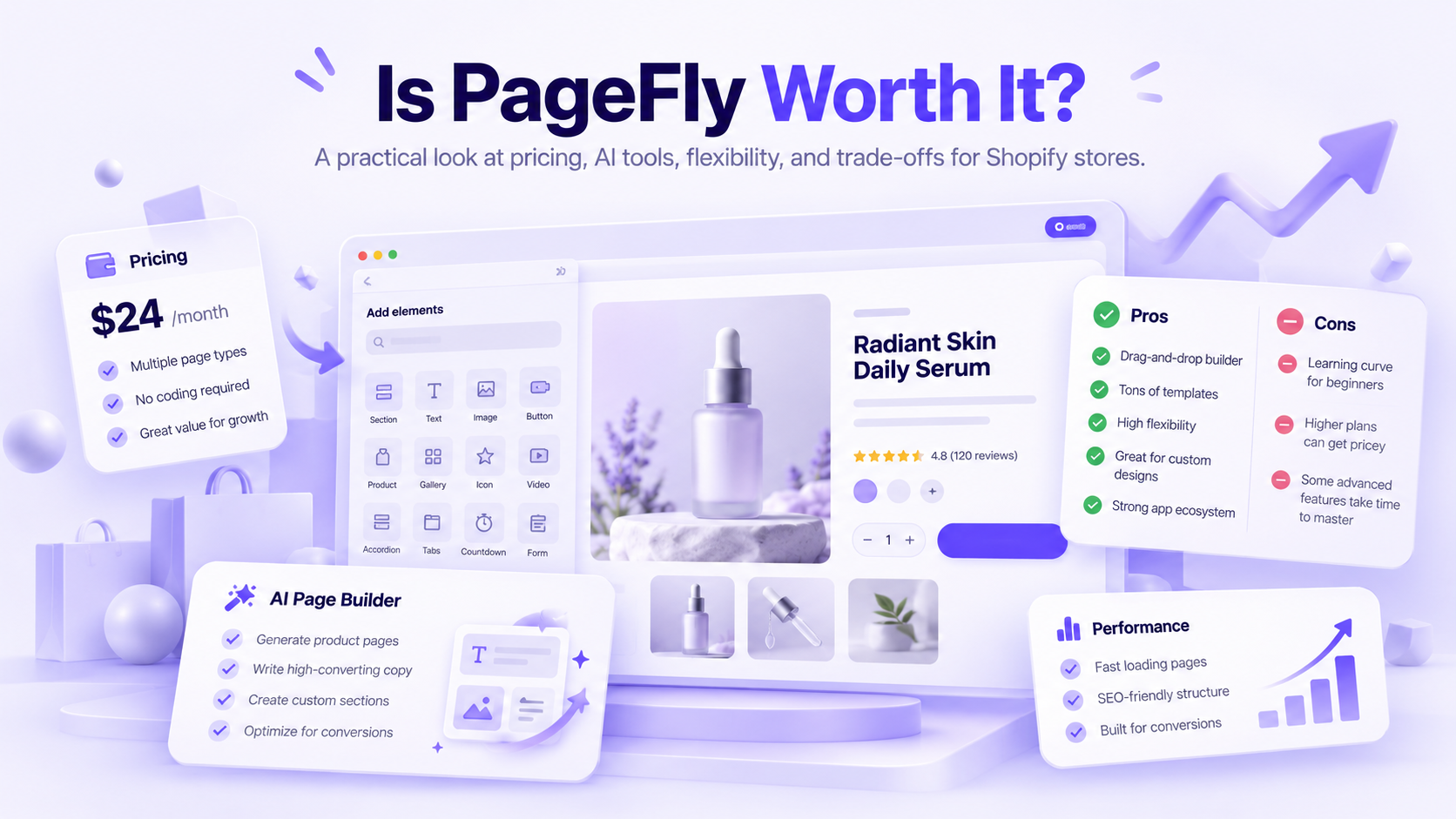
PageFly is an established Shopify page builder that now includes AI-assisted features.
It's no longer accurate to describe the product as purely manual.
PageFly supports AI page drafts, visual customization, reusable sections, integrations, and certain conversion optimization tools.
What Can PageFly Build?
PageFly supports:
- Product pages.
- Collection pages.
- Homepages.
- Landing pages.
- Reusable sections.
- AI-generated page drafts.
- Responsive design customization.
- Supported third-party app integrations.
- Testing and analytics on eligible plans.
Its AI tools also include page-generation assistance, translation, and page-checkup functionality.
For example, a brand preparing a product launch could create an AI-assisted landing-page draft, adjust the images and content, and refine the layout through PageFly's visual editor.
That provides considerable flexibility, although the merchant still needs to check the output before publication.
PageFly counts published pages and saved sections toward applicable publishing slots.
Builder also advertises additional capacity at $5 for five extra pages or sections.
Which PageFly Plan Includes A/B Testing?
PageFly's current Shopify App Store listing associates A/B testing, sales funnels, heatmaps, and AI Page Checkup with Accelerate.
Builder includes visual editing, analytics, AI translation, and a more limited publishing allowance.
However, PageFly has displayed different testing-feature allocations across its public pricing materials.
Merchants should confirm the exact A/B testing and AI features available in their account before selecting a subscription.
That is more reliable than assuming every paid PageFly plan includes the same testing tools.
What Are PageFly's Limitations?
PageFly's broad editor introduces more page-design decisions than a specialized product-page generator.
Its publishing-slot model also matters when merchants maintain many custom pages or reusable sections.
Switching away from PageFly may require rebuilding important content, and merchants should review its downgrade and uninstall policies before relying on the app for critical pages.
For a deeper comparison of similar tools, see our PageFly alternatives guide.
7. EComposer: Best Budget-Conscious AI-Assisted Shopify Page Builder
- Best for: Merchants who want a lower-cost visual builder with AI tools and ecommerce-oriented functionality.
- Main limitation: AI credits, page limits, and potentially commission-bearing upsell functionality can affect the total cost.
- Choose EComposer when: You want affordable visual customization and are comfortable evaluating the limits and fees attached to the features you use.
- Official source: https://ecomposer.io/
EComposer combines drag-and-drop page design, templates, AI-assisted content tools, and conversion-related features.
It's particularly relevant for stores that need more customization than their theme provides but want to keep subscription costs relatively low.
What Can EComposer Build?
EComposer supports:
- Product pages.
- Landing pages and homepages.
- Reusable sections.
- AI-assisted content generation.
- Custom storefront layouts.
- Popups and promotional elements.
- Upsell functionality.
- Testing features on eligible plans.
The AI features use credits, so merchants need to consider both published-page limits and their expected AI usage.
EComposer also places limits on certain draft, template, and AI capabilities according to the plan.
The published-page allowances are total plan limits rather than additional capacity stacked on top of the lower tiers.
Are There Extra EComposer Fees?
Yes, depending on which features you use.
EComposer's pricing page lists additional AI-credit options and a 1% commission fee for certain unlimited post-purchase and thank-you-page upsells.
That means merchants using the builder's upsell features should check which transactions or functions are subject to additional fees.
A $19 or $39 subscription may not represent the complete cost of the intended setup.
This is especially relevant to businesses comparing EComposer with other tools based on average-order-value or post-purchase functionality.
8. Instant: Best for AI-Assisted Shopify Layouts, Sections, and Storefront Design
- Best for: DTC brands, designers, and Shopify teams creating custom layouts, reusable sections, and product templates.
- Important: Instant's free Developer tier is for eligible Shopify development stores. It isn't a permanently free publishing plan for ordinary commercial stores.
- Main limitation: Instant is particularly useful for visual storefront customization, but its page and section allowances need to be considered. It isn't primarily a supplier-link-to-product-page generator.
- Choose Instant when: You want AI-assisted design with substantial control over Shopify layouts, theme sections, and reusable components.
- Official source: https://apps.shopify.com/instant-builder
Instant is a visual Shopify page builder that supports more than individual theme sections.
Its current capabilities include landing pages, homepage layouts, product and collection templates, navigation, reusable components, and selected conversion-related features.
It also supports AI generation and workflows involving design tools such as Figma.
What Can Instant Build?
Instant offers functionality for:
- Landing pages.
- Homepages.
- Theme sections.
- Product and collection templates.
- Headers, footers, and navigation.
- Reusable design elements.
- Custom cart drawers.
- AI-assisted creation.
- Figma-related design workflows.
- A/B testing on eligible plans.
For example, a brand might use Instant to create a consistent collection of reusable product-benefits sections, campaign layouts, and navigation components.
This is a different workflow from generating complete product pages from supplier URLs.
Instant provides a broader visual design environment for modifying the Shopify storefront.
Pro provides additional functionality, including A/B testing allowances and publishing to draft themes.
9. Shogun: Best for Established Shopify Teams
- Best for: Ecommerce teams managing multiple custom pages, reusable content, and structured publishing or testing workflows.
- Main limitation: Shogun can become expensive for stores requiring higher-tier content management or substantial experimentation usage. Smaller merchants may not need its broader workflow capabilities.
- Choose Shogun when: Your team manages custom Shopify content regularly and needs structured publishing, reusable components, and testing options.
- Official source: https://getshogun.com/
Shogun offers a visual Shopify page builder alongside conversion optimization and personalization functionality.
It's relevant to stores that want more control over how pages are produced, reviewed, maintained, and measured.
Unlike a specialist tool focused mainly on generating product pages from supplier links, Shogun emphasizes broader page operations.
What Can Shogun Build?
Shogun's functionality includes:
- Product and landing pages.
- Custom homepage content.
- Visual editing.
- Reusable sections and components.
- Templates.
- Page analytics.
- Content scheduling on eligible plans.
- Cross-store content workflows on higher tiers.
- A/B testing and personalization capabilities with plan-dependent allowances.
Shogun also provides AI-assisted content and optimization functionality through supported tools.
Merchants should distinguish between the features included in their Page Builder subscription and additional specialized offerings.
Annual billing discounts may be available.
Draft Mode allows users to experiment with the editor but doesn't include live publishing.
Build supports 25 published pages, while Grow and Advanced offer unlimited published pages alongside more extensive management capabilities.
Does Shogun Include A/B Testing?
Shogun's current pricing comparison lists A/B testing and personalization allowances within its Page Builder plan structure.
These allowances are connected to monthly tracked users.
For example, the Build comparison includes testing and personalization access with an allowance of up to 2,000 monthly tracked users.
Higher plans expand the relevant capabilities and allowances.
That doesn't mean every testing or personalization requirement is included without limits. Larger usage levels or specialized features may involve additional costs.
Merchants should confirm the exact tracked-user allowance and testing capabilities for their selected plan.
10. Zipify Pages: Best for AI-Assisted Sales Funnels and Offer Pages
- Best for: Direct-response merchants creating presell pages, product offers, and campaign landing pages.
- Main limitation: Zipify's AI capabilities are more focused on assisting content creation than generating entire stores. Publishing allowances may also become restrictive for stores launching many unrelated products.
- Choose Zipify Pages when: Your main requirement is creating and testing direct-response pages and sales funnels inside Shopify.
- Official source: https://apps.shopify.com/zipifypages
Zipify Pages is a Shopify page builder focused on sales-oriented layouts and funnels.
Its main functionality involves page templates, visual editing, offer presentation, and conversion-related tools.
Zipify also offers an AI text generator to assist with page copy.
It should therefore be understood as a funnel-focused page builder with AI writing assistance, rather than an automatic Shopify store generator.
What Can Zipify Pages Do?
Zipify supports:
- Product pages.
- Landing pages.
- Presell and offer pages.
- Custom homepages.
- Drag-and-drop editing.
- Reusable global sections.
- AI-assisted sales copy.
- Split testing.
- Page analytics.
- Mobile layout editing.
- Shopify product data integration.
For example, a merchant launching a paid advertising campaign could use Zipify to build a dedicated sales page with product benefits, promotional content, comparisons, and purchasing sections.
The merchant still needs to configure the offer accurately and test the page before directing traffic to it.
Zipify's publishing limits differ by page type.
That means a merchant should count both the number of landing pages and the number of product pages they intend to maintain, rather than comparing the subscription price alone.
How Much Do Shopify AI Store Builders Cost?
The cheapest Shopify AI builder isn't necessarily the one with the lowest subscription price. Publishing limits, AI credits, store allowances, revenue-related charges, and optional conversion features all affect what a merchant actually pays.
Suppose a merchant plans to prepare 20 new product pages every month.
With PagePilot, the $39 Lite plan includes ten product pages. The $59 Starter plan provides unlimited product-page generation under the advertised plan, plus 200 AI images and three connected Shopify stores.
With GemPages, paid subscriptions offer unlimited published pages, but the merchant must consider the visual-design work involved and the AI features included in the selected plan.
With PageFly, the merchant needs to evaluate page slots, AI credits, and editing requirements.
With Atlas, the $39 headline subscription is only part of the calculation because additional revenue-related charges can apply.
The appropriate comparison is the cost of creating, reviewing, publishing, and maintaining the pages the business needs, not just the monthly headline price.
Which AI Builder Gets a Shopify Store Ready Faster?
There isn't a reliable independent benchmark establishing which of these tools consistently gets a Shopify store or page ready in the fewest minutes.
The better comparison is the amount of work each workflow requires.
Building a Complete Shopify Store
Compare: Shopify native AI and Atlas.
Shopify's native tools can assist with storefront content, sections, design changes, and supported administrative tasks.
Atlas generates storefront designs and product pages from source information.
Both still require product verification, payment setup, shipping configuration, customer policies, and checkout testing.
Shopify Canvas also has compatibility restrictions that may affect existing apps and themes.
Creating Product Pages From Supplier Links
Compare: PagePilot, Atlas, GemPages and PageFly.
PagePilot specializes in creating editable product-page drafts from supported product links.
Atlas provides a broader store and product-generation workflow.
GemPages and PageFly combine AI-assisted creation with more extensive visual editing tools.
The right choice depends on whether the merchant wants to begin with product information or spend more time controlling individual layout elements.
Building a Custom Advertising Landing Page
Compare: Replo, GemPages, PageFly and Instant.
These tools provide different combinations of AI generation, templates, visual editing, and optimization functionality.
They become more useful when the landing page needs a design that differs substantially from the store's standard product template.
The important speed measure is time to an accurate, working published page, not how quickly an AI tool displays its first draft.
Can AI-Built Shopify Pages Improve Conversions?
AI can help merchants prepare pages with relevant conversion-supporting elements, but it doesn't automatically increase sales or conversion rates. The result still depends on the offer, audience, pricing, product quality, trust, and shopping experience.
A page should give customers the information they need to decide whether to buy.
For examples of effective page structures, see our Shopify product page examples.
AI Drafts Aren't A/B Tests
Generating two versions of a product page doesn't establish which one performs better.
A meaningful experiment requires comparable traffic, a clearly defined primary metric, and enough observations to support the result.
PageFly, Shogun, Replo, Zipify and other tools provide different experimentation or analytics capabilities, depending on the plan.
PagePilot's core value is generating and editing product-page drafts. It shouldn't be described as offering equivalent built-in A/B testing without verifying that functionality.
Test the Actual Page Speed
AI-generated pages can suffer from the same performance problems as manually designed pages.
Large images, videos, excessive scripts, interactive widgets, and layout shifts can affect how quickly a page loads and responds.
Use Google PageSpeed Insights and Shopify's performance reports to assess representative published pages.
Check Core Web Vitals such as Largest Contentful Paint, Interaction to Next Paint, and Cumulative Layout Shift.
Don't assume that an AI-built page is automatically faster than a manually built one.
Which Shopify AI Builder Should You Choose?
For a new Shopify store, start by exploring the native tools before adding another page builder.
If you regularly prepare product pages, PagePilot is a specialized option worth comparing against visual builders.
If the main requirement is custom design, campaign creation, or maintaining reusable storefront elements, choose a tool built around those workflows instead.
Can AI Build a Profitable Shopify Store Automatically?
No. AI can help build storefronts and product pages, but it can't guarantee demand, reliable suppliers, sustainable margins, or profitable customer acquisition.
A higher acquisition cost or additional refunds could eliminate the contribution.
AI can make the page-creation process easier, but the merchant still has to validate product demand, pricing, supplier reliability, advertising performance, and fulfillment.
Our guide to launching a product with AI covers that broader process.
Which Shopify AI -Store Builder Is Worth Paying For?
Start with Shopify's native AI features if you're building a complete store. They work within the platform you already need for checkout, inventory, and order management.
If you frequently prepare new product pages, PagePilot offers a more specialized workflow, starting at $39/month.
Atlas is worth comparing when you want broader storefront generation from product sources. GemPages, Replo, PageFly, and the other visual builders are more relevant when the main challenge is custom layouts, campaign creation, or ongoing page optimization.
Choose the tool that removes work your business actually needs to do. A long AI feature list has little value if most of those features go unused.
Frequently Asked Questions
What Is the Best Shopify AI Store Builder in 2026?
Shopify's native AI tools are the best Shopify AI store builder for creating and managing a complete ecommerce store in 2026. Sidekick, Shopify Magic, and Canvas assist with storefront design and content. PagePilot is our top choice for AI-generated product pages, while Atlas generates broader storefront designs from product sources.
Can AI Create an Entire Shopify Store?
Yes, AI can generate a Shopify storefront, including its layout, sections, product pages, and content. Shopify Canvas supports AI-assisted storefront design, while Atlas generates store designs from product links. Neither replaces setting up payment methods, shipping rates, taxes, return policies, and fulfillment. Those steps must be completed before accepting customer orders.
What Is the Best AI Builder for Shopify Product Pages?
PagePilot is our top AI builder for Shopify product pages created from supplier or product URLs. Its $39/month Lite plan includes ten product pages and 50 AI images. Starter costs $59/month and includes unlimited product pages, 200 AI images, and three Shopify stores. Both plans provide templates, CRO sections, and Shopify publishing.
Is There a Free Shopify AI Store Builder?
Yes, GemPages, PageFly, and EComposer offer free Shopify page-building plans with one published page or section. Shogun allows free drafts without live publishing, while Instant and Zipify offer free access for eligible development stores. Shopify's native AI features are available within eligible Shopify subscriptions, not as a separate free store-hosting service.
What Is the Cheapest Shopify AI Store Builder?
EComposer and Zipify Pages have the lowest paid entry prices among the ten tools compared, starting at $19/month. EComposer's Standard plan requires annual billing for that monthly equivalent and allows 15 published pages or sections. Zipify's Starter plan costs $19/month and includes five landing pages and one product page. Shopify's subscription is additional.
Is PagePilot Better Than PageFly for Product Pages?
PagePilot is the better fit for generating Shopify product pages directly from supported product URLs, while PageFly offers more extensive visual customization. PagePilot starts at $39/month for ten generated product pages. PageFly starts at $24/month for five published page or section slots and supports AI-assisted creation across several page types.
Do AI Store Builders Slow Down Shopify?
AI store builders can slow down Shopify pages when they add oversized images, excessive JavaScript, videos, or third-party widgets. AI generation itself isn't the cause. Use Google PageSpeed Insights to check Largest Contentful Paint, Interaction to Next Paint, and Cumulative Layout Shift on published pages, particularly after adding new sections or integrations.
Can AI-Generated Shopify Pages Rank in Google?
Yes, AI-generated Shopify pages can rank in Google when they provide useful, original content and meet technical SEO requirements. Google doesn't prohibit content simply because AI helped create it. Product pages still need accurate descriptions, relevant headings, crawlable links, appropriate structured data, and helpful product information rather than repetitive, mass-generated copy.