


Quick answer: Is there an AI agent for Shopify?
Yes. Shopify's native AI agent is Sidekick, an AI commerce assistant built directly into Shopify Admin.
It can analyze store data, edit products, manage orders, create discounts, modify themes, generate content, work with supported apps, and complete multi-step store tasks from plain-language instructions.
Sidekick isn't fully autonomous, though. It proposes consequential store changes and waits for the merchant to approve them before anything applies.
For work that sits outside general store management, merchants pair Sidekick with a specialist tool. PagePilot MCP, for example, gives an AI agent access to product research, landing-page creation, pricing, variants, AI imagery, and Shopify publishing.
What is a Shopify AI agent?
A Shopify AI agent understands a merchant's goal, reaches into Shopify or a connected ecommerce tool, and takes a supported action instead of only handing back advice.
An assistant says you should create a discount. An agent creates the discount: "10% automatic discount for returning customers."
An assistant says a product page could use stronger positioning. An agentic PagePilot workflow builds the page, rewrites the offer, sets the price, generates images, and publishes it.
Advice versus action. That's the whole distinction.
What is Shopify Sidekick?
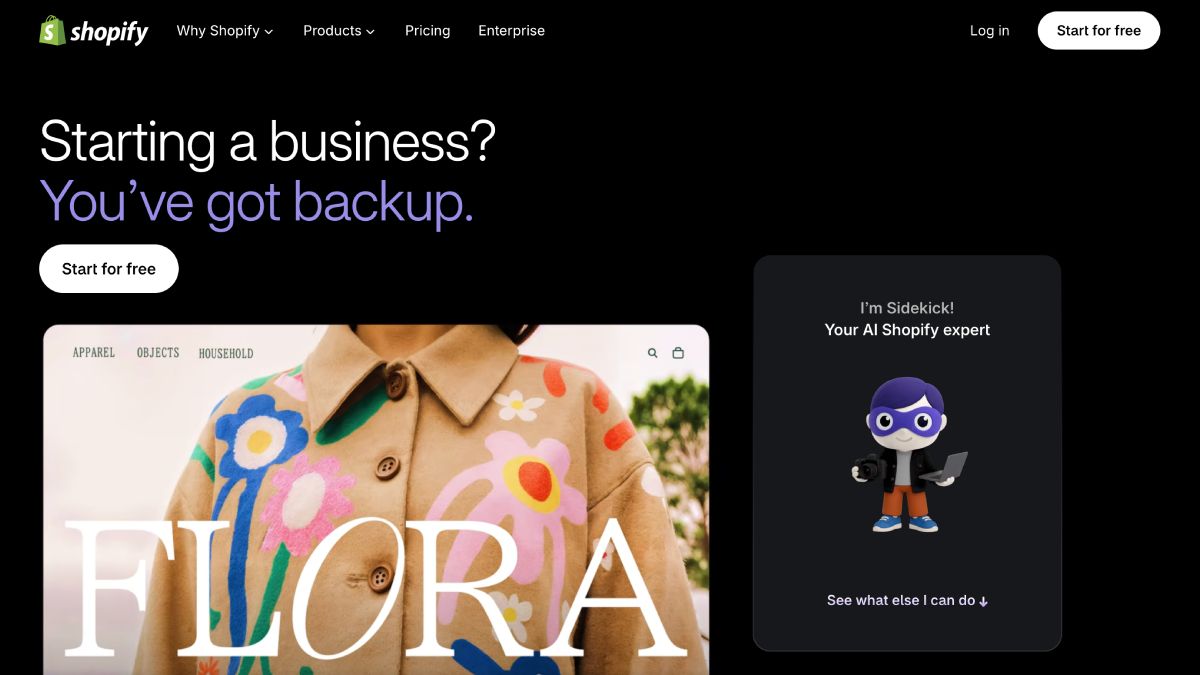
Sidekick is Shopify's native AI commerce assistant, built directly into Shopify Admin. That matters because it doesn't start every prompt from zero. It can work with the store's products, customers, orders, inventory, analytics, theme settings, and recent Sidekick context before deciding what to do next.
The difference is less "Shopify added a chatbot" and more "Shopify added a conversational layer over store operations." A merchant can ask what changed in sales, follow with "what should I do about it," then move into a supported action without exporting the data into another tool first.
Shopify documents Sidekick as able to:
- Answer questions about the business
- Analyze sales, traffic, payments, fulfillments, payouts, and web-performance data, and generate custom ShopifyQL reports
- Edit products, adding variants and rewriting copy from a plain-language request
- Manage orders, including draft orders
- Generate content such as descriptions and blog posts
- Create discounts
- Move, hide, or remove theme sections and blocks, and edit supported global theme settings like typography, color, and spacing
- Create customer segments
- Build custom Shopify apps on eligible plans
- Query supported third-party apps and act on the data or actions those apps expose through Sidekick App Extensions
- Break a larger request into a to-do list and work through it as a longer-running background task
- Surface proactive recommendations through Sidekick Pulse, currently in early access for eligible merchants
Sidekick can also turn plain-language customer criteria into Shopify segments. A request such as "show me customers who signed up but never purchased" can become the underlying segment logic inside Shopify, ready for the merchant to review and save.
Sidekick also carries context between sessions. Shopify says it can recall past Sidekick conversations for roughly three months and recent Admin activity for about 12 hours, unless memory is turned off.
How do you access Shopify Sidekick?
Shopify Sidekick is built into Shopify Admin. On desktop, you can open it from any admin page. On phones and tablets, you access it through the Shopify app rather than a mobile browser. Sidekick also uses the page you’re currently viewing as context, so opening it from Products or Analytics gives it relevant store information to work with.
Text and voice are available on desktop and mobile, while screen sharing is still an early-access feature limited to desktop browsers. Apple Watch supports voice questions about store data, but Sidekick can’t make store changes from the watch.
Staff access follows Shopify’s existing role and permission system, so users can only work with the parts of the admin their account is allowed to access. Some Sidekick features have additional requirements.
For example:
Generating custom apps requires the App development > Develop permission and is desktop-only.
Does Shopify Sidekick cost extra?
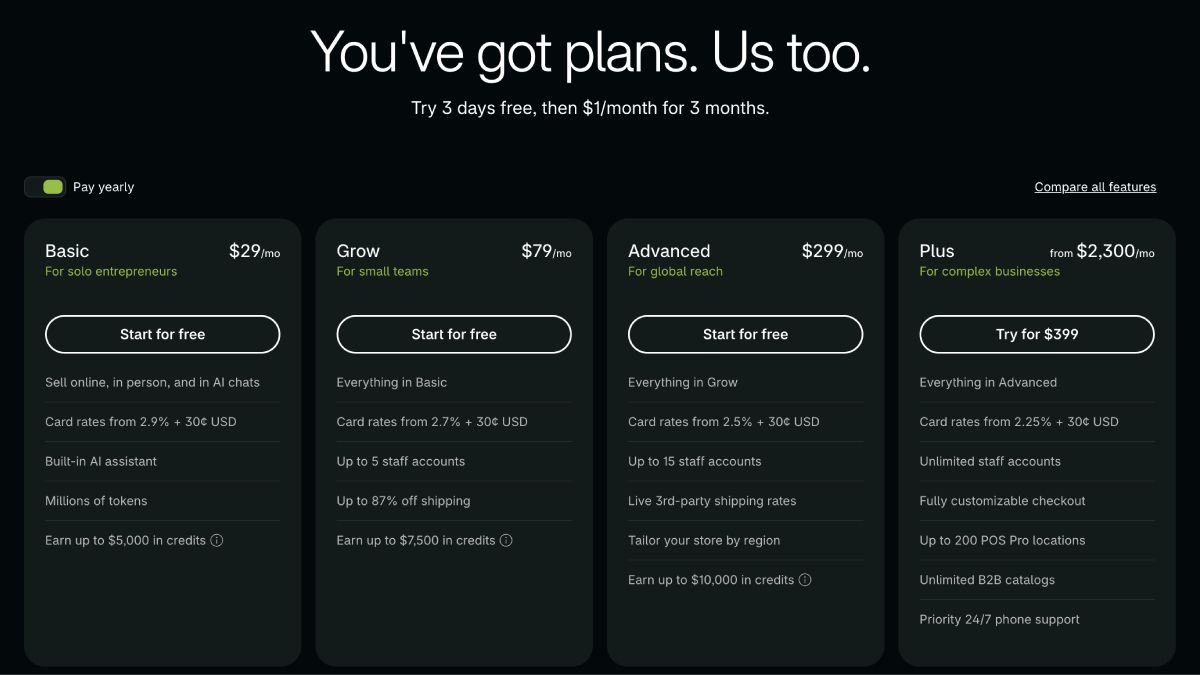
No, Shopify doesn’t charge a separate subscription fee for Sidekick. Shopify’s pricing page lists its built-in AI assistant as part of the Basic plan, and Grow, Advanced, and Plus inherit the features of the tiers below them. Shopify also includes AI usage in the plan rather than pricing Sidekick as a separate add-on.
Access to every Sidekick feature isn’t identical across plans, though. The core assistant is available across Shopify plans, while newer or more advanced capabilities can have their own plan requirements.
For example, generating custom Shopify apps with Sidekick currently requires Grow, Advanced, or Shopify Plus.
So the cost of using Sidekick is essentially the cost of your Shopify plan, but upgrading your plan can unlock additional AI capabilities.
Can Sidekick create and edit products?
Yes. Sidekick can create and edit products, filling Shopify Admin fields from a plain-language request.
Prompts to try
Create a new product called Alpine Travel Bottle for $39.99. Rewrite this product description to focus on portability. Add a new variant called Blue. Change the product title to make the main benefit clearer.
This covers operating existing Shopify product data well. It's a different job from generating a full, conversion-focused landing page from an external product URL, which is where PagePilot comes in further down.
Can Sidekick create discounts?
Yes. Sidekick can create amount-off and free-shipping discounts from a plain-language instruction such as "create an automatic 15% discount for orders over $100," proposing the parameters for review before the discount goes live.
Can Sidekick manage orders?
Yes, within limits. Sidekick can edit supported existing orders and create or edit draft orders, adjusting line items, quantities, discounts, and shipping. It proposes the change and waits for merchant confirmation before the order updates.
Prompts to try
Add two Blue T-shirts to this order. Apply a 10% line-item discount. Create a draft order for this customer.
Can Sidekick analyze store performance?
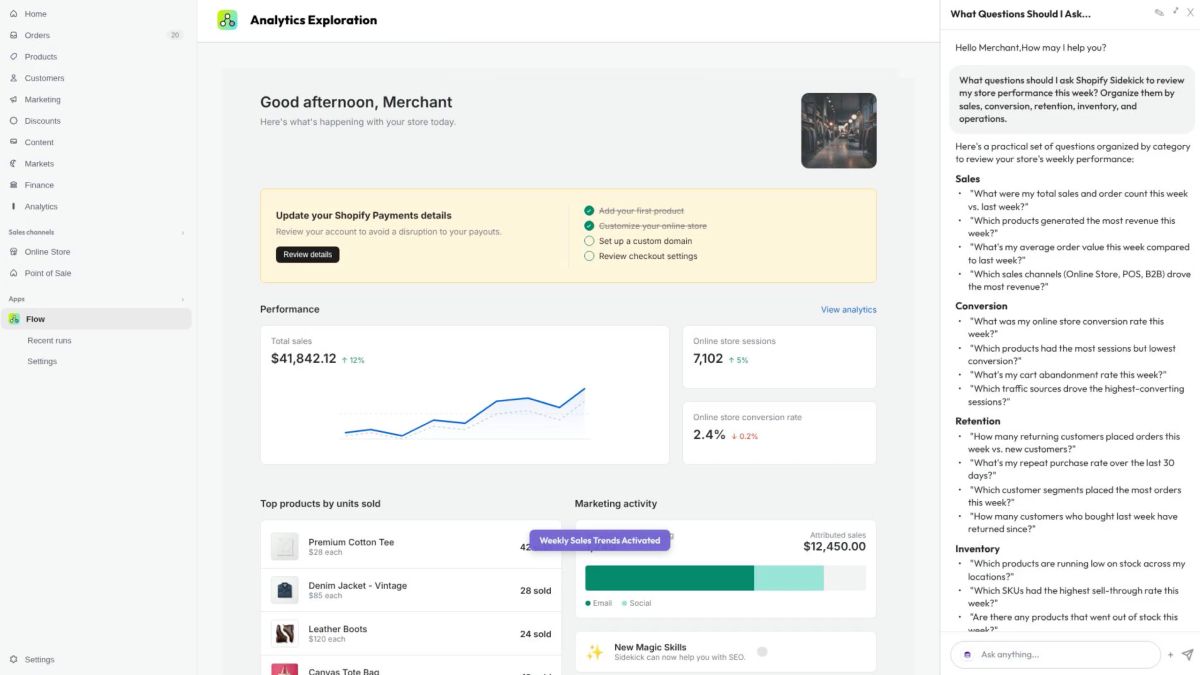
Yes. Sidekick can write and refine ShopifyQL queries and build reports from plain-language requests, pulling from sales, payments, fulfillments, payouts, and web-performance data.
The useful part isn't only that it can retrieve the numbers. Because the conversation keeps the store context, a merchant can move from identifying a decline to asking why it happened and what's worth doing about it, without rebuilding the analysis somewhere else.
Prompts to try
Give me a breakdown of this month's sales performance compared with last month and tell me where the biggest changes happened. What should I do about it? What can I do this week to increase average order value? Which products should I restock, which are becoming dead stock, and what does sell-through look like by collection?
Can you save reusable workflows in Sidekick?
Yes. Sidekick Skills let merchants save instructions they use repeatedly and trigger them again without rebuilding the prompt each time.
A merchant could save a weekly inventory review, a brand-voice instruction set, or a recurring sales-analysis prompt as a Skill. Instead of re-explaining the task, they call the saved Skill and run the same workflow against current store data.
A one-off prompt answers today's question. A saved Skill turns a useful prompt into something reusable as part of actually running the store.
Can Sidekick modify a Shopify theme?
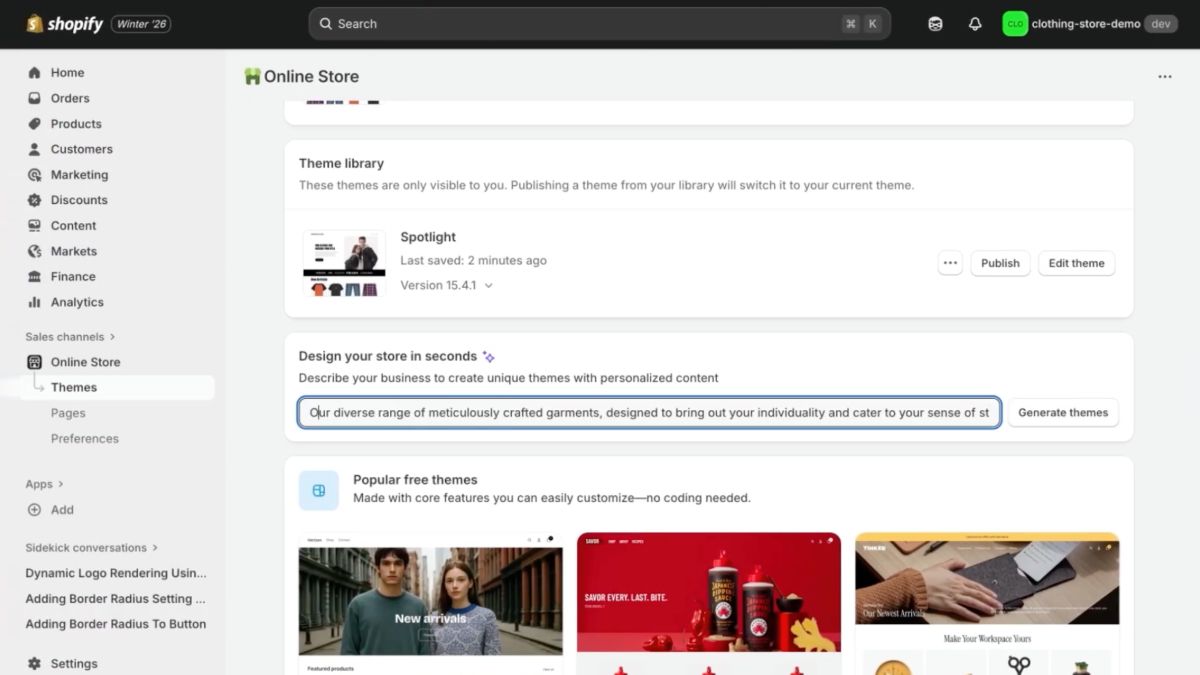
Yes, within an existing theme. Sidekick can move, hide, or remove sections and blocks, edit their settings, and adjust global theme settings including typography, color schemes, spacing, roundness, shadows, and cart position.
Prompts to try
Add a testimonial section to the product template. Hide the announcement bar. Increase spacing between sections and use a more restrained typography style. Make this store feel more premium. Use darker tones, more white space, and simplify the hero section.
Sidekick can interpret a higher-level visual instruction like that last one and translate it into supported theme-setting changes. It isn't replacing a designer or autonomously rebuilding an arbitrary theme though. Deep custom functionality can still need theme code or a developer.
Shopify Magic can also generate custom theme blocks from a plain-language description of what the block should do, writing the underlying Liquid. Shopify notes the generated code can contain errors and needs a review for functionality, performance, and accessibility before it ships.
Can a Shopify AI agent build my entire store?
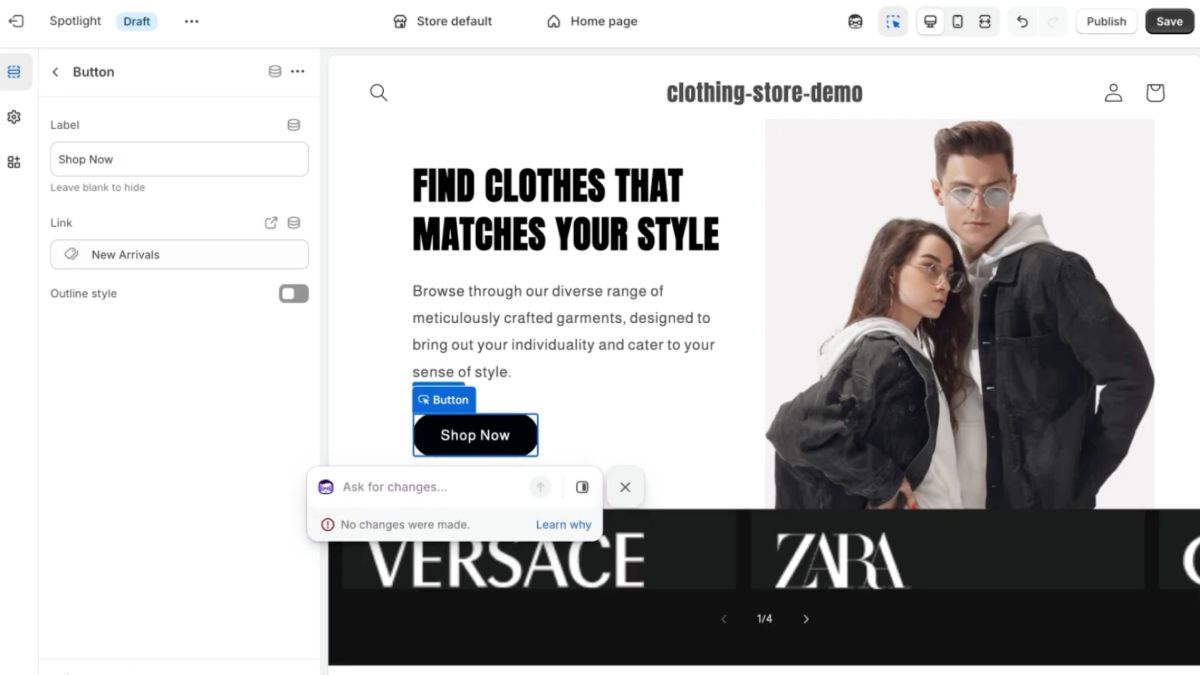
Partially, and "entire store" is doing a lot of work in that question.
Sidekick can handle a real chunk of setup and customization: products, collections, content, theme configuration, even custom internal apps.
But a merchant still owns the decisions that actually make a store work, architecture, branding, product assortment, merchandising, theme choice, payments, shipping, policies, apps, conversion strategy, and QA.
Sidekick is a strong operator and co-builder, not a one-prompt "generate my business" button.
Can Sidekick build custom Shopify apps?
Yes, on eligible plans. Sidekick can generate internal Shopify apps from plain-language instructions, things like predicting which products need reordering, generating discounted checkout links and QR codes, finding customers and building custom discounts, or spinning up an internal task-management tool.
Custom app generation currently requires the Grow, Advanced, or Shopify Plus plan, and it's desktop-only. Generated apps stay inside the Shopify Admin environment with defined Admin API access. They're not a substitute for a customer-facing app, a checkout extension, or a theme application.
Can Sidekick work with other Shopify apps?
Yes. Sidekick App Extensions let supported third-party apps expose data and actions directly inside Sidekick's chat. Shopify launched this with 15+ partners, including Klaviyo, Loop, Smile, Judge.me, Yotpo, Matrixify, and Seguno. Not every extension offers the same depth of access though, what Sidekick can actually do through a given app varies by that app's own integration.
That points at the bigger architectural idea. Sidekick isn't trying to build every ecommerce capability itself. It's the conversational and orchestration layer. Shopify's own data plus connected apps are the tools it reaches for. That's also exactly where PagePilot fits.
Where PagePilot fits into a Shopify AI-agent stack
Sidekick covers a broad range of Shopify-native work:
- Store setup
- Products
- Analytics
- Customers
- Themes
- Discounts
- Orders
- Supported app workflows
PagePilot MCP goes narrower and deeper on a different job, finding and launching products. Its workflow can start with external product and advertising research, move into building a conversion-focused page from a source product, configure the offer and variants, generate imagery, and publish the result to Shopify.
The distinction isn't "before Shopify versus after Shopify." It's general Shopify operations versus a specialized product-research and launch workflow.
Biggest advantage: It goes deep on one job, research through publish, chained together in one conversation, rather than being a general store operator that also happens to touch products.
Biggest limitation: PagePilot MCP doesn't touch order management, discounts, collections, or theme work. That's Sidekick's job, not PagePilot's.
Turn Your AI Assistant Into a Product-Launch Workflow With PagePilot MCP. Connect ChatGPT or Claude to PagePilot MCP and go from “find me a product” to a published Shopify page in one conversation.
Shopify Sidekick vs PagePilot MCP
Sidekick runs the Shopify store. PagePilot helps create and launch the next product.
Sidekick vs ChatGPT + Shopify
Sidekick lives inside Shopify, has store context by default based on the merchant's permissions, and sits deep in native Shopify workflows. It can navigate and administer supported areas, and it still waits for review before applying a change.
The Shopify plugin for ChatGPT puts a similar conversation inside ChatGPT instead of Shopify Admin, useful if ChatGPT is already the merchant's main AI environment. Its access is split, write access on products, collections, inventory, and discounts, read-only on orders, customers, and analytics.
For a closer look at what you can actually manage from the chat, see our piece about How to Run Your Store From a Chat Window.
Sidekick is the native Shopify operator. ChatGPT is an external conversational interface. PagePilot gives that interface a specialized product-launch toolset neither one covers on its own.
Is Shopify Sidekick actually autonomous?
Not completely, and it isn't really a binary chatbot-versus-autonomous-agent question either. It's more accurate as a spectrum.
- Reactive. Answers a direct store question.
- Context-aware. Draws on the store's actual data rather than a generic answer.
- Action-oriented. Prepares a supported change instead of only describing one.
- Reusable. Runs a saved Skill instead of rebuilding the prompt each time.
- Long-running. Works through a multi-step task in the background.
- Proactive. Sidekick Pulse, currently in early access for eligible merchants, can surface a recommendation without the merchant asking first, a shift from merchant-asks-Sidekick-answers to Shopify-flags-something-worth-attention.
- Extensible. App Extensions bring in what specialist apps already know how to do.
- Still controlled. Consequential store changes stay approval-gated no matter how far up that list a task sits.
A controlled commerce agent is a more accurate label than a fully autonomous store operator.
What Sidekick still can't do
By Shopify's own documentation, Sidekick can't independently talk to customers or run a support conversation, can't directly edit images already sitting inside product lists or themes, and has reduced functionality in some mobile environments. Functionality also shifts by plan, permission level, store setup, and feature availability.
The practical, test-discovered limits, prompts that needed several rounds of clarification, wrong assumptions, steps that still needed a manual finish, aren't in this piece yet. That's exactly what a real hands-on test would surface.
Best AI agent for Shopify by use case
- Best general Shopify AI agent: Shopify Sidekick, for running and analyzing a store that already exists.
- Best for product research: PagePilot MCP + AI assistant, for merchants deciding what to sell next.
- Best for dropshipping and product testing: PagePilot MCP + AI assistant, especially when the workflow starts outside Shopify entirely.
- Best for building product landing pages: PagePilot MCP + AI assistant.
- Best for operating Shopify from ChatGPT: The official Shopify plugin for ChatGPT.
- Best for customer support automation: A specialized ecommerce support agent such as Gorgias, not Sidekick.
Example: Sidekick and PagePilot working together
Before the product exists, PagePilot:
Find me products currently scaling through Facebook ads. Pick the highest-margin option. Build a German landing page using the Bloom template. Set the price to 39.99 and compare-at to 59.99. Replace three product photos with lifestyle scenes. Publish it to my Shopify store.
After the product is live, Sidekick:
How is this product performing compared with my store average? Which customer segments are buying it? Create a discount for customers who viewed it but haven't purchased. Show me whether inventory is likely to become a problem.
PagePilot launches. Sidekick operates.
Can one AI agent run an entire Shopify store?
Not reliably, not as a single autonomous system in 2026. Sidekick covers a wide slice of Shopify operations, but specialized work still benefits from a specialized tool, PagePilot MCP for product research and launch, Klaviyo or a supported Sidekick extension for marketing, Gorgias or another dedicated agent for support.
The Shopify AI stack is heading toward one conversational layer calling several specialist tools, not one model doing every job itself.
Is Shopify Sidekick any good?
Based on what Shopify documents, not on a completed hands-on test. Take this with that caveat until someone runs the prompts above on a real store.
Sidekick looks strongest at store-specific questions, routine Admin tasks, filling Shopify forms, product and collection operations, analytics, discounts, and multi-step Shopify workflows. It looks weaker once a task starts outside Shopify, needs specialized external research, depends on an unsupported app, or assumes full autonomy without an approval step.
That's not a knock on Sidekick. It's a scope, and most of what falls outside it is exactly what a specialist tool is built to cover instead.