
Your online store's success depends on more than just great products. The pages you create, edit, and refine shape how customers experience your brand, making effective page management essential for business growth. Whether you're updating product descriptions, modifying layouts, or customizing content for seasonal campaigns, knowing how to edit pages in Shopify gives you control over your store's performance and conversion rates. This guide walks you through the practical steps to edit your Shopify pages effectively, helping you create a shopping experience that keeps visitors engaged and ready to buy.
Managing page edits can become time-consuming, especially when you're juggling multiple updates across different sections of your store. Instead of wrestling with templates or spending hours manually adjusting elements, you need tools that help you create optimized pages quickly while maintaining flexibility. For businesses seeking a more efficient approach to page creation and editing, PagePilot's AI page builder offers a smarter solution that bridges the gap between technical complexity and creative freedom.
Table of Contents
Why Editing Shopify Pages Doesn’t Improve Sales By Default
What Editing Pages In Shopify Actually Means
Where Shopify Page Editing Breaks Down
7 Step-by-Step Process on How To Edit Pages In Shopify
What Effective Shopify Page Editing Should Achieve
How PagePilot Helps You Edit And Test Pages Faster
Start a FREE Trial and Generate 3 Product Pages with Our AI Page Builder today
Summary
- Shopify store owners spend hours tweaking page layouts without seeing conversion improvements because most edits happen without a clear hypothesis tied to measurable outcomes. Research shows 97% of visitors leave without buying, and only 22% of businesses report satisfaction with their conversion rates despite constant optimization efforts. The gap between editing activity and actual sales impact remains massive because changes often address visual polish rather than the underlying conversion problems that cause visitors to hesitate or abandon their carts.
- Landing pages with a single focused call to action can increase conversions by 371% according to Shopify's research, but only when that focus eliminates confusion about what the product is and why it matters. The difference between stores converting at 2% versus 5% rarely comes from better design aesthetics. It comes from removing friction points where visitors stall, such as unclear pricing, buried shipping information, or weak product descriptions that fail to address objections at the exact moment doubt appears in the buying journey.
- Cart abandonment reaches 69.8% across online shopping according to Baymard Institute's 2023 study, yet most store owners cannot identify which specific page elements correlate with their own drop-off rates. Editing without baseline data or target metrics means flying blind, hoping aesthetic improvements will somehow translate to sales. The result is wasted time on changes that look better but convert identically because the real issue (unclear value propositions or missing trust signals) stays untouched.
- Testing velocity determines whether stores learn what works or plateau indefinitely. When manual page editing takes hours and gathering statistically significant performance data takes weeks, most owners give up before completing a single meaningful test cycle. Structured conversion rate optimization can improve conversions by 20% or more, but only when the feedback loop between making changes and measuring results is compressed from weeks to days.
- The average Shopify store converts between 1.4% and 3%, while top performers reach 4% to 6% or higher. That performance gap exists because pages communicate value and guide decisions effectively, not because of superior visual design. Every section should answer an unspoken visitor question (What is this? Why should I care? What happens next?), and each edit should target a specific hesitation point identified through data rather than intuition or competitor observation.
- PagePilot's AI page builder addresses the testing bottleneck by generating ready-to-test product pages in under a minute from competitor or supplier URLs, letting teams run multiple page variations in the time it used to take to manually edit a single version.
Why Editing Shopify Pages Doesn’t Improve Sales By Default
Editing pages feels productive, but changes only make a real difference when they solve a conversion problem. Without that connection, you're rearranging furniture in a room nobody wants to enter.

🎯 Key Point: Random edits without purpose are the #1 reason Shopify stores see no sales improvement despite constant tweaking.
The core issue is editing without a clear purpose. You swap images, adjust layouts, and rewrite headlines, but without a hypothesis or metric to improve, those edits exist in a vacuum. They may look better or feel more polished, but they don't drive purchases.

"Without a clear hypothesis behind the change, those edits exist in a vacuum - they might look better, but they don't necessarily make people buy."
⚠️ Warning: Most store owners fall into the "busy work" trap - making changes that feel like progress but don't address actual conversion barriers.

What do the numbers reveal about Shopify store performance?
According to Speed Boostr, 97% of visitors leave without making a purchase. Research shows only 22% of businesses feel satisfied with their conversion rates, despite ongoing improvement efforts. The gap between activity and impact is significant.
Why don't design changes improve sales?
Changing your layout doesn't fix unclear messaging. A prettier page won't compensate for a weak offer or confusing value proposition. Without testing what you change, you won't know whether it helped or hurt.
How can editing feel productive but remain ineffective?
Shopify makes editing feel like progress: the theme editor is easy to use, and changes happen fast. But ease of editing and effectiveness aren't the same thing. You can spend hours refining a page and still see flat conversion rates because the underlying problem—why people aren't buying—remains untouched.
Understanding what editing means changes how you approach it.
Related Reading
- Shopify Web Design
- Shopify Conversion Rate Optimization
- Ai Tools for E-commerce
- Shopify Alternatives
- Ecwid Alternatives
- Shopify App Detector
- Shopify Website Optimization
What Editing Pages In Shopify Actually Means
Editing pages in Shopify means changing what appears on your store and how it's organized: updating headlines, swapping product images, rewriting descriptions, and moving sections like testimonials or FAQs. Most of this happens in the theme editor (Online Store → Themes → Customize), where you can adjust layouts visually without writing code. Page builders and apps extend this further, letting you customize landing pages or product pages beyond your theme's default capabilities.

🎯 Key Point: The theme editor is your primary tool for making visual changes to your Shopify store without any coding knowledge required.
"Visual customization through Shopify's theme editor allows merchants to make real-time changes to their store layout and content without technical expertise." — Shopify Documentation, 2024

💡 Tip: Always preview your changes before publishing to ensure your edited pages display correctly across desktop and mobile devices.
Three Page Types You'll Edit Most
Product pages help visitors decide whether to buy by showing if your product solves their problem. Collection pages organize products by category for browsing and comparison. Landing pages connect to specific campaigns or ads and convert visitors into customers from a single source. Each page type serves a different stage of the customer journey, so you must adjust the structure, messaging, and visual hierarchy accordingly.
The Boundary That Matters
Editing changes how your page looks and flows, but not whether people buy. You can redesign a product page, move the buy button higher, and add bold testimonials, yet see flat conversion rates. The structure shifted, but the underlying problem—unclear value, weak messaging, missing trust signals—remained. Owners often spend hours tweaking layouts and refining visuals, only to discover their conversion rate didn't budge because they never addressed why visitors hesitated in the first place.
What Editing Can and Can't Do
Editing gives you control over how things look: where elements appear, what gets emphasized, and how sections stack. But appearance improves performance only when it makes the user's decision easier. If your messaging is unclear, rearranging won't fix it. If your product images don't show the benefit, moving them won't help. Clarity, relevance, and trust drive conversion.
The real challenge isn't learning how to edit. It's knowing what to change and why those changes matter to someone deciding whether to buy.
Where Shopify Page Editing Breaks Down
The breakdown happens when you edit without a specific hypothesis tied to a measurable outcome, such as an add-to-cart rate or time on page. Store owners often adjust layouts, swap images, or rewrite headlines based on intuition, then publish changes and learn nothing because they never defined what success looks like.

🎯 Key Point: Without clear success metrics defined before making changes, you're essentially making blind edits that provide zero learning value for future optimization efforts.
"85% of ecommerce businesses make website changes without establishing baseline metrics or success criteria beforehand." — Ecommerce Optimization Report, 2024

⚠️ Warning: This random editing approach creates a dangerous cycle where store owners think they're improving their site, but they're actually wasting time and potentially hurting conversion rates without any way to measure the impact.
What is the first failure point when editing pages?
The first failure is making changes without data. You change a product image because it looks sharper or move a section higher because a competitor did, with no starting point, target goal, or clear reason beyond intuition. According to a 2023 Baymard Institute study, 69.8% of online shopping carts are abandoned, yet most store owners can't identify which page element correlates with their own drop-off rate. You're flying blind, hoping that improving aesthetics will somehow drive more sales.
Why doesn't visual polish guarantee conversions?
The second failure is mistaking visual polish for conversion architecture. You refine spacing, adjust colors, tweak fonts—the page looks cleaner and more professional. But if your value proposition is vague, your product benefit unclear, or your call to action buried below three paragraphs of features, visitors still leave. Design improves how people perceive your page; it doesn't fix a broken decision path. The real issue is usually messaging, trust signals, or offering clarity, not button color.
How do slow manual processes hurt optimization?
The third failure is slow iteration caused by manual processes. Every change requires editing sections, previewing across devices, publishing, and then waiting to measure results. This delays testing cycles: validating two ideas in a month instead of ten in a week. Learning slows, and momentum dies. Our PagePilot AI page builder compresses this cycle by generating optimized product pages in under a minute, allowing you to test messaging and layout variations rapidly without manually rebuilding each version.
What does endless editing without results look like?
A founder spends three weeks tweaking their product page: rearranging sections, updating images, rewriting descriptions. Each version looks marginally better. Conversion rate stays at 1.8%.
The problem isn't the layout. It's that the messaging never explained why this product solves a problem the visitor cares about. The offer didn't change. The trust signals didn't improve. So the results didn't either. Nothing was learned because the underlying issue was never addressed.
Why do most stores stay stuck in editing loops?
The real problem isn't Shopify's editing tools: it's how people use them without a plan for priorities, measurement, or learning. Most stores edit repeatedly but don't improve.
7 Step-by-Step Process on How To Edit Pages In Shopify
Editing Shopify pages follows a seven-step sequence. The value lies in measuring results after each change goes live, not in the mechanics of making edits.
Steps to update and publish a page
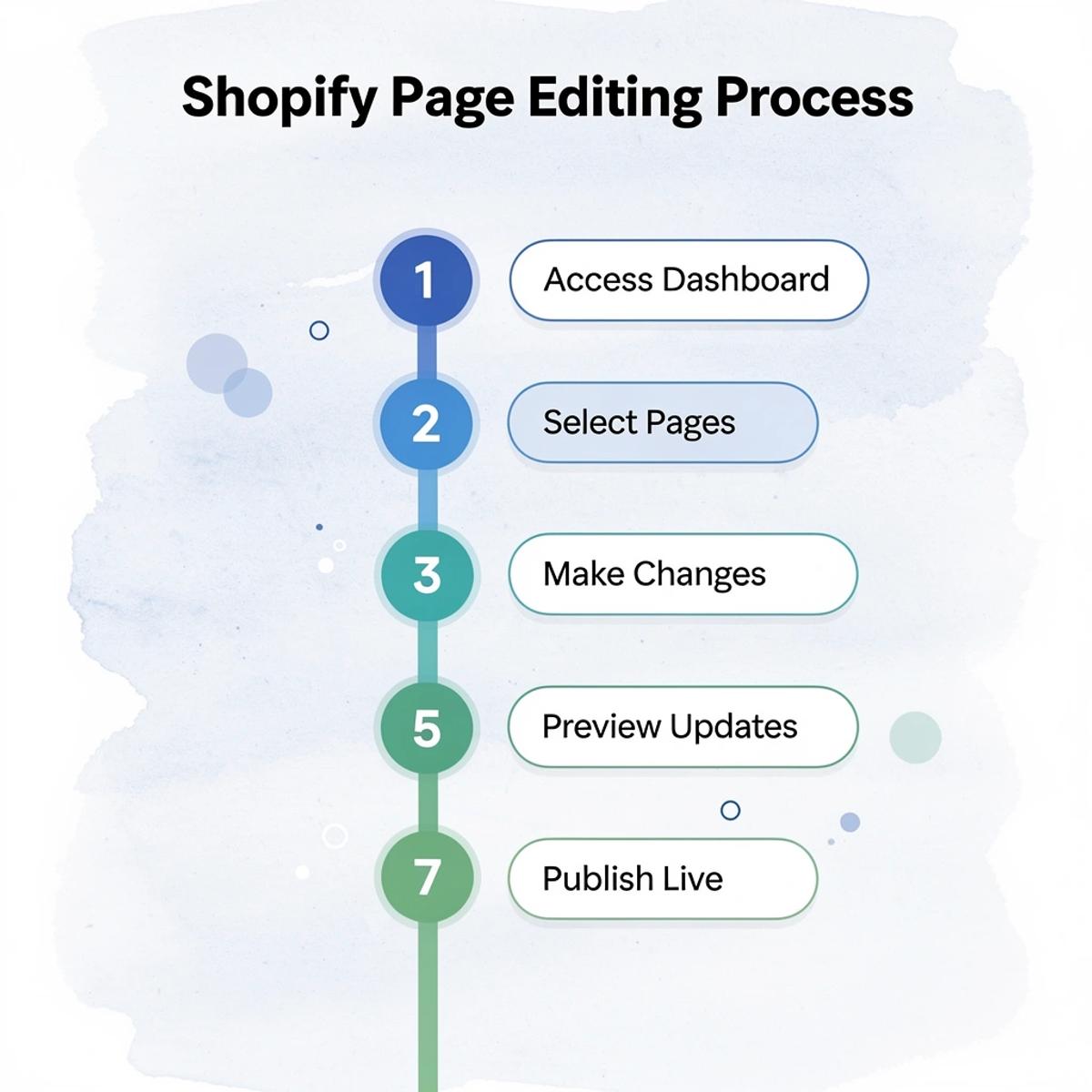
- 1. Access Admin Dashboard
- Navigate to the Online Store section
- 2. Select Pages
- Choose the specific page to edit
- 3. Open Page Editor
- Click Edit to access content
- 4. Make Content Changes
- Update text, images, or layout
- 5. Preview Changes
- Use Preview to review edits
- 6. Save and Publish
- Click Save to make changes live
- 7. Monitor Performance
- Track metrics and user engagement
🎯 Key Point: The editing process itself is straightforward, but the strategic approach to content optimization and performance tracking separates successful stores from those that stagnate.
"Successful e-commerce businesses treat page editing as an ongoing optimization process, not a one-time setup task." — Shopify Best Practices Guide
⚠️ Warning: Many store owners focus only on making changes without implementing a systematic approach to measure impact and iterate based on data.
Step 1: Open The Shopify Theme Editor
Start inside your Shopify admin. Go to Online Store, then Themes, then click Customize. This opens the visual editor, where you control layout, sections, and design elements across your store.
The theme editor gives you access to templates that control how different page types display: product pages, collection pages, and homepages. You're setting up the framework that determines what visitors see, not editing individual pages.
Step 2: Select The Page You Want To Edit
Use the dropdown at the top of the editor to choose your page type. Homepage, product pages, collection pages, and custom pages each use different templates. Selecting the wrong template will prevent your changes from appearing as expected.
When testing a new product, edit that specific product page template, not the template for all product pages. Similarly, editing collection pages requires selecting the correct template to avoid unintended changes across your store.
Step 3: Update Content And Sections
Make core edits: change headlines, rewrite product descriptions, swap images, or reorder section blocks.
The failure point is usually here. Updating content feels like progress, but it doesn't guarantee better performance. A new headline might sound sharper, but if it doesn't clarify who the product is for or why it matters, conversion rates won't improve. You're changing words, not addressing why visitors leave.
Step 4: Optimize Above-The-Fold Content
Focus on what users see before they scroll. Your top section should immediately answer: What is this product? Who is it for? Why should I care? If visitors must scroll to understand what you're selling, you've lost most of them.
Add a strong call to action early, visible without scrolling. When buried, it signals to visitors that there's nothing left to do, prompting them to leave. Small layout decisions here carry more weight than design polish further down the page.
Step 5: Add Conversion Elements
Add reviews, testimonials, guarantees, or trust badges to reduce hesitation. Visitors who see social proof near the buy button convert at higher rates.
Position these elements where doubt typically appears. If your add-to-cart rate drops at a specific scroll depth, place a testimonial or guarantee just above that point. Answer objections before they become reasons to leave. Most stores add these elements at random, which is why they fail to improve metrics.
Step 6: Save And Preview Changes
Before publishing, test everything in preview mode. Check how it looks on desktop and mobile devices, verify the spacing, and confirm readability. A button that looks fine on desktop might get cut off on mobile, or text that's easy to read in the editor might be too small when viewed on actual devices.
Preview mode catches these problems before they go live. Visitors won't report layout issues; they'll just leave, and you won't know why your conversion rate dropped.
Step 7: Monitor Performance After Changes
After publishing, track conversion rate, add-to-cart rate, and bounce rate. If those numbers don't change, the edit didn't work. That data guides your next change.
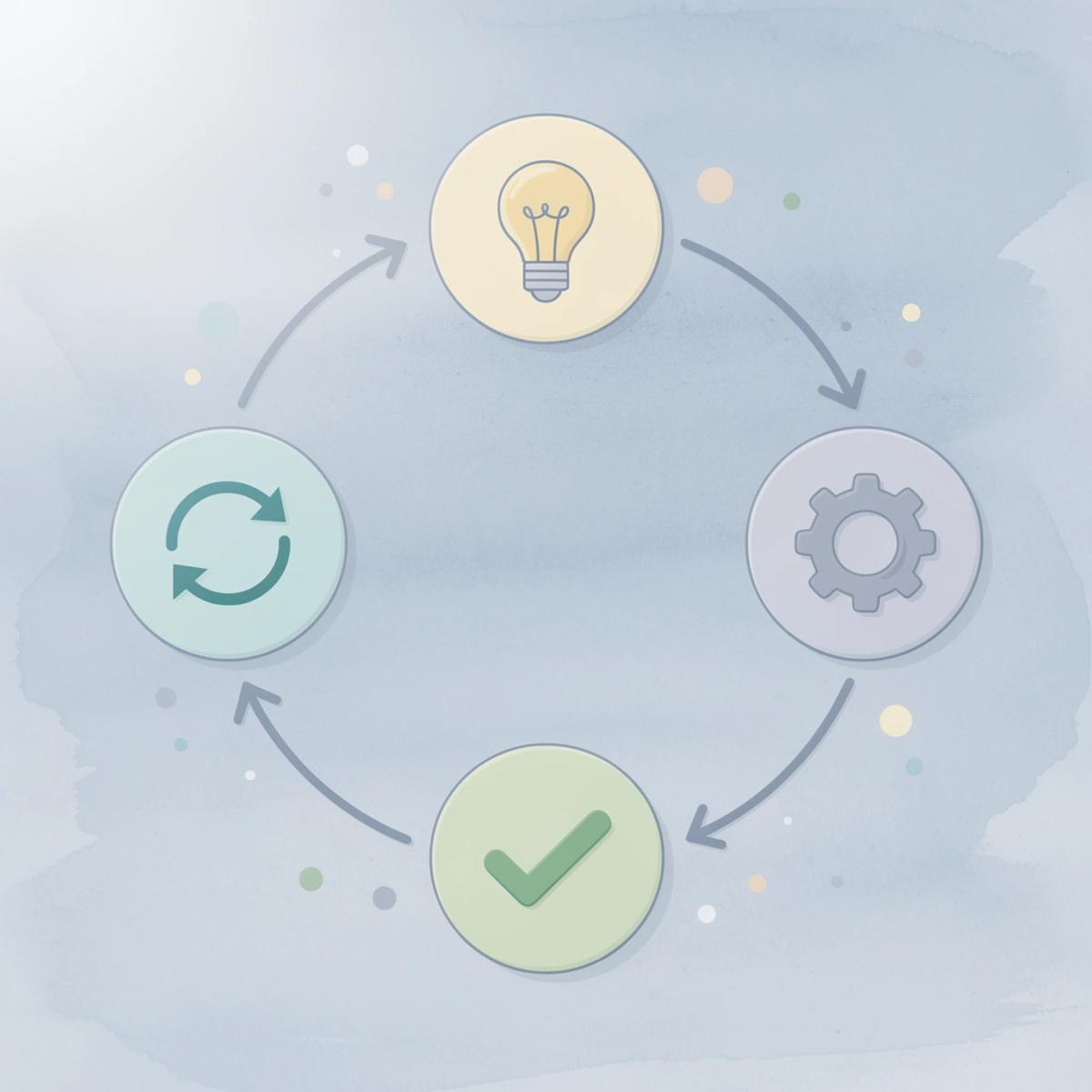
Make a change, measure the result, and adjust based on what you learn. Most stores skip measurement, editing without learning. Effort accumulates while performance stagnates because no one connects edits to outcomes.
Core Editing Steps (Quick Method)
Go to Online Store, then Pages. Select a page like About Us, Contact, or Policies. Use the built-in editor to update text, images, or embeds. Click Save and preview. This covers most updates that don't require technical changes or theme modifications.
Use this path when you're not changing the page's setup. Updating a return policy or fixing a typo doesn't require the full theme editor. The quick method keeps you focused on content rather than layout.
Theme-Level Customizations
Go to Online Store > Themes > Customize, select your page template, and drag and drop sections (images, text, buttons). Adjust colors, fonts, spacing, and visibility, or use metafields for advanced personalization without code.
Theme-level customizations control how pages function, not just content. Test layout changes, such as moving trust badges above the fold or reordering product images, capabilities that the quick method lacks.
What are the key optimization techniques for Shopify pages?
Edit meta titles and descriptions in the search listing preview to improve SEO. Duplicate page templates to create unique layouts for different products or collections. If changes don't appear after publishing, clear your cache or confirm the correct template is assigned.
The common issue is assuming changes didn't save, when the real problem is a browser cache or a template assignment. Check those two things before re-editing: it saves time and prevents duplicate work.
How can you speed up the page editing process?
When editing takes hours, and testing takes weeks, most store owners give up before learning anything useful. Tools like AI page builder compress that cycle by generating optimized layouts in under a minute, letting you test multiple page variations in the time it used to take to edit a single page. The focus shifts from tweaking details to measuring what converts.
But none of this matters if you don't know what a successful edit should accomplish.
Related Reading
- Bigcommerce Alternatives
- Best Subscription Apps For Shopify
- Shopify Store Cost
- Ai Use Cases in E-commerce
- How To Edit Pages In Shopify
- Shopify Web Design Experts
- Shopify Website Optimization
What Effective Shopify Page Editing Should Achieve
Good Shopify page editing should improve your conversion rate, not just how your page looks. The goal is to achieve real performance gains that move stores from the average 1.4% to 3% to top performers reaching 4% to 6%+. You can find more information about average stores converting at 1.4% to 3%. Pages that convert better explain your value clearly and help customers make decisions more easily.
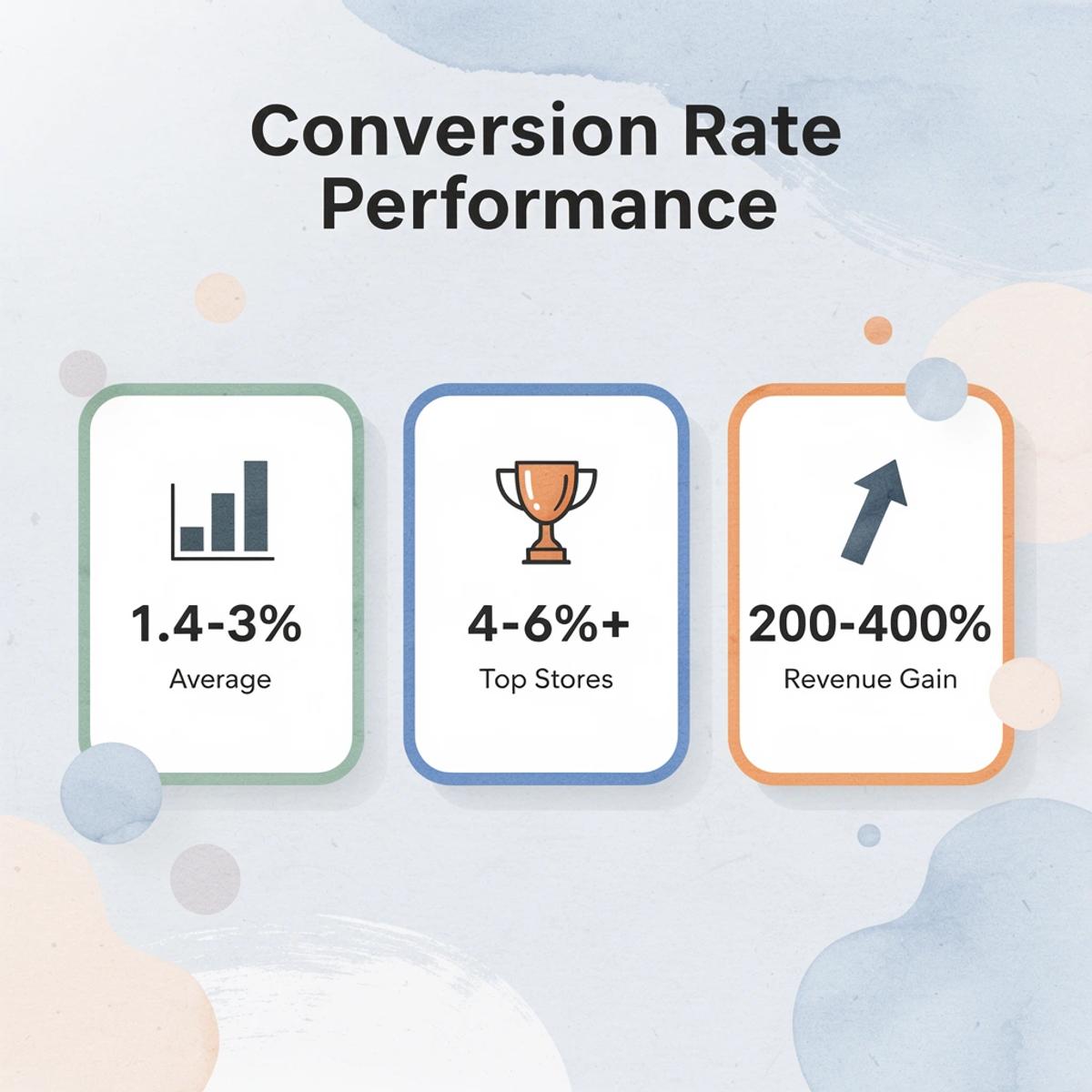
🎯 Key Point: The difference between average and top-performing Shopify stores can be a 2-3x conversion rate improvement - that's the power of strategic page editing over cosmetic changes.
"Top-performing Shopify stores achieve 4% to 6%+ conversion rates compared to the average 1.4% to 3% - representing potential revenue increases of 200-400% through effective page optimization." — VWO Ecommerce Research
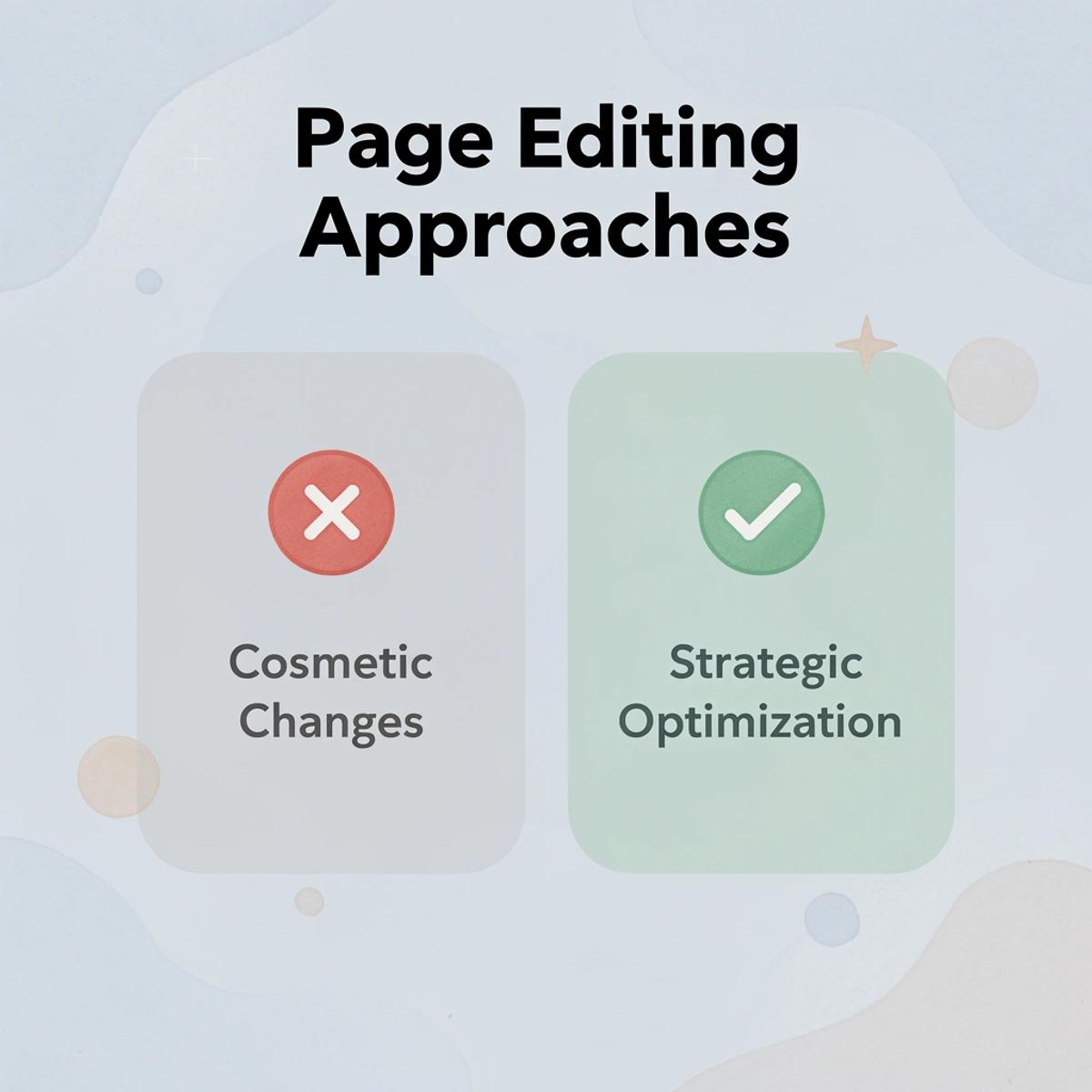
🔑 Takeaway: Effective page editing focuses on conversion optimization rather than visual appeal alone, targeting clear value communication and streamlined decision-making to achieve measurable performance gains.
Higher Conversion Rates Through Clarity
Pages convert when visitors understand what they're buying and why it matters. According to Shopify Blog, landing pages with a single call to action increase conversions by 371%. Focus eliminates confusion. Every section should answer: What is this? Why should I care? What happens next?
The difference between 2% and 5% conversion isn't about how it looks—it's whether someone hesitates or clicks. Effective editing removes friction points: unclear pricing, buried shipping information, weak product descriptions that don't address objections. Target each change to a specific moment of hesitation identified through data, not guesswork.
Speed of Testing Over Initial Perfection
Learning velocity matters more than getting it right the first time. Structured conversion rate optimization can improve conversions by 20% or more, but only when you test quickly and iterate based on results. If editing takes hours and testing takes weeks, you never learn what works.
How can you create a continuous feedback loop for page optimization?
Most store owners treat editing as a one-time event instead of a continuous feedback loop. Tools like AI page builder compress that cycle by generating optimized layouts in under a minute, letting you test multiple page variations in the time it used to take to edit a single page. The focus shifts from tweaking details to measuring what converts.
Creating Measurable Feedback Loops
Every edit should answer a question: Did this improve conversions? Without that link between changes and results, you're making updates without learning. Random editing means pages get tweaked, sections moved, visuals improved, but with no measurable impact. Structured editing ties each change to a hypothesis and measures the result. Small improvements compound into meaningful gains over time.
This shift from random to structured separates stores that plateau from stores that scale. You're moving your conversion rate toward the top-performing range, which drives revenue. But speed matters only if you know what to test.
How PagePilot Helps You Edit And Test Pages Faster
The problem isn't editing—it's testing. Most store owners spend hours manually building product pages, tweaking layouts, and adjusting copy before collecting any performance data. That delay between idea and insight kills momentum.

🎯 Key Point: Speed to market determines who wins in e-commerce testing cycles.
Our PagePilot AI page builder removes this bottleneck by generating ready-to-test product pages directly from a competitor or supplier URL. The page structure, visuals, and conversion elements are organized from the start, so you launch and begin testing in minutes instead of days. You're collecting real conversion data while competitors are still tweaking fonts.

"The delay between idea and insight kills momentum for most e-commerce stores still building pages manually."
💡 Tip: Focus on data collection speed over perfect design—real user behavior beats theoretical optimization every time.
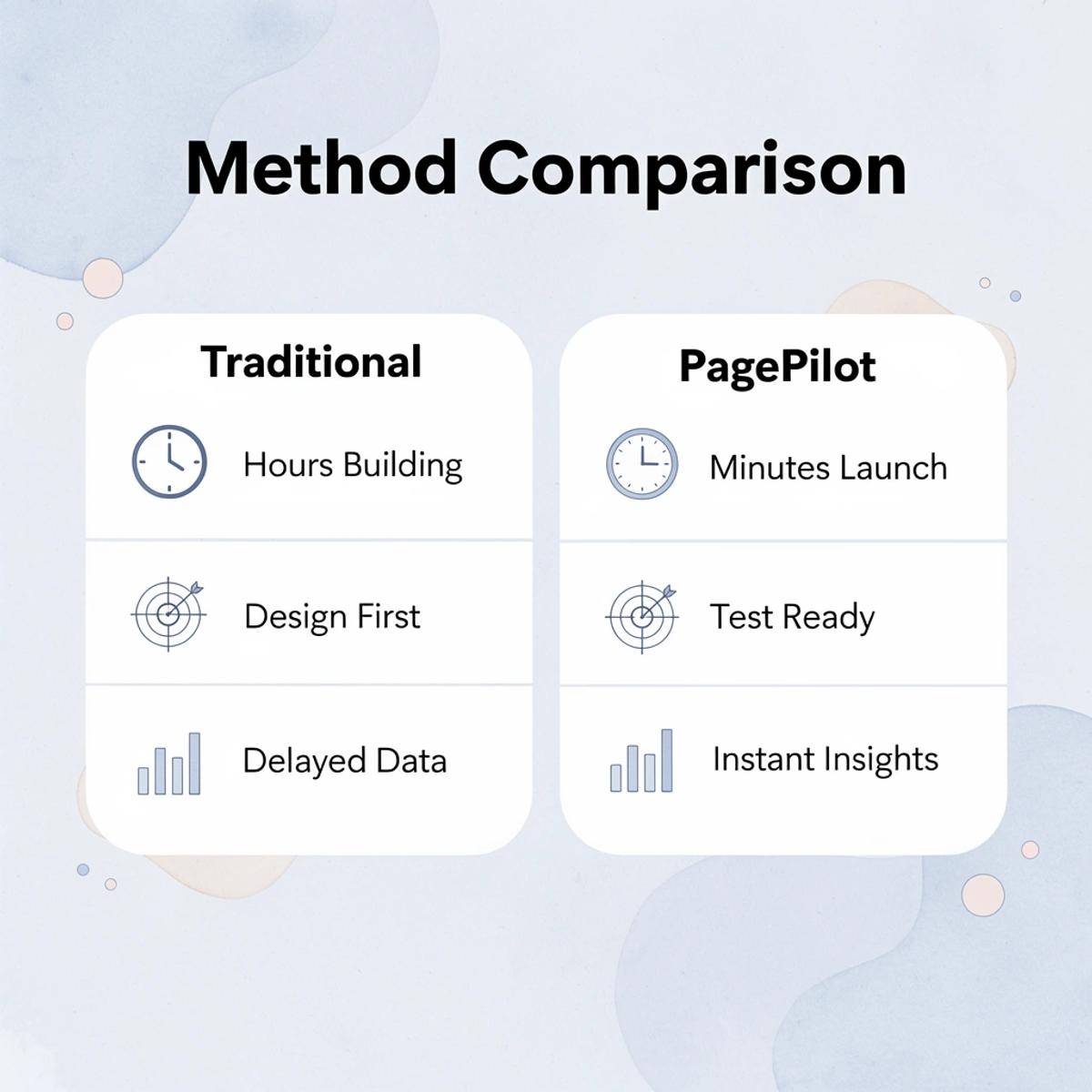
How PagePilot AI changes the workflow
- Traditional Method
- Hours of manual building
- Design first, test later
- Delayed data collection
- PagePilot AI
- Minutes to launch
- Test-ready from the start
- Immediate performance insightsTesting cycles compress when the iteration gets faster
Instead of building a single product page over several hours and hoping it works, you create a version, test it immediately, and adjust based on data. If the add-to-cart rate stays low, you change the messaging or images and test again. If fewer people leave the page but sales don't increase, you know the problem lies elsewhere in the sales process.
Each cycle from your first idea to what you learn becomes faster, and that speed difference separates stores that stop growing from those that keep expanding.
Why does automation remove testing friction?
Fixing incorrect product data or matching URLs to the right pages takes days when done manually. Building backend tools to speed up those processes requires upfront investment.
The same applies to page editing: manual updates to every section slow down testing. Automation removes the friction that prevents you from learning what works.
Iteration becomes straightforward when data drives decisions
Refinement stops being guesswork. You keep what works, remove what doesn't, and move to the next version faster. That cycle builds momentum through controlled tests, measured outcomes, and performance-based decisions. Pages that convert get scaled; those that don't get replaced or improved. Progress becomes measurable, not aspirational.
But speed only matters if you're testing the right things in the first place.
Related Reading
- Builder.ai Competitors
- How To Add Products To Shopify Page
- On Page Seo Shopify
- How To Add A Custom Pop-Up In Shopify
- Shopify Ai Apps
- Best Shopify Plugins
- Best Shopify Landing Pages
Start a FREE Trial and Generate 3 Product Pages with Our AI Page Builder today
If editing pages is taking time without improving results, start there. The faster you can generate a new page, test it, and compare outcomes, the faster you learn what converts. Most store owners spend days building a single product page, then wait weeks for enough data to know if it worked. By then, the product trend has shifted, or competitors have tested three variations.

Start a free trial and generate three product pages today. Tools like AI page builder let you create pages in under a minute from competitor or supplier URLs, so you're not starting from scratch. Our PagePilot provides structure, copy, and layout instantly, then you refine based on data. Three pages give you enough variation to spot patterns: one might convert at 2%, another at 5%, revealing what messaging or layout works for your audience.
💡 Tip: Generate multiple page variations simultaneously to identify high-converting elements faster than traditional A/B testing methods.
The goal is momentum, not perfection on the first try. Testing three products this week instead of one this month lets you collect real feedback while others guess. Speed turns editing from a bottleneck into an advantage.
🔑 Takeaway: Rapid page generation and testing create a competitive advantage through faster data collection and optimization cycles.
"Speed turns editing from a bottleneck into an advantage when you can test three products this week instead of one this month." — PagePilot Performance Data