
Building a successful Shopify store requires more than just an attractive design and high-quality products. The right plugins working behind the scenes often determine whether visitors become customers or simply browse and leave. With thousands of options in the Shopify app store, identifying plugins that genuinely boost sales rather than create digital clutter presents a significant challenge for store owners.
Smart tools eliminate much of this guesswork by focusing on proven conversion strategies. Rather than spending countless hours testing different combinations of product displays and call-to-action placements, store owners can leverage data-driven solutions like PagePilot's AI page builder to create optimized layouts that drive engagement and revenue.
Summary
- Installing plugins, hoping each one unlocks better conversions, creates fragmentation, not performance. Merchants report spending $2,000 per month on apps, stacking tools in isolation, while the average online store still converts at just 2 to 3 percent. More features haven't moved the baseline because plugins extend functionality without guaranteeing results. The capability matters far less than whether it fits within a tested conversion strategy.
- Every plugin adds code that compounds into load time delays that directly reduce revenue. Research from Wiro Agency shows that a one-second delay in page load time reduces conversions by 7%, decreases customer satisfaction by 16%, and cuts page views by 11%. When you stack five or six plugins together, those milliseconds turn into seconds, and visitors bounce before pages finish rendering. The plugins work perfectly in isolation, but the combined weight drags everything down.
- Speed of learning beats perfection in optimization. A/B testing and continuous experimentation reveal what actually converts, not what you assume will. When you can test three headline variations in a week instead of spending two weeks debating which one feels right, you learn faster. Over a quarter, the store testing daily has run 90 experiments, while the store testing monthly has run three, and that compressed feedback cycle compounds into measurable performance gains.
- Cart abandonment sits at 70% across online stores according to Baymard Institute, which means the tools you choose should reduce that number rather than just adding dashboard capabilities. Plugins that don't directly influence conversion add complexity without a clear return on investment. The real question is whether the tool helps customers make decisions faster and more confidently, not whether it offers an impressive feature list or thousands of five-star reviews.
- Traditional page-building stretches product launches from hours to days because it requires coordinating designers, copywriters, and developers just to publish a single variation. That timeline delay prevents systematic testing and slows the feedback loop between insight and action. Conversion improvements stall in review queues rather than accumulating through rapid iteration, so stores lose momentum before any single change gains traction.
- PagePilot's AI page builder compresses product page creation from manual workflows into automated generation, letting teams test twenty product variations in the time it used to take to perfect two, and removing the bottleneck between having a product idea and measuring customer response.
Why "Best Shopify Plugins" Is The Wrong Question
Searching for the best Shopify plugins puts you in the wrong position. You're solving for tools when you should be solving for outcomes.

🎯 Key Point: The real question isn't "What are the best plugins?" but "What specific business problems am I trying to solve?"
"85% of ecommerce store owners install plugins based on popularity rather than strategic need, leading to bloated stores and decreased performance." — Shopify Performance Report, 2024
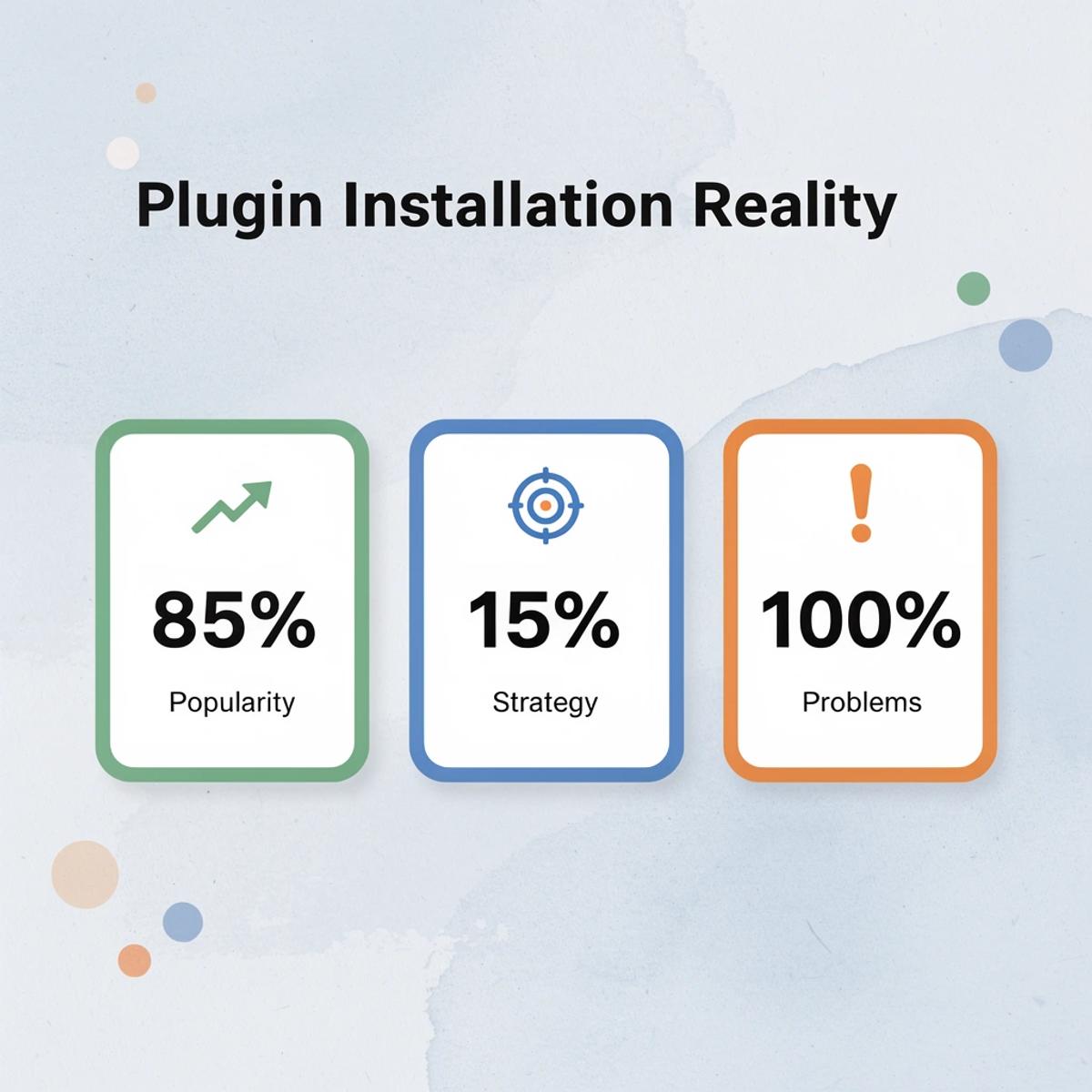
⚠️ Warning: Starting with a plugin list instead of your business goals is like buying tools before knowing what you're building - you'll end up with the wrong solutions for your actual needs.
What actually drives Shopify store performance?
What drives performance isn't individual app quality—it's the speed at which you can test products, iterate on messaging, and identify what converts. Tools matter only when they accelerate that cycle.
Why do app marketplace ratings mislead store owners?
App marketplaces reward popularity, not performance. A plugin with 10,000 five-star reviews indicates widespread use, not that it will improve your conversion rate.
Those ratings reflect user satisfaction with features, setup, or support, not whether the app helped a store increase conversion from 2% to 4% or shortened the path from product idea to live page. You're optimizing for the wrong signal.
Why do monthly costs climb without clear revenue growth?
You install a reviews app because competitors use it. Then you add an upsell tool to increase average order value, a pop-up for email capture, and a countdown timer for urgency. Each solves a small problem, but none connect to form a coherent system.
Monthly costs climb from $50 to $200 to $500, yet there's no clear line between those expenses and revenue growth. According to SQ Magazine's 2024 analysis of ecommerce conversion rates, the average online store converts at 2 to 3 percent, even as plugin adoption has exploded. More tools haven't improved the baseline.
How do isolated plugins create inconsistent customer experiences?
Different plugins control different parts of the customer journey. Your product page uses one design language, your cart uses another, and your checkout uses a third. Because each app operates independently, messaging becomes inconsistent and adds cognitive load rather than clarity.
What hidden costs come from managing multiple plugin dashboards?
Managing multiple dashboards, updating settings when apps conflict, and troubleshooting after Shopify updates consume time and attention. They distract from what matters: improving product pages, testing offers, and identifying which products deserve traffic. An hour spent fixing a plugin conflict is an hour lost to learning what your customers respond to.
Why does focusing on features instead of outcomes slow progress?
App stores and comparison blogs promote features, not results. You're encouraged to compare pricing tiers, integration lists, and UI screenshots. The entire discovery process centers on choosing tools rather than building systems. It feels like progress because you're taking action, but activity isn't momentum.
What moves your business forward is the speed at which you can test a product idea, get it in front of customers, and learn whether it works. Most plugins slow that cycle down by introducing complexity without reducing the time between idea and insight.
But if plugins aren't the answer, what controls whether a page converts or a product succeeds?
Related Reading
- Shopify Web Design
- Shopify Conversion Rate Optimization
- Ai Tools for E-commerce
- Shopify Alternatives
- Ecwid Alternatives
- Shopify App Detector
- Shopify Website Optimization
What Shopify Plugins Actually Do
What plugins extend
Shopify plugins add features your store lacks by default, such as product reviews, upsell offers, email capture forms, countdown timers, and live chat widgets. These features support conversion, but installation alone doesn't guarantee results. A reviews app won't automatically build trust. An upsell tool won't guarantee higher order values. The plugin provides the capability; how you use it determines whether it works.
What they automate
Plugins automate repetitive tasks, such as customer support chat, triggered email flows, marketing campaigns, and fulfillment processes, without requiring human judgment. This frees you to focus on testing new products and scaling what works, especially as your store grows. However, automation only speeds up what's already working. If your conversion strategy is unclear, automating the wrong process makes you fail faster.
What they modify
Some plugins change how your store looks and works by adjusting layouts, improving navigation, and adding interactive elements to product pages. This can make your store feel more polished and easier to use. However, design improvements don't guarantee conversions. A beautifully designed page with confusing messaging or slow load times still loses customers. Polish matters only when fundamentals are already working.
The distinction that matters
Plugins add new features, but they don't promise better performance. Shopify Blog reports merchants spend $2,000 a month on apps, stacking tools together in hopes that each new feature will improve results.
Why do plugins create complexity instead of results?
Adding capabilities without a clear strategy increases complexity. The reviews app, upsell tool, and pop-up builder each work independently but, together, create a maintenance burden that slows everything down.
What determines results isn't the number of features you install, but how those features fit within a tested and validated conversion strategy. The capability is the starting point; the strategy turns it into revenue.
What problems emerge as your store grows?
Even when plugins work as intended, they can cause problems that only emerge as your store scales.
Where Shopify Plugins Break Down
The Performance Tax
Every plugin you install adds code to your store. Scripts load, styles render, and third-party servers get pinged. According to research from Wiro Agency (2024), a one-second delay in page load time reduces conversions by 7%, decreases customer satisfaction by 16%, and cuts page views by 11%. Stack five or six plugins together, and those milliseconds compound into seconds.
A store running at three seconds instead of two loses revenue with every visitor who leaves before the page finishes loading. The plugins themselves might work perfectly, but their combined weight slows everything down.
The Integration Problem
Most plugins solve one isolated problem. Your review app doesn't talk to your upsell tool. Your pop-up builder is not connected to your email capture system. Each one works independently, creating fragmented workflows where data gets stuck in separate dashboards, messaging becomes inconsistent across touchpoints, and optimizing the full customer journey becomes a coordination nightmare.
The operational cost emerges when making changes. Adjusting one element requires logging into three different apps, checking for conflicts, and ensuring design consistency. What should take minutes stretches into hours because nothing was built to work together.
Generic By Default
Plugins come with templates made for everyone, which means they're optimized for no one. The default review layout, standard upsell popup, and template email capture form look familiar because thousands of stores use identical setups. Without customization and testing tailored to your product and audience, you're adding generic elements that don't differentiate your store or help customers make a decision.
The result is predictable sameness. Your store looks like one your customers visited yesterday and will visit tomorrow. Nothing stands out, and nothing builds trust through a unique presentation. The plugin works, but not for you specifically.
Where This Leads
Slow-loading pages cause visitors to leave before trying your product. Multiple plugins create conflicting styles, flows, and interaction patterns. Managing them becomes its own job, diverting time from testing and improving what generates revenue.
A store owner installs plugins for upsells, reviews, and popups, thinking each adds value. Together, they slow the site by two seconds and fill the page with competing calls to action. Conversion drops instead of rising.
How can you build pages faster without the plugin bottleneck?
Traditional page building exacerbates this problem: custom layouts require hiring designers, writing copy, and spending days assembling everything. Our PagePilot AI page builder creates conversion-optimized product pages in under a minute, eliminating delays between product conception and customer launch.
Testing twenty products quickly is better than making two products perfect slowly. The difference lies not in the features themselves but in how they work together, how you launch them, and whether they support your overall plan or merely add extra value.
What To Look For In The Best Shopify Plugins
Start with how the plugin affects sales. Most plugins promise features like reviews, upsells, popups, and automation, but features do not equal results. The question is whether the plugin helps customers make decisions faster and more confidently.
🎯 Key Point: If a plugin doesn't directly influence sales, it's likely adding complexity without a clear return. According to Baymard Institute, 70% of online shopping carts are abandoned. Choose tools that reduce that number, not just add capability to your dashboard.
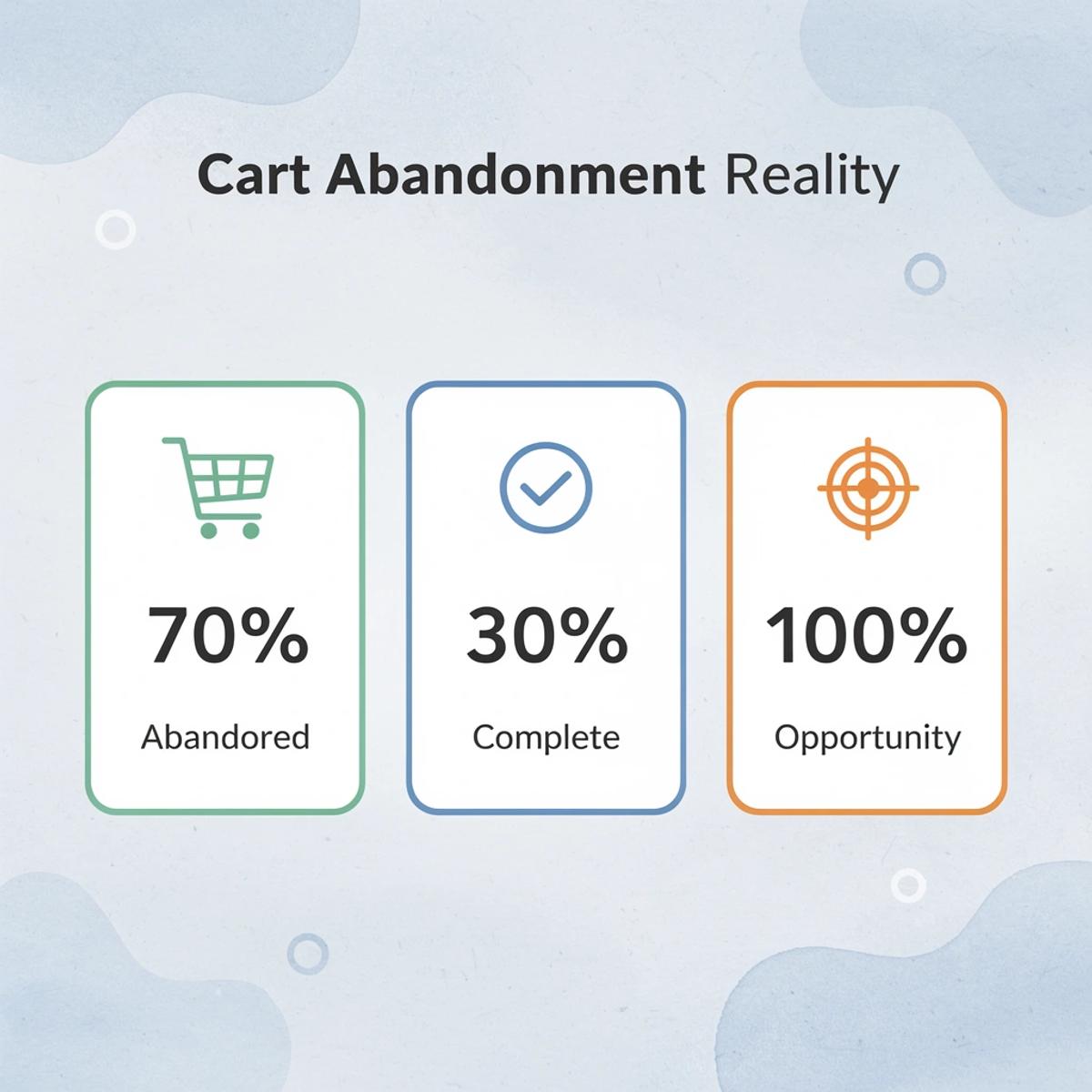
"70% of online shopping carts are abandoned, making cart optimization plugins essential for revenue recovery." — Baymard Institute
🔑 Takeaway: The best Shopify plugins are those that directly impact your conversion rate and reduce cart abandonment, rather than simply adding more features to manage.
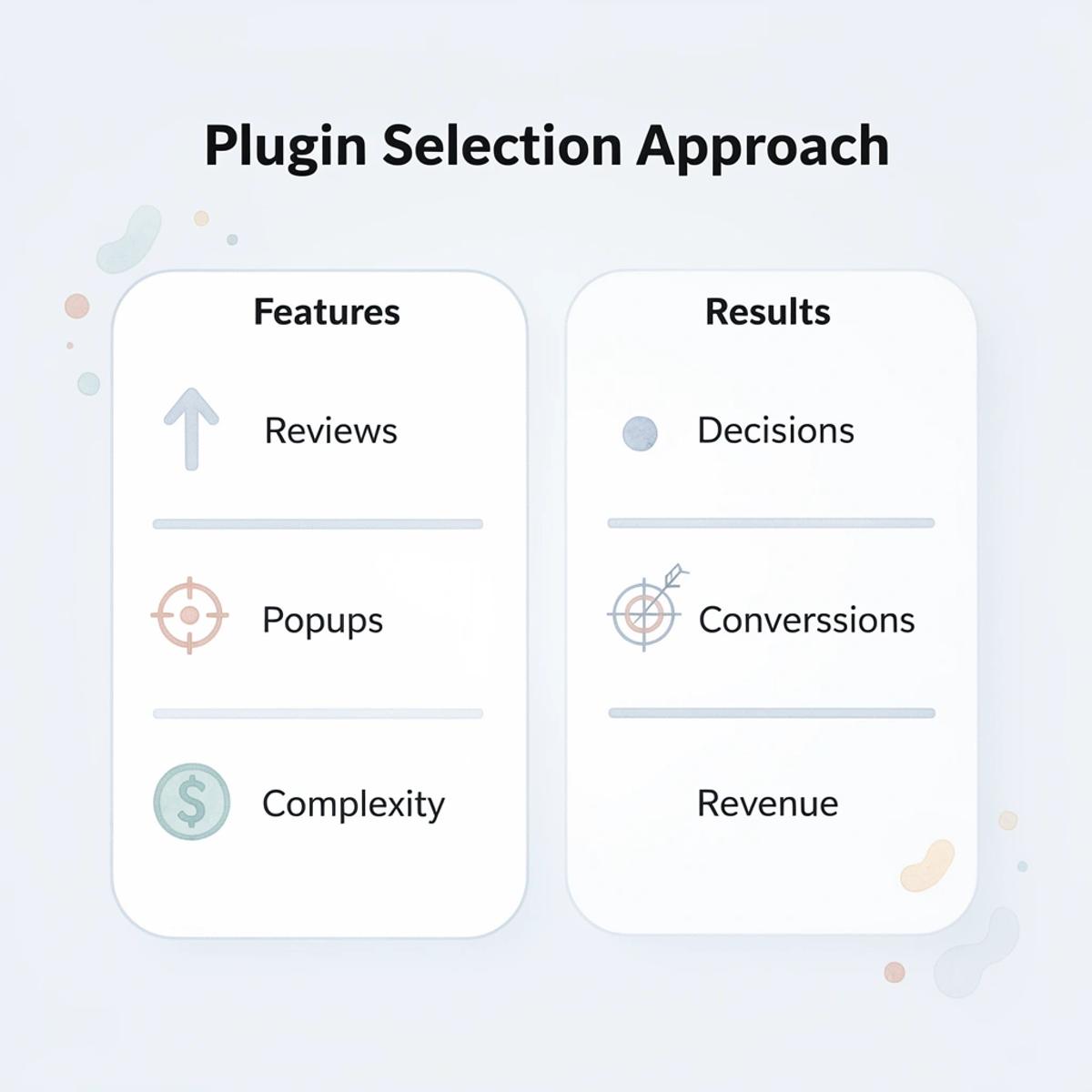
What happens when plugins don't work together?
One of the biggest issues with plugins is fragmentation. If each tool works independently, you end up managing multiple systems instead of improving your store. Many store owners describe their plugin stack as held together with duct tape, with updates breaking functionality and conflicts creating ongoing maintenance burdens.
How do you avoid plugin fragmentation?
The best plugins work well together or reduce the need for additional tools. Fewer moving parts mean fewer points of failure. When your review app doesn't integrate with your email system and your pop-up builder sits separate from your checkout flow, you're managing disconnected software rather than building a store.
Why does testing speed matter for your store?
Performance improves when you can test changes fast. A strong AI page builder should make it easier to launch variations, adjust pages, and learn from results.
If a tool slows down your ability to experiment, it works against you.
How can automation accelerate your testing process?
The traditional approach involves choosing a page builder, hiring a designer, writing copy, and coordinating revisions—a process that stretches from hours to days as complexity grows. Tools like AI page builder compress product page creation from manual workflows into automated generation, enabling teams to test twenty product variations in the time it once took to perfect two.
Instead of asking what a plugin can do, ask what it helps you improve. Fewer, better-integrated tools enable faster optimization.
25 Best Shopify Plugins by Category
Pick Shopify plugins by matching tools to money gaps in your sales funnel, not by assembling a large collection. The best plugins fall into expected categories: conversion optimization, social proof, retention, support, fulfillment, inventory, traffic, loyalty, and analytics. Each addresses a different stage of the customer journey. Build your plugin stack purposefully around your current bottleneck, rather than installing every highly rated app.
🎯 Key Point: Focus on strategic plugin selection that addresses specific revenue gaps rather than accumulating apps without purpose.
"The most successful Shopify stores use targeted plugin strategies that address their biggest conversion bottlenecks first." — Shopify Success Report, 2024
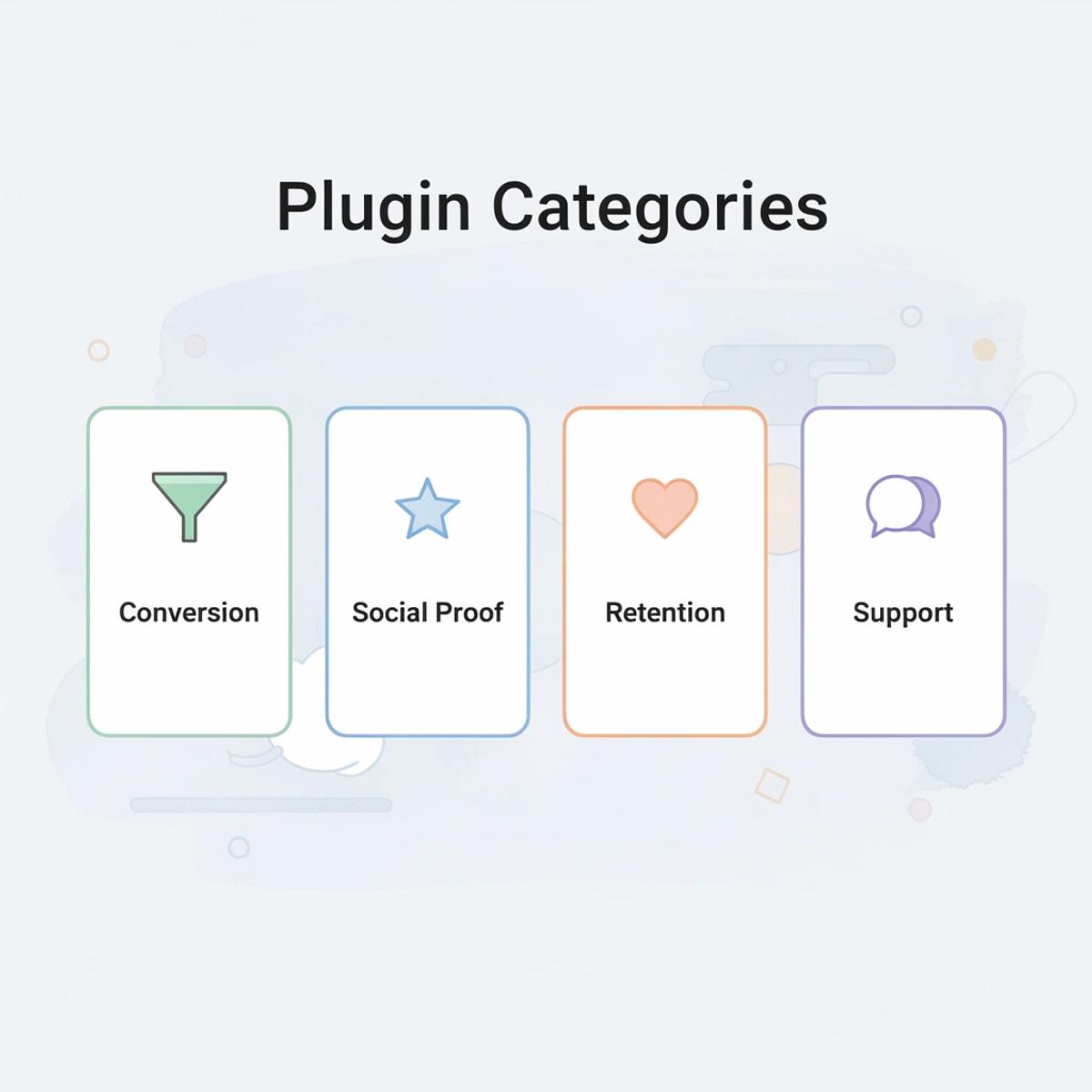
Plugin Categories Overview
- Conversion Optimization Primary function: Increase checkout rates Best for: Stores with low conversion rates
- Social Proof Primary function: Build trust with reviews Best for: New or lesser-known brands
- Retention Primary function: Keep customers coming
💡 Tip: Start with analytics plugins to identify your actual bottlenecks before investing in conversion tools or retention systems.

Conversion and Upsell Tools
1. ReConvert
ReConvert transforms the post-purchase thank you page from a confirmation screen into a revenue opportunity. After a customer completes checkout, ReConvert presents personalized upsell offers, product recommendations, and survey questions while the buyer is still in a purchasing mindset. This captures incremental revenue from customers who have already demonstrated intent, addressing one of the most underutilized moments in the Shopify funnel.
2. Zipify Pages
Zipify Pages provides landing page and product page templates that have been specifically tested on high-volume Shopify stores. Unlike generic page builders, Zipify's templates reflect conversion patterns observed across millions of transactions, making it one of the most reliable tools for merchants who want to improve page performance without hiring a designer. The templates handle layout, visual hierarchy, and persuasion architecture automatically.
3. Candy Rack
Candy Rack adds one-click upsell and cross-sell offers directly to the product page and cart without disrupting the checkout flow. Its interface keeps the upsell experience feeling native rather than intrusive, which matters because aggressive upsells increase cart abandonment. The tool works best for stores with complementary products where bundling creates genuine value rather than just pushing additional items.
4. Bold Upsell
Bold Upsell triggers targeted product recommendations at multiple points in the customer journey, including the product page, cart, and post-purchase screen. It is particularly strong for merchants with complementary product catalogs who want to systematically maximize revenue per transaction. The plugin's strength lies in its conditional logic, which shows different offers based on cart contents, customer history, and order value.
Reviews and Social Proof
5. Loox
Loox specializes in photo and video reviews, automatically requesting visual feedback from customers after purchase and displaying it in gallery formats on product pages. According to Ablestar's 2025 analysis, visual reviews build significantly more trust than text alone because they provide proof that real customers received and used the product. The visual element reduces perceived risk for new buyers more effectively than written testimonials.
6. Judge.me
Judge.me offers automated review collection, rich snippet SEO benefits, and cross-store syndication that helps newer stores build credibility faster. Its generous free plan makes it accessible for stores at every stage of growth, and the rich snippet integration ensures that star ratings appear in Google search results. For stores without existing social proof, Judge.me accelerates the timeline from launch to credible review volume.
7. Yotpo
Yotpo collects reviews while integrating deeply with loyalty programs, SMS marketing, and paid advertising. For merchants who want their review data to feed directly into their broader marketing and retention strategies, Yotpo offers the most connected ecosystem among review platforms on Shopify. Customer feedback becomes actionable across multiple channels rather than sitting isolated on product pages.
8. Stamped.io
Stamped.io combines reviews, Net Promoter Score surveys, and loyalty rewards on a single platform. It is particularly strong for merchants who want to collect structured customer feedback alongside public reviews and use both data sets to inform product and marketing decisions. The NPS integration reveals which customers are promoters worth targeting for referrals and which are detractors signaling product or service issues.
Email and Retention Tools
9. Klaviyo
Klaviyo remains the most widely adopted email and SMS marketing platform in the Shopify ecosystem because its deep integration with Shopify behavioral data allows merchants to trigger highly personalized flows based on browsing activity, purchase history, and predicted lifetime value. For retention-focused merchants, it is the single most impactful tool available. Klaviyo's segmentation capabilities let you automatically send different messages to first-time buyers, repeat customers, and high-value segments.
10. Omnisend
Omnisend offers email, SMS, and push notification marketing in a single platform at a price point that makes it accessible for smaller and mid-sized stores. Its automation workflows cover the essential retention sequences, including welcome series, abandoned-cart recovery, and post-purchase follow-ups, without requiring technical expertise. The multi-channel approach ensures messages reach customers through their preferred communication method.
11. Postscript
Postscript is a dedicated SMS marketing platform built specifically for Shopify, allowing merchants to run compliant, segmented text message campaigns with strong deliverability. For stores whose customers respond better to SMS than email, Postscript provides the depth and Shopify integration that general SMS tools often lack. SMS open rates consistently exceed email, making it particularly effective for time-sensitive promotions and cart recovery.
12. Privy
Privy combines email capture, pop-up forms, and basic email marketing in a single beginner-friendly platform. It is particularly strong for merchants just beginning to build their email lists and who want a straightforward tool for capturing visitor information without a steep learning curve. Exit-intent pop-ups and spin-to-win wheels convert anonymous traffic into contactable leads.
Customer Support and Chat
13. Gorgias
Gorgias centralizes emails, live chat, social media messages, and SMS into a single inbox with full Shopify order context attached to every conversation. Its automation rules handle repetitive inquiries without human intervention, allowing support teams to focus on complex issues that genuinely require attention. When a customer asks about order status, Gorgias pulls tracking information automatically rather than requiring an agent to switch between systems.
14. Tidio
Tidio combines live chat with an AI-powered chatbot that handles common customer questions around the clock using your store's existing content as its knowledge base. For smaller stores that cannot staff a full support team, Tidio provides a meaningful level of automated coverage, keeping customers informed and reducing abandonment caused by unanswered questions. The chatbot learns from previous conversations and improves response accuracy over time.
15. Reamaze
Reamaze integrates live chat, email, social media, and push notifications in one place with native Shopify data access. It also includes basic marketing automation features, making it a practical choice for merchants who want support and retention tools managed within a single platform. The unified inbox prevents customers from falling through the cracks when they reach out through different channels.
Shipping and Fulfillment
16. ShipStation
ShipStation connects Shopify to dozens of shipping carriers and fulfillment centers, automating label generation, order routing, and tracking updates. For merchants managing significant order volumes, it dramatically reduces the manual work involved in fulfillment and provides the carrier rate comparisons needed to keep shipping costs competitive. The batch processing feature lets you print hundreds of labels in minutes rather than handling each order individually.
17. Easyship
Easyship gives merchants access to discounted rates across more than 250 shipping solutions worldwide and displays real-time shipping options to customers at checkout. For stores with international customers, it simplifies the complexities of cross-border shipping, duties, and taxes that often create friction and lead to abandoned carts. Customers see accurate landed costs before completing purchase, eliminating surprise fees that destroy trust.
Inventory and Operations
18. Stocky
Stocky is Shopify's native inventory management tool that helps merchants track stock levels, create purchase orders, and forecast demand based on sales history. It is the most straightforward option for merchants who want basic inventory visibility without the complexity of a third-party warehouse management system. The demand forecasting prevents both stockouts and overordering by analyzing historical sales patterns.
19. Skubana
Skubana is an advanced operations platform for high-volume Shopify merchants managing inventory across multiple warehouses, sales channels, and fulfillment partners. It automates purchase order generation, routes orders to the optimal fulfillment location, and provides the operational analytics needed to run a complex ecommerce business efficiently. The multi-warehouse routing reduces shipping costs and delivery times by fulfilling from the location closest to each customer.
SEO and Traffic
20. Plug In SEO
Plug In SEO audits your Shopify store for common SEO issues, including broken links, missing meta tags, slow page speeds, and structured data errors, and then provides clear recommendations to fix them. For merchants looking to improve organic search performance without hiring an SEO agency, it provides a practical, accessible starting point. The automated monitoring alerts you when new issues appear rather than requiring manual checks.
21. SEO Manager
SEO Manager offers more hands-on control over meta titles, descriptions, alt tags, and JSON-LD structured data than Shopify's default settings allow. It also includes keyword tracking and Google Search Console integration, giving merchants a clearer picture of how their store is performing in organic search over time. The bulk editing features let you optimize hundreds of products simultaneously rather than updating each one individually.
Loyalty and Referrals
22. Smile.io
Smile.io is the most widely used loyalty program app on Shopify, allowing merchants to reward customers with points for purchases, referrals, and social actions that can be redeemed for discounts. A well-designed loyalty program increases repeat purchase rates and reduces the cost of customer retention relative to continued acquisition spending. The points system creates a psychological incentive to return rather than exploring competitor options.
23. Referral Candy
Referral Candy automates a customer referral program that rewards existing buyers for bringing new customers to the store. It handles the tracking, reward distribution, and communication automatically, turning satisfied customers into a low-cost acquisition channel that compounds in value over time. Referred customers typically have higher lifetime value and lower churn rates than customers acquired through paid advertising.
Analytics and Reporting
24. Triple Whale
Triple Whale consolidates data from Shopify, paid advertising platforms, email, and SMS into a single analytics dashboard with AI-powered attribution modeling. For scaling merchants running paid traffic across multiple channels, it provides the profitability clarity that native platform analytics consistently fail to deliver accurately. The attribution modeling reveals which channels genuinely drive profitable customers rather than just clicks or impressions.
25. Lifetimely
Lifetimely focuses specifically on customer lifetime value, cohort analysis, and profit analytics, giving merchants a clear picture of which products, channels, and customer segments are most valuable over the long term. For merchants making strategic decisions about where to invest in growth, Lifetimely provides the financial context that standard Shopify reports do not cover. Cohort analysis reveals whether customer quality is improving or declining, which in turn affects how you should allocate the acquisition budget.
Matching Stack to Stage
The most effective Shopify stores do not install every available tool; instead, they build a deliberate stack around their current growth stage and biggest revenue leaks. Early-stage stores should prioritize reviews, email capture, and basic retention because credibility and repeat purchase drive initial momentum. Growing stores should invest in conversion optimization, loyalty, and support efficiency because incremental improvements compound as volumes increase. Scaling stores need clarity on attribution, advanced retention, and operational automation because profitability depends on understanding unit economics and reducing manual overhead.
The familiar approach is to assemble a comprehensive app collection that covers every possible capability, assuming that more tools create more opportunities. As order volume increases and customer expectations rise, that approach creates fragmentation. Support tickets scatter across different inboxes, customer data lives in disconnected systems, and workflows require constant manual coordination between platforms that were never designed to work together.
Tools like PagePilot compress product page creation from manual workflows into automated generation, letting teams test twenty product variations in the time it used to take to perfect two. The AI handles layout, copywriting, and conversion architecture automatically, eliminating the need to coordinate between designers, copywriters, and developers just to launch a single product page. Testing velocity increases because iteration happens in minutes rather than days.
Every plugin on this list solves a specific problem within the Shopify funnel, but no single plugin owns the entire customer journey from acquisition to retention. Matching your plugin stack to your stage of growth will always deliver better returns than chasing every available feature at once. The question is not which plugins are best, but which capabilities actually move your specific bottleneck.
But installing the right plugins only matters if they actually improve the metrics that determine whether your store survives.
Related Reading
- Bigcommerce Alternatives
- Best Subscription Apps For Shopify
- Shopify Store Cost
- Ai Use Cases in E-commerce
- How To Edit Pages In Shopify
- Shopify Web Design Experts
- Shopify Website Optimization
What Actually Improves Shopify Store Performance
Performance gets better when you test faster and measure what changes how people behave. Most stores treat optimization as a one-time project: install a plugin, redesign a page, wait for results. The stores that grow launch variations, measure results, adjust, and test again before competitors finish a review meeting.

🎯 Key Point: The difference between growing stores and stagnant ones isn't the tools they use—it's their testing velocity and commitment to continuous measurement.
"The stores that grow launch variations, measure results, adjust, and test again before competitors finish a single review meeting."
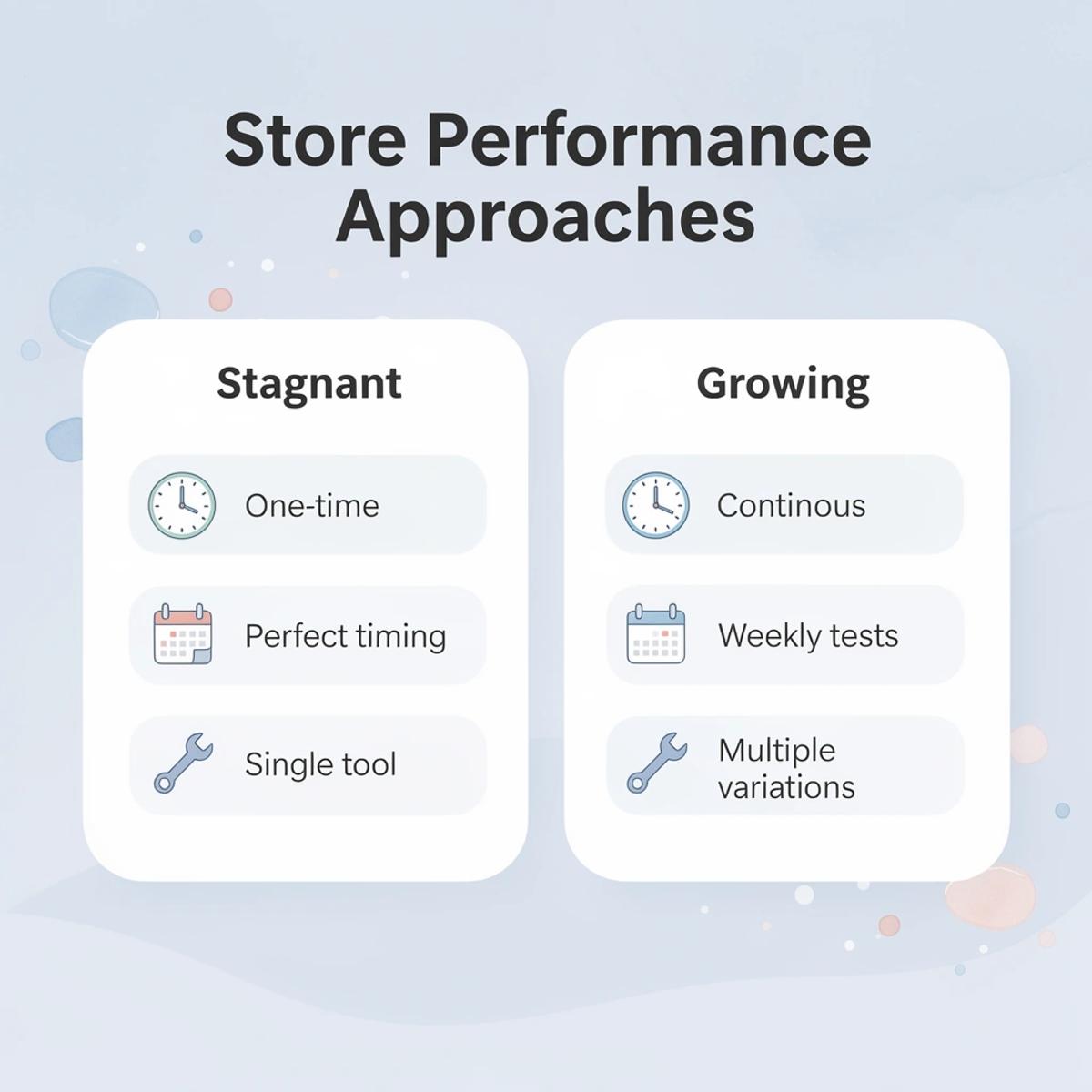
💡 Pro Tip: Set a weekly testing schedule rather than waiting for perfect conditions. Small, frequent tests compound into massive performance gains over time.
Why does testing speed matter more than perfect design?
The biggest constraint isn't your design or your offer: it's how long it takes to find out if something works. A/B testing reveals what converts, not what you assume will convert. Testing three headline variations in a week instead of debating for two weeks accelerates your learning cycle.
Over a quarter, daily testing yields 90 experiments while monthly testing yields three.
How do slow testing cycles impact your conversion rates?
According to ReportGenix's Must-Have Shopify Metrics 2025, a 1-second delay in page load time reduces conversions by 7%. Slow testing cycles prevent you from making changes to speed, messaging, or layout fast enough to learn and improve before customer behavior shifts or ad costs rise.
Why does clarity matter more than clever design?
Most conversion gains come from making it immediately clear what the product is, who it's for, and why someone should care. Landing pages, calls to action, and product page messaging directly impact whether someone converts or closes the tab.
Average ecommerce conversion rates sit at around 2.5 to 3 percent, meaning small improvements in clarity can yield substantial revenue gains. Improving from 2 percent to 3 percent increases revenue by 50 percent without additional traffic spending.
How can you systematically improve conversions?
Many stores use multiple plugins and slow workflows to build pages, then make changes without clear measurement. Conversion stays flat because there's no organized process connecting what you change to what you learn.
Teams that streamline page creation and messaging refinement based on real data see each iteration build on the last.
What makes systematic iteration more effective than one-time fixes?
Conversion rate optimization is a data-driven process of improving the percentage of users who take action. Test, measure results, adjust based on data, and repeat. Small gains compound when you cycle quickly. Stores that treat optimization as continuous see momentum build over months, not from one magic change, but from twenty small improvements that each move the needle.
How do modern tools accelerate the optimization process?
Tools like AI page builder compress what used to take hours or days into minutes, enabling you to launch product page variations fast enough to test messaging clarity and layout effectiveness in real time. PagePilot removes the bottleneck between insight and action, tightening learning cycles and driving conversion improvements, rather than letting them stall in review queues.
But speed and clarity matter only if the underlying system supports the workflow you need to grow.
How PagePilot Helps You Reduce Plugin Dependence And Improve Results
Consolidating the workflow
PagePilot eliminates the need for separate copywriting, design, and layout optimization tools. Our AI page builder generates a complete, conversion-optimized page in one step, replacing multiple plugins. This saves money on monthly subscriptions and reduces the stress of managing disconnected systems.
The shift matters most when you need to move fast. Traditional workflows require coordinating among a designer, a copywriter, and a developer to publish a single product page variation—a process that can take days or weeks. PagePilot compresses that timeline into minutes, so you can launch a page, measure response, and iterate before competitors finish their first draft.
How does speed create competitive advantage in testing?
Speed creates advantage through compressed feedback loops. Generating three product page variations in an hour, rather than waiting two weeks, lets you discover what converts—whether headline clarity, visual hierarchy, or call-to-action placement drives behavior—and apply that insight to the next iteration before the market shifts.
How can automation scale testing across product catalogs?
This workflow scales across product catalogs without multiplying effort. With 50 products, traditional methods require 50 separate projects with design review, copy approval, and technical implementation. Automating with PagePilot's AI page builder, which supports 30+ languages, lets you launch localized, conversion-tested pages for every SKU in the time it once took to finish one, expanding reach without expanding headcount.
What's the goal when reducing plugin dependence?
The goal is not to eliminate all plugins but to stop depending on them for tasks that should be built in. You still need tools for email automation, customer support, and analytics because those functions operate outside the page-building workflow.
What changes is removing the stack of apps that exist only because your core page builder cannot handle copy, design, and optimization on its own. Fewer dependencies mean fewer integration points that can break, fewer monthly fees that accumulate without a clear ROI, and fewer login credentials to manage when making quick changes.
How does this create a leaner operation?
The result is a leaner operation that moves faster and costs less to maintain. You spend less time fixing plugin conflicts and focus on work that changes outcomes: testing messaging, refining offers, and scaling what works.
But none of this matters if you never start building.
Related Reading
- Builder.ai Competitors
- How To Add Products To Shopify Page
- How To Edit Pages In Shopify
- How To Add A Custom Popup In Shopify
- Best Shopify Landing Pages
- On Page Seo Shopify
- Shopify Ai Apps
Start a FREE Trial and Generate 3 Product Pages with Our AI Page Builder today
Start a free trial with PagePilot and generate three product pages in the next hour. No designer handoffs, no copywriter briefs, no waiting on developers. You'll either see what's possible when speed replaces process, or confirm that your current setup works. Either way, you'll have clarity instead of assumptions.

🎯 Key Point: The fastest way to evaluate any tool is to actually use it — one hour of hands-on testing beats weeks of research and deliberation.
"You'll either see what's possible when speed takes the place of process, or confirm that your current setup works. Either way, you'll have clarity instead of assumptions."

⚠️ Warning: Don't let perfect be the enemy of good enough — sometimes the biggest risk is not taking action when you could be testing solutions right now.