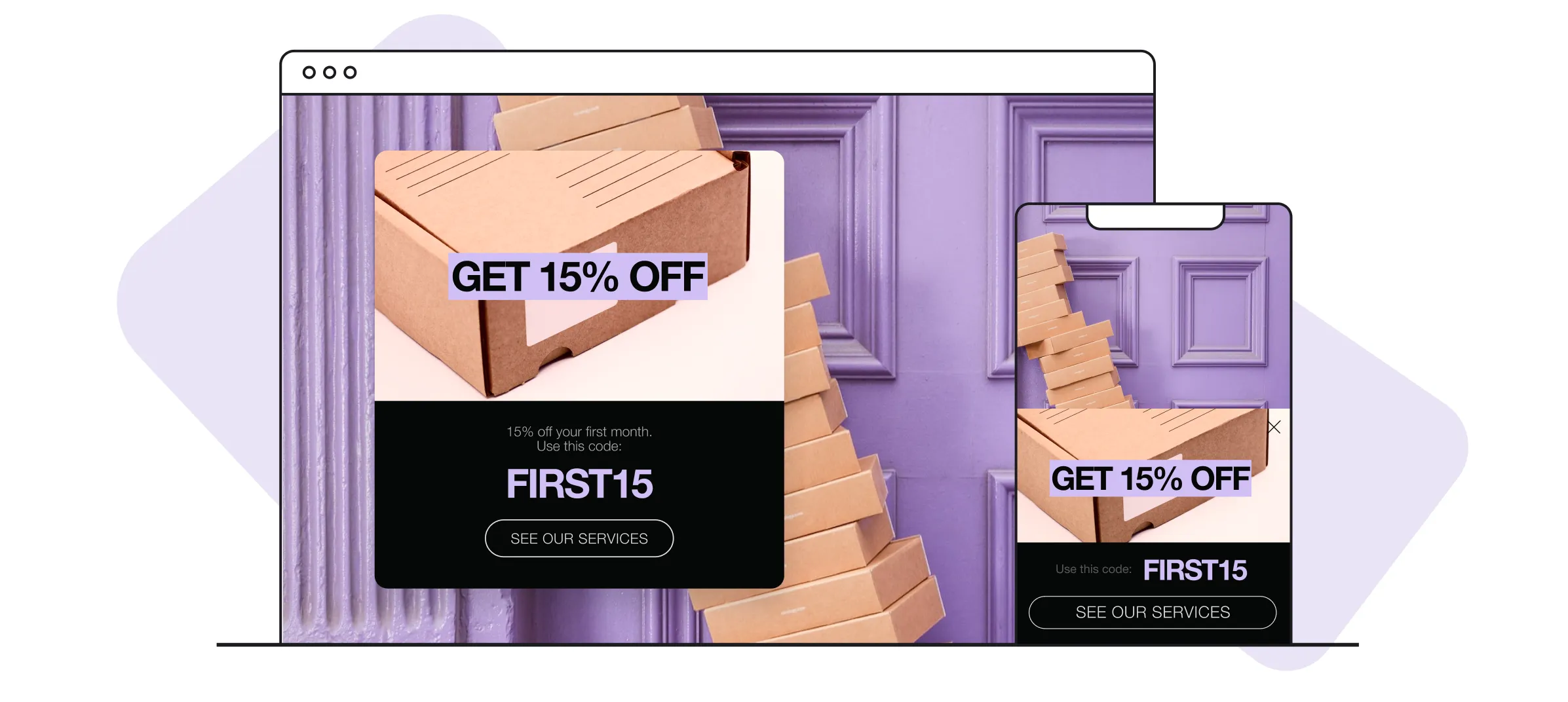

Custom pop-ups transform casual browsers into subscribers and buyers when implemented correctly in Shopify stores. These strategic elements capture visitor attention at crucial moments, helping businesses grow email lists, reduce cart abandonment, and promote special offers. Proper timing, compelling design, and targeted messaging determine whether pop-ups enhance the user experience or drive customers away. Understanding how to add custom pop-ups in Shopify requires balancing conversion goals with user satisfaction.
Store owners can choose between coding custom solutions, configuring complex apps, or using streamlined tools that eliminate technical barriers. The key lies in creating targeted pop-up campaigns that align with store goals and customer journeys without overwhelming visitors. Smart implementation focuses on relevant triggers, mobile optimization, and clear value propositions that encourage action rather than frustration. For those seeking an efficient solution without design complexity, PagePilot's AI page builder simplifies the entire pop-up creation process.
Table of Contents
- Why Most Shopify pop-ups Hurt Conversions Instead of Helping
- What a Custom Shopify pop-up Actually Does
- The Biggest Mistakes Shopify Stores Make With pop-ups
- How to Add a Custom pop-up in Shopify the Right Way
- Why Faster Storefront Testing Improves pop-up Performance
- How PagePilot Helps Shopify Stores Test High-Converting Product Pages Faster
- Start a FREE Trial and Generate 3 Product Pages with Our AI Page Builder today
Summary
- Most Shopify pop-ups fail because they interrupt visitors before trust is established, with the average pop-up converting just 3-5% of traffic according to industry data. Stores that demand email addresses within three seconds of arrival answer questions visitors haven't asked yet, creating emotional disconnection that drives bounce rates up while product engagement drops. The pop-up becomes an obstacle rather than an asset because it prioritizes the store's goals over the visitor's intent to evaluate products and build confidence in the brand.
- Behavior-based targeting can double pop-up conversion rates compared to generic sitewide overlays. Research from Wisepops, analyzing 2,121 stores, shows that segmented pop-ups aligned with visitor intent can achieve 10% conversion rates, while Privy's analysis confirms similar performance when timing and relevance match customer behavior. Exit-intent triggers, scroll-depth activation, and cart-abandonment messaging convert better because they respond to what visitors are actually doing rather than interrupting everyone the same way.
- Mobile pop-up experiences directly impact whether visitors stay long enough to consider buying. Desktop overlays that feel acceptable on laptops become usability nightmares on phones, where most ecommerce traffic now happens. Google's Page Experience guidance warns that intrusive interstitials and poor mobile usability negatively affect engagement performance, with analytics showing higher bounce rates, lower session duration, and fewer product page views when pop-ups block navigation or slow page rendering on smaller screens.
- Offering discounts before demonstrating product value undermines pricing credibility and attracts bargain hunters who convert weakly. When visitors see percentage-off offers before reading descriptions or reviews, they assume regular prices are inflated or that everyone receives the same promotion. This approach generates email signups but creates skepticism rather than urgency, training customers to wait for discounts rather than recognizing the product's genuine value at full price.
- Faster experimentation cycles improve pop-up performance because stores can test messaging, offers, and timing quickly enough to learn what actually converts. McKinsey's digital personalization research shows that faster testing and adaptation capabilities play a major role in improving conversion performance, with the highest-converting pop-ups succeeding when they reinforce product messaging visitors already engaged with, rather than operating as disconnected overlays competing for attention.
- AI page builder compresses product page creation from days to minutes, letting stores test pop-up offers, messaging angles, and triggers without waiting weeks between experiments.
Why Most Shopify pop-ups Hurt Conversions Instead of Helping
Most pop-ups fail because they prioritize the store's goals over visitor intent. They interrupt before trust is built, offer discounts before value is understood, and create friction at the moment momentum matters most, driving people away faster than capturing leads.

🚨 Warning: Timing is everything with pop-ups. Show them too early, and you'll interrupt the browsing experience before visitors have a chance to understand your value proposition.
"Poorly timed pop-ups can increase bounce rates by up to 35% when they appear before visitors have spent meaningful time exploring your site." — Conversion Rate Studies, 2024

💡 Key Insight: The most successful pop-ups focus on visitor needs first—offering genuine value like exclusive content, product recommendations, or solving immediate problems rather than just pushing for email signups or discount codes.
Why do early pop-ups create emotional disconnect?
Visitors arrive with a specific goal: they clicked an ad, searched for a product, or followed a recommendation. When a pop-up appears within three seconds asking for an email address or offering a discount, it answers a question nobody asked. According to Nielsen Norman Group, intrusive pop-ups that interrupt users early in the browsing process significantly harm user experience and engagement.
The visitor hasn't seen your product, read your descriptions, or formed any opinion about whether your store deserves their trust. You're asking for commitment before delivering value.
How do poorly timed pop-ups affect store performance?
This creates an emotional disconnect that weakens your foundation. The visitor came to evaluate a product but was met with an immediate request for personal information or a discount that suggests inflated regular prices. The pop-up becomes an obstacle rather than an asset, causing bounce rates to climb while product engagement drops.
Why does generic messaging destroy your store's differentiation?
Walk through ten Shopify stores selling similar products, and you see nearly identical pop-up language: "Get 10% Off Your First Order." "Subscribe and Save." "Spin the Wheel for a Discount." When your pop-up uses the exact template your competitors use, you train visitors to perceive your store as indistinguishable from others, especially risky when competing on supplier-sourced products that already look similar across storefronts.
How do discount pop-ups signal weakness instead of value?
The discount signals weakness rather than value. Offering 10% off before visitors see the product page suggests inflated regular pricing and high margins. Customers assume everyone receives the same offer, eliminating urgency and exclusivity. The pop-up meant to drive conversion creates skepticism instead.
Why do desktop pop-ups fail on mobile devices?
Desktop pop-ups don't work well on mobile screens, where most online shopping now happens. A full-screen overlay that looks acceptable on a laptop becomes a usability nightmare on a phone: product images disappear behind the pop-up, navigation buttons are hard to reach, and close buttons shrink to tiny targets that frustrated fingers repeatedly miss.
Google Page Experience guidance warns that intrusive pop-ups and poor mobile usability harm user experience and engagement performance. You're not just annoying visitors; you're making it difficult for them to browse, which directly impacts whether they stay long enough to consider purchasing.
What analytics reveal about pop-up performance problems?
The consequences appear quickly in analytics: higher bounce rates from mobile traffic, lower average session duration, and fewer product page views per visit. The pop-up, designed to increase conversions, is actively preventing the engagement that drives purchases.
According to EasyApps Ecommerce, the average pop-up conversion rate is 3-5%, meaning you interrupt 100% of your traffic to convert less than 5%, while the other 95% often leave with a worse impression of your store.
But the real problem isn't what pop-ups do wrong; it's what happens when you understand what they should accomplish.
What a Custom Shopify pop-up Actually Does
A custom Shopify pop-up responds to visitor behavior rather than displaying the same message to everyone. It appears based on specific triggers like exit intent, scroll depth, time on page, cart activity, or traffic source. This behavioral targeting transforms generic interruptions into relevant conversations that visitors want to engage with.
🎯 Key Point: The difference between generic pop-ups and custom pop-ups separates those that convert from those that annoy - it's all about context and timing.

This fundamental difference separates pop-ups that convert from those that annoy. Generic pop-ups treat every visitor the same way, while custom pop-ups adapt to context and user intent. A visitor on a product page for 90 seconds might see a personalized recommendation. One about to leave with items in the cart gets a recovery offer. One arriving from an Instagram ad sees messaging aligned with that specific campaign.
"Behavioral targeting can increase pop-up conversion rates by up to 300% compared to generic, one-size-fits-all approaches." — Conversion Optimization Research, 2024
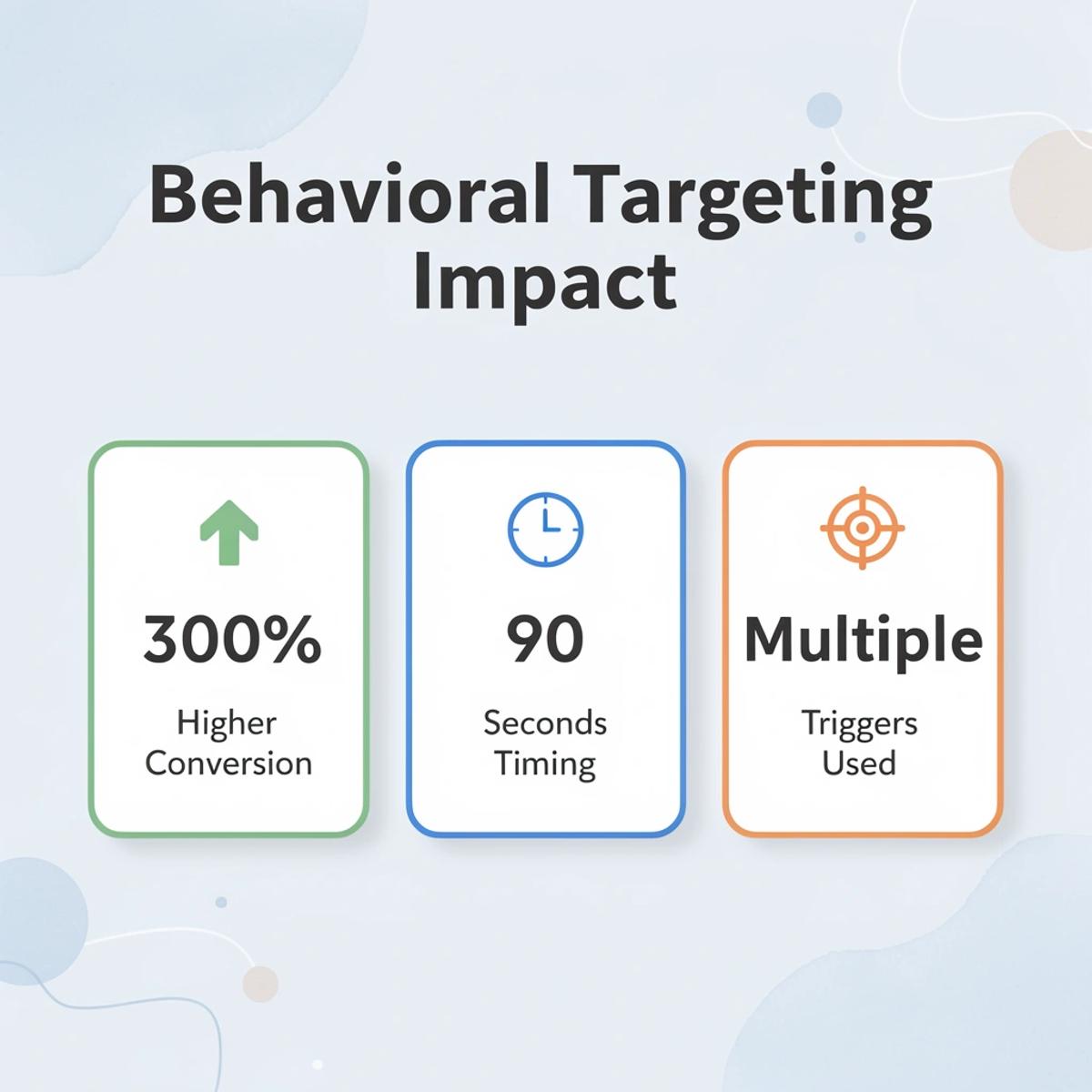
💡 Tip: The most effective custom pop-ups use multiple triggers simultaneously - combining time on page with scroll depth creates more accurate behavioral signals than relying on just one trigger.
How Behavior-Based Triggers Work
Exit intent pop-ups track mouse movement toward the browser close button or address bar. Scroll-based triggers fire when a visitor reaches a specified page percentage, indicating genuine interest. Time delays wait until a visitor has spent sufficient time on the site to understand the content. Cart abandonment pop-ups appear when someone adds products but abandons checkout.
Research from Wisepops analyzing 2,121 stores shows that timing and relevance directly impact conversion rates.
Why Visual Consistency Matters
Custom pop-ups can match your store's design language rather than generic templates. Font choices, color schemes, image styles, and tone of voice should align with your storefront. When a pop-up feels like it belongs to your brand rather than a third-party tool, visitors trust it more.
Many stores rely on preset templates that look identical across thousands of competitors: the same discount wheel, countdown timer placement, and email capture form layout. Visitors recognize these patterns instantly and dismiss them before reading the offer. Custom design breaks that pattern fatigue.
Targeting Specific Segments
Custom pop-ups can show different messages based on visitor source, device type, location, and visit history. Someone arriving from a Facebook ad about winter coats should see winter coat offers, not a general site-wide discount. Mobile visitors might need simpler forms with fewer fields. Returning visitors don't need the same introduction as first-time shoppers.
This targeting becomes possible when pop-ups use your store data rather than operate independently. According to Privy's analysis of high-performing stores, segmented pop-ups achieve conversion rates near 10%, double the typical average, because the message matches what visitors want rather than interrupting their experience.
What do most stores get wrong when implementing them?
Most stores implement them incorrectly.
Related Reading
- Shopify Web Design
- Shopify Conversion Rate Optimization
- Ai Tools for E-commerce
- Shopify Alternatives
- Ecwid Alternatives
- Shopify App Detector
- Shopify Website Optimization
The Biggest Mistakes Shopify Stores Make With Pop-Ups
Most Shopify stores fail with pop-ups because they use them without understanding how people make buying decisions. A visitor on a product page hasn't decided yet. Showing a discount offer in the first three seconds treats every visitor as ready to buy, when most are still deciding whether they trust the store.
🎯 Key Point: Timing is everything with pop-ups. Show them too early, and you interrupt the decision-making process before visitors have had a chance to evaluate your products and build trust in your brand.
"85% of visitors leave a website within the first 15 seconds if they encounter intrusive pop-ups before engaging with the content." — E-commerce pop-up Study, 2023

⚠️ Warning: The biggest mistake is treating all visitors the same. A first-time visitor browsing your homepage needs a completely different approach than a returning customer who's already added items to their cart.
Forcing Interaction Before Trust Exists
The most damaging mistake is interrupting exploration before the visitor understands what makes the product worth buying. Someone clicks through from an ad expecting to see product details, but a full-screen email capture blocks the page before they scroll. This creates immediate friction because the store asks for commitment while offering nothing except access to content the visitor already expected to see for free.
According to EasyApps Ecommerce, 95-98% of visitors leave without buying, which means most people browsing your store are deciding whether to stay at all, not whether to give their contact information. pop-ups that appear before the product value becomes clear treat every visitor like a conversion opportunity instead of recognizing that trust builds through demonstration, not disruption.
Repetitive Pop-ups That Erode Patience
Too many pop-ups in a row ruin the online shopping experience. A visitor closes a pop-up on the homepage, then goes to a product page and sees another offer. Then an exit-intent overlay appears when they move their cursor toward the browser tab. This repetition makes the store look desperate rather than valuable and trains visitors to ignore every message.
Stores using this approach often see their email lists grow but experience weak engagement rates because subscribers joined to dismiss the pop-ups, not because they wanted the content.
Why are mobile visitors affected more severely?
Mobile visitors experience this problem more acutely. Pop-ups designed for desktops consume the entire mobile screen, making the close button difficult to tap and form fields awkward to complete.
Slow-loading scripts worsen the problem, delaying product images and descriptions while the pop-up loads first. The result feels less like shopping and more like fighting through obstacles to see what the store has to offer.
Discounting Before Demonstrating Value
Offering a discount before visitors understand product benefits undermines your pricing credibility. Someone who hasn't read the description or seen reviews doesn't know whether the item is worth full price, so a discount feels random rather than generous.
This approach attracts bargain hunters who buy only at the lowest price, while making full-price customers question whether they're overpaying by not waiting for a promotion. The pop-up generates email signups, but those leads convert poorly because interest centers on the discount rather than the product.
How do generic templates damage brand credibility?
Generic templates worsen this problem by removing what makes a brand different. Countdown timers, spinning prize wheels, and identical "Subscribe and Save" language appear across thousands of Shopify stores, so visitors recognise the pattern immediately and dismiss it as noise.
The pop-up becomes visual clutter, blending into every other low-trust ecommerce site.
Performance Costs That Slow Conversions
Poorly optimized pop-up apps add tracking scripts and third-party resources that slow page rendering, especially on mobile connections, where every second of load time increases bounce rates. Visitors clicking through paid ads expect instant access to product information, but if the page stalls while the pop-up code loads, they leave before the content appears.
Tools like AI page builder help stores build pages that load quickly and integrate pop-ups without sacrificing speed. Our PagePilot platform compresses hours of manual optimization into automated deployment, prioritizing performance from the start.
Why do too many pop-ups hurt customer trust?
The belief that more pop-ups automatically create more revenue ignores how trust develops. Visitors judge the entire shopping experience as a single impression, and every unnecessary interruption reduces credibility faster than a well-timed offer can rebuild it.
High-converting stores use fewer pop-ups with sharper targeting, letting the product and storefront do most of the selling before asking for anything in return. Implementation strategy determines whether a pop-up builds momentum or kills it.
Related Reading
- Bigcommerce Alternatives
- Best Subscription Apps For Shopify
- Shopify Store Cost
- Shopify Web Design Experts
- How To Edit Pages In Shopify
- Shopify AI Apps
How to Add a Custom Pop-Up in Shopify the Right Way
Adding a pop-up in Shopify takes minutes, but your strategy determines whether visitors subscribe willingly or out of frustration.
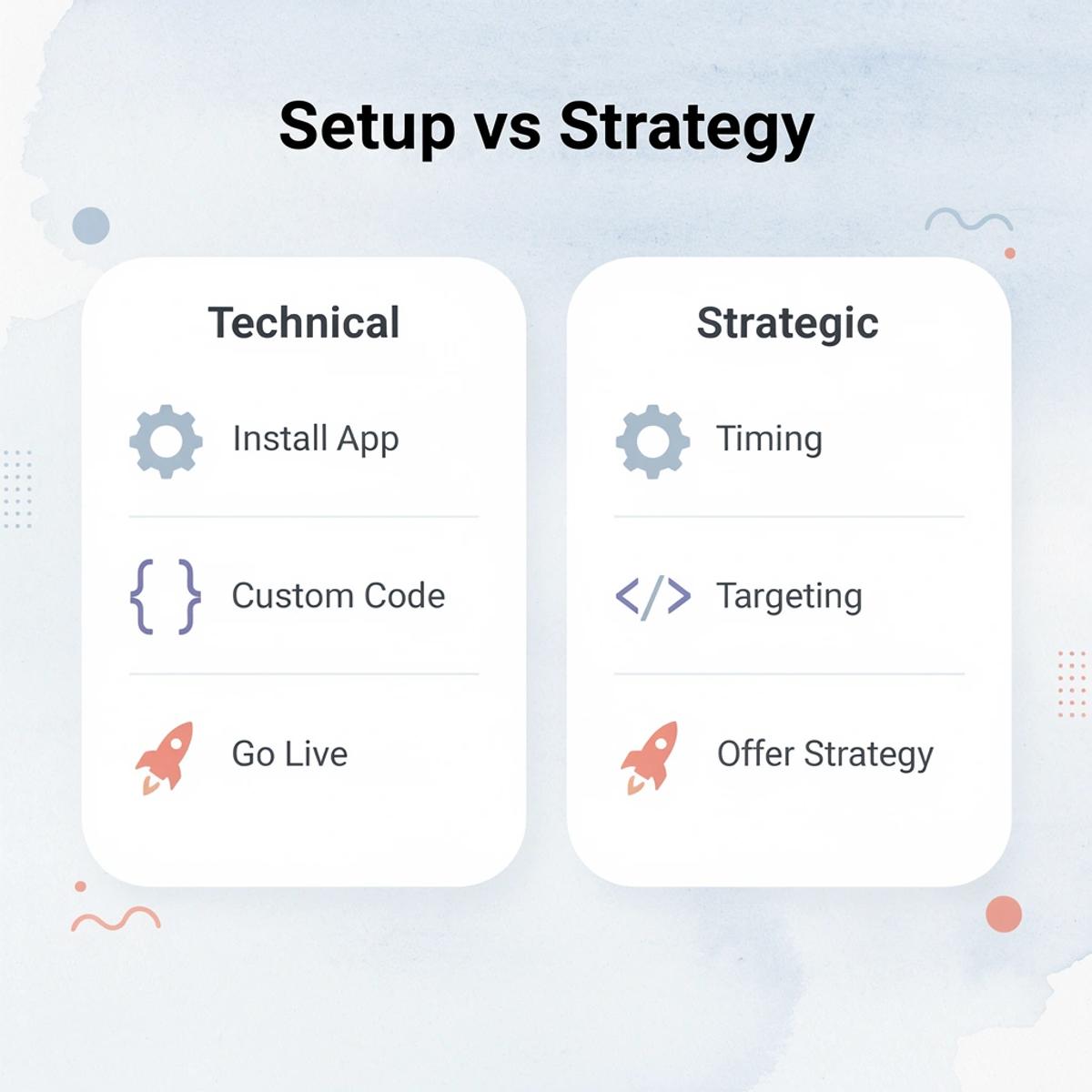
🎯 Key Point: The technical setup is the easy part - success depends on your timing, targeting, and offer strategy.
Most Shopify stores choose between installing an app and writing custom code. Neither guarantees results without understanding what happens after the pop-up goes live.
"83% of marketers say pop-up timing is more important than pop-up design for conversion success." — ConversionXL, 2024
⚠️ Warning: Don't rush to install the first pop-up app you find. Poor implementation can hurt your conversion rates and create a negative user experience, driving visitors away.

Using a Shopify App
App-based pop-ups are fast to set up. Tools like pop-upsmart, Elfsight, and native Shopify Forms connect through theme app embeds, allowing store owners to launch email capture forms, discount offers, and cart recovery prompts without coding. You can target specific pages, set up exit-intent triggers, and adjust timing based on visitor behavior.
The downside is less control. Some apps load extra scripts that slow mobile performance, especially when stores use multiple tools together. Customization is limited by your theme's structure. Pop-ups that work well on desktops can overwhelm smaller screens without responsive optimization.
What are the benefits of custom code pop-ups?
Custom-coded pop-ups give you full control over their functionality, appearance, and performance. In Online Store → Themes → Edit Code, add triggers to files like theme.liquid or product.liquid. The pop-up is typically a hidden div modal that displays based on scroll depth, a timer, exit intent, or cart contents.
This method works directly with your store's layout and customer purchasing behavior.
What are the drawbacks of maintaining custom pop-up code?
The downside is maintenance: theme updates, script conflicts, and responsiveness testing require ongoing technical oversight. If you're testing multiple product variations quickly, maintaining custom code for each pop-up slows iteration. Our AI page builder handles this differently by generating optimized landing pages with embedded conversion elements, allowing stores to test offers faster without rebuilding pop-up logic each time.
What Actually Determines Performance
How well you set up your tool matters more than which tool you pick. Test mobile responsiveness first, as pop-ups that don't work on small screens increase visitor abandonment. Page speed is especially important for paid traffic, since heavy scripts slow page load times.
How does targeting logic improve pop-up effectiveness?
Targeting logic separates effective pop-ups from annoying ones. A visitor browsing a product page for several minutes has a different intent than a first-time visitor from a cold ad. According to Privy's analysis of Shopify pop-up strategies, behavior-based pop-ups can reach a 10% conversion rate when aligned with customer intent, compared to generic sitewide overlays that interrupt without context.
Why does design consistency matter for pop-up performance?
Design consistency builds trust. High-converting pop-ups feel like part of the storefront experience rather than a disconnected overlay. When fonts, colors, and tone match the rest of your store, visitors perceive the pop-up as helpful instead of intrusive.
What you do after launch determines whether the pop-up increases or decreases conversions.
Why Faster Storefront Testing Improves Pop-Up Performance
Pop-up performance improves when stores test product pages, messaging, and offers quickly enough to learn what drives purchases. How well the pop-up works depends entirely on how well it matches the product messaging, visual presentation, and buying intent already on the page.

🎯 Key Point: The most effective pop-ups don't interrupt the shopping experience—they enhance it by aligning perfectly with what customers are already seeing and feeling on your product pages.
"pop-up conversion rates can improve by up to 300% when the messaging matches the product page content and customer intent." — Conversion Optimization Research, 2024
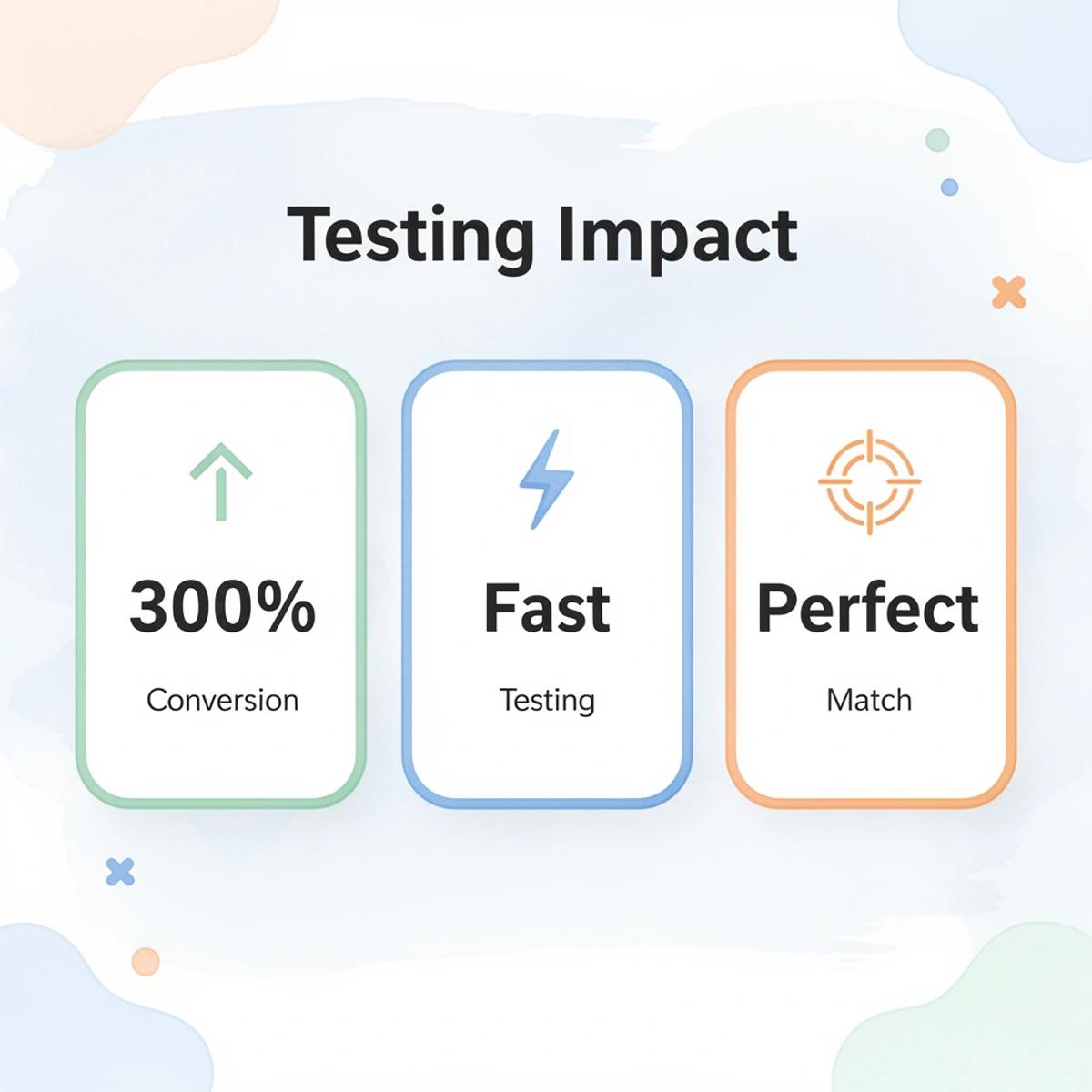
💡 Best Practice: Use A/B testing to rapidly iterate between different pop-up designs, timing triggers, and messaging approaches. The faster you can test, the quicker you'll discover the perfect combination that turns browsers into buyers.
What slows down pop-up optimization for most stores?
The biggest problem most operators face is slow experimentation cycles. Launching a new product page manually requires rewriting supplier copy, sourcing images, adjusting layouts, creating offers, and rebuilding pop-up messaging from scratch. By the time the page is ready, testing momentum has stalled. Slow page creation delays testing, reducing how quickly stores learn what customers respond to and weakening overall conversion optimization.
Why do disconnected workflows hurt pop-up performance?
According to McKinsey's digital personalization research, faster testing and personalization tools improve digital conversion performance by enabling businesses to respond quickly to customer behavior. High-converting pop-ups succeed because the storefront experience feels cohesive: a pop-up offering a discount, bundle, or email incentive performs better when it supports the product message the visitor already encountered on the page.
How do manual processes weaken pop-up conversion intent?
Many operators discover this the hard way. They manually build product pages, rewrite supplier copy, experiment with generic pop-up templates, and launch campaigns slowly. pop-up optimization becomes disconnected from the storefront experience because every adjustment requires additional manual work, weakening conversion intent when the pop-up feels misaligned with the offer, product angle, or visual presentation.
What Changes With Faster Testing Systems
Tools like our AI page builder reduce the time needed to launch new pages, test offers, change messaging, and adjust pop-up timing or rewards. PagePilot integrates product page optimization and pop-up testing into a single feedback loop rather than separate manual work. The faster a store can test pages, messaging, visuals, and offers together, the faster it finds winning combinations.
But speed alone doesn't guarantee results if you're testing the wrong things.
How PagePilot Helps Shopify Stores Test High-Converting Product Pages Faster
Speed determines how quickly you learn what converts. Manual copywriting, image sourcing, and layout adjustments slow testing to a crawl. Stores reuse generic pop-up templates and conversion strategies not because they work best, but because launching new variations feels too time-consuming.
🎯 Key Point: The biggest barrier to effective A/B testing isn't lack of ideas—it's the time investment required to execute each test properly.
"Speed is the ultimate competitive advantage in e-commerce optimization. The faster you can test, the faster you can discover winning variations."

💡 Tip: PagePilot eliminates the manual bottlenecks by automating page creation, letting you launch multiple test variations in minutes instead of hours or days.
The Product Page Bottleneck
The friction isn't the pop-up itself. It's everything around it.
Most stores struggle with pop-up optimization because product pages take too long to build. When every new page requires manual copy, custom images, and layout changes, experimentation becomes expensive. You can't test different offers, messaging angles, or pop-up timing when the underlying page takes a week to launch. Stores stick with what's already live, even when it underperforms. PagePilot solves this by enabling rapid page creation, so you can iterate on pop-ups and product pages together without typical delays.
pop-up messaging feels disconnected from product positioning because they're built in separate, slow cycles. By the time the page is ready, the original conversion hypothesis has changed.
How AI Removes the Manual Work
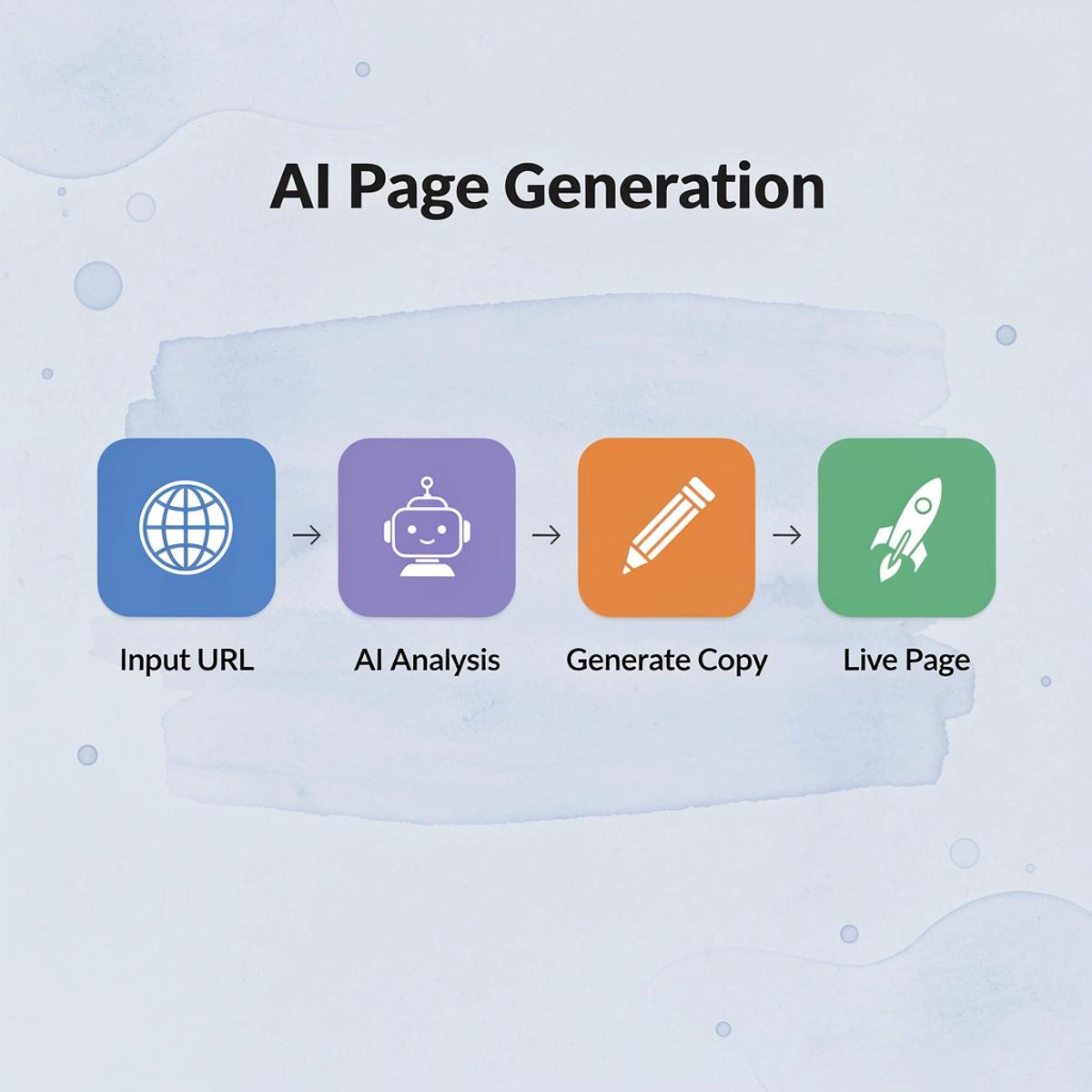
PagePilot creates product pages in minutes, not days. You provide a competitor or supplier URL, and the platform generates optimized pages with AI-generated product images, eliminating the need to use identical supplier images across multiple storefronts.
This faster process helps pop-ups perform better. You can test different offers, messaging approaches, timing, and positioning more quickly without the product page slowing you down. You can launch and make changes across multiple products or campaigns instead of spending days writing copy and arranging layouts manually.
Why do faster testing cycles matter for conversion optimization?
Faster testing cycles create faster feedback, helping you identify which offers, products, and messaging angles convert before spending heavily on scaling ads or redesigning funnels. According to PagePilot AI Shopify App Store Reviews, the platform maintains a 4.9/5 star rating, reflecting how operators value speed and simplicity in their conversion testing workflows.
How does streamlined workflow improve pop-up consistency?
When product pages, visuals, and offers are created in a smooth workflow, pop-up messages fit naturally with how customers shop rather than feeling like an afterthought. Consistency improves because everything is built together, not assembled over weeks of separate work.
But the fastest testing cycle means nothing if you never start experimenting.
Related Reading
- Best Shopify Plugins
- On Page Seo Shopify
- Best Shopify Landing Pages
- Shopify Ai Apps
- Builder.ai Competitors
- How To Edit Pages In Shopify
- How To Add A Custom Popup In Shopify
Start a FREE Trial and Generate 3 Product Pages with Our AI Page Builder today
Testing pop-up messages, timing, and offers requires building product pages fast enough to keep pace with what you learn. Most stores get stuck because making pages takes too long: by the time a new page goes live, the momentum to test different pop-up versions has dissipated.
💡 Tip: Speed is your competitive advantage when testing pop-up strategies. The faster you can deploy pages, the more variations you can test.

Our PagePilot AI page builder generates three Shopify product pages in minutes, not days. You get optimized copy, unique product visuals, and a complete page structure built from a competitor or supplier URL. This speed lets you test different pop-up offers, messaging angles, and triggers without waiting weeks between experiments. Start your free trial at PagePilot and move from idea to live test quickly.
"Speed creates options, and options create better decisions when testing pop-up strategies."
🔑 Takeaway: Winning stores test faster, learn quicker, and adjust before competitors finish their first page. Speed creates options, and options create better decisions.