

Many Shopify store owners struggle with product pages that look professional but fail to convert visitors into customers. The issue often lies not in the products themselves but in how they are presented and organized on the page. Strategic product placement, clear navigation, and optimized layouts can transform browsing sessions into purchasing decisions. Understanding how to add products to Shopify page layouts effectively requires balancing aesthetics with conversion-focused design principles. Rather than manually experimenting with different arrangements and risking poor user experience, store owners can leverage PagePilot's AI page builder to automatically create optimized product pages based on proven conversion strategies.
Summary
- Mobile traffic dominates ecommerce, yet mobile abandonment rates regularly exceed 80% due to weak page structure and poor user experience. A product page that looks fine on desktop often becomes unreadable on a phone, with images that don't resize properly, text blocks that run too long, and call-to-action buttons buried below the fold. Hidden Shopify store problems can cost merchants 20-30% of potential revenue, with mobile layout issues among the most common undetected conversion killers.
- Customers form purchase intent within three seconds of landing on a product page. If the layout feels cluttered, images look generic, or headlines read like technical spec sheets, they leave immediately. Cart abandonment rates hover around 70% globally across ecommerce, with mobile abandonment often exceeding 75%. Even small friction points, such as slow load times, unclear CTAs, or weak mobile layouts, can cause massive conversion losses once paid traffic starts arriving.
- Visual credibility determines whether customers trust your store before they read a single word. Products with 5+ images see 58% more add-to-cart actions than those with 1-2 images. Multiple angles matter because customers need to mentally rotate the product, inspect details, and imagine ownership before committing to purchase. Single supplier photos signal dropshipping immediately, while varied lifestyle shots and close-ups build perceived brand value.
- Social proof reduces purchase hesitation more effectively than any other trust signal. Products with at least 1 review convert at a rate 52.2% higher than those with zero reviews. That single review signals that other humans have purchased, received, and used the product successfully. Empty review sections raise doubts about whether anyone actually buys from this store or whether the product even exists yet.
- Copying supplier content directly from AliExpress or sourcing platforms creates an immediate credibility problem. Shoppers recognize identical listings across dozens of stores, marketplaces, and social ads. The moment someone sees the exact same wording they encountered on three competitor sites yesterday, perceived brand value drops and purchase risk spikes, turning your store into a catalog replica rather than a distinct brand.
- Testing velocity matters more than perfect initial design for ecommerce success. Stores that scale fastest test products, offers, copy angles, and page structures faster than competitors, then improve pages continuously using real customer behavior instead of guesses. Manual page building dramatically slows the process, with hours spent rewriting descriptions and designing sections, resulting in fewer tests, slower iteration, and delayed learning before market trends shift.
- AI page builder compresses product page creation from days to minutes by generating conversion-optimized layouts automatically from product links, letting operators test more products in less time without sacrificing page quality or design consistency.
Why Adding Products to Shopify Is Harder Than It Looks
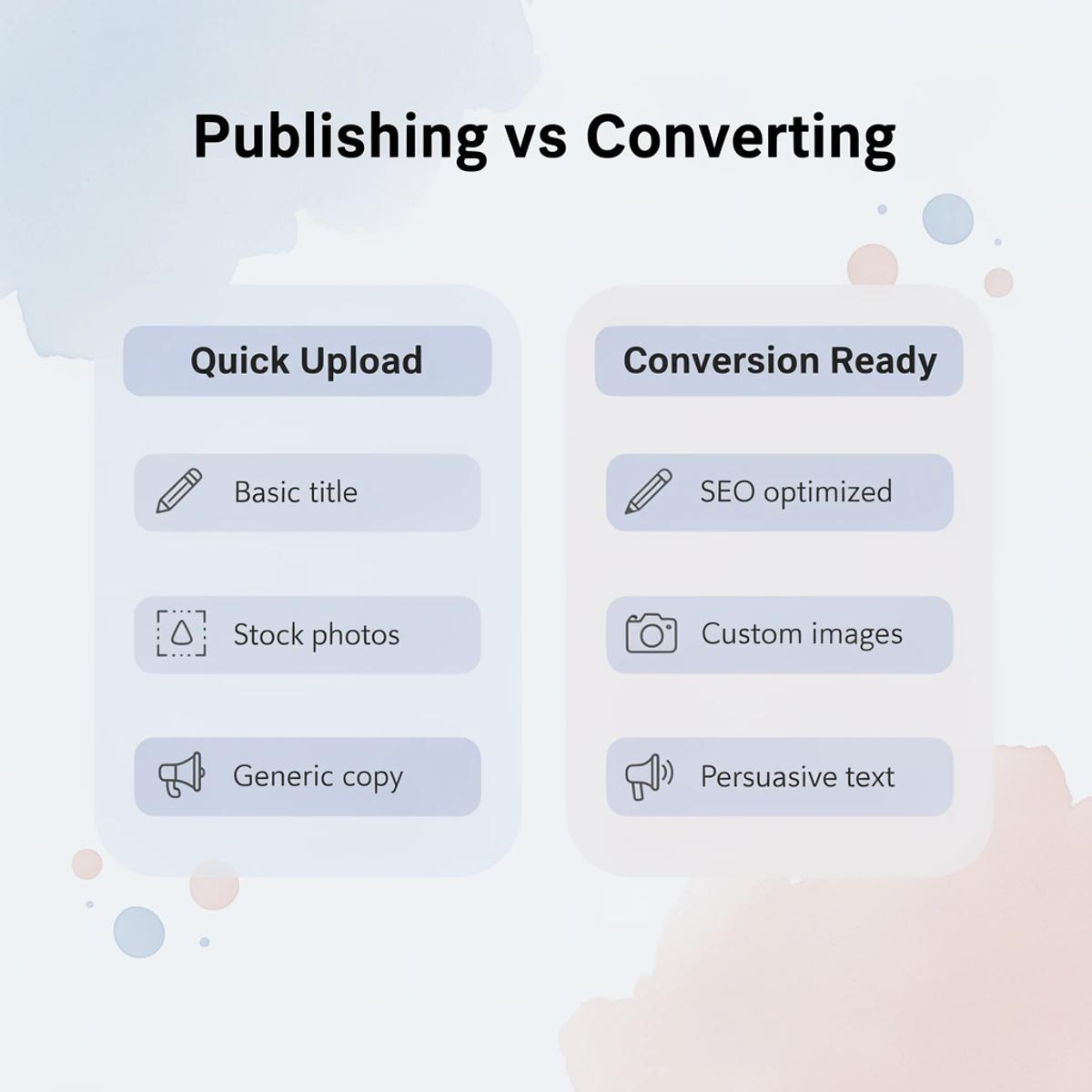
Adding products to Shopify isn't hard, thanks to the upload process. It's hard because publishing a product and creating a page that converts are two completely different tasks. Most store owners discover this critical gap only after traffic arrives and nobody buys.

🎯 Key Point: The real challenge isn't uploading products—it's creating product pages that turn visitors into customers.
The technical steps feel simple: click "Add product," paste a title and description, upload images, set a price, and assign a collection. Within minutes, the product appears live. But that speed creates a false sense of completion. What's live isn't necessarily ready to sell.

"Publishing a product and creating a page that converts are two completely different tasks—most store owners learn this the hard way."
⚠️ Warning: Going live quickly doesn't mean your product page is optimized for conversions. The gap between published and profitable can cost you sales.
Why do identical products perform differently across stores?
Two stores can list the same product at the same price and get completely different results. The difference isn't the product—it's how the page presents it.
What signals make customers lose trust instantly?
When product images come from supplier catalogs, they look identical to competitor stores. When descriptions are copied from AliExpress or wholesale sources, the language feels generic. Customers form trust judgments within seconds of landing on a product page.
Low-quality visuals, cluttered layouts, and supplier-written copy signal "dropshipping store" rather than "brand worth trusting."
How do scaling stores structure pages for better conversions?
Scaling stores don't upload products faster—they organize pages so customers can browse easily, understand products clearly, and move through checkout confidently on desktop and mobile. That's where most beginners get stuck with structural work.
Mobile breaks more than you think
Mobile traffic dominates ecommerce globally, yet mobile abandonment rates exceed 80% due to weak page structure and poor user experience. Product pages that work on desktop often fail on phones: images don't resize properly, text blocks are too long, and call-to-action buttons get buried below the fold or under collapsed sections.
How much revenue do mobile layout issues cost?
According to Razoyo's AI diagnostic research, hidden Shopify store problems cost merchants 20-30% of potential revenue, with mobile layout issues among the most common undetected conversion killers. Small presentation problems compound into major profit losses when paid ads drive traffic to the store.
Why do manual page-building methods slow down growth?
Many store owners spend weeks manually building pages, resizing images, and adjusting layouts product by product. Others launch too quickly, sending traffic to unoptimized pages and wasting ad spend before determining whether the product itself is failing or the page experience is underperforming.
Most teams handle product page creation by hiring designers and copywriters or manually changing layouts. As catalogs grow and testing speeds increase, this approach creates bottlenecks: pages take days to build rather than hours, and testing cycles slow. Competitor stores launch similar products faster because they've automated the parts that don't require human judgment. Platforms like AI page builder eliminate that constraint by generating conversion-optimized layouts automatically from product links, compressing page creation from days to minutes while maintaining design consistency across the entire catalog.
What's the real focus when adding products to pages?
Most beginners treat adding products as an inventory task rather than a conversion workflow. The real question isn't how to upload products faster, but how to structure pages to turn traffic into revenue.
Related Reading
- Shopify Web Design
- Shopify Conversion Rate Optimization
- Ai Tools for E-commerce
- Shopify Alternatives
- Ecwid Alternatives
- Shopify App Detector
- Shopify Website Optimization
How to Add Products to a Shopify Page in 6 Steps
Uploading products is easy. But organizing them in a way that helps people buy is harder. Most store owners treat product additions as data entry, yet they form the foundation of every purchase decision that follows.
🎯 Key Point: Product organization directly impacts your conversion rates and customer experience.
"The way you structure and present your products can make or break the customer journey from browsing to buying." — E-commerce Best Practices, 2024
💡 Tip: Think of each product addition as building a strategic pathway that guides customers toward making a purchase.

Step 1: Open the Shopify Admin Dashboard
Log in to your Shopify admin, go to Products, and select Add Product from the left menu. You can also edit existing listings from the Products section if you've imported products through supplier apps or bulk uploads.
Step 2: Enter Product Information
Start with the product title, written for mobile screens where space is limited and attention is scarce. "Premium Wireless Bluetooth Headphones with Noise Cancellation" works better than "Super Amazing High Quality Headphones That Everyone Loves."
How do you write product descriptions that convert?
The description is where most beginners copy supplier text word-for-word. That generic copy signals dropshipping immediately, killing trust before customers scroll down. Explain what the product does, who benefits from it, and why someone should choose it over alternatives.
Focus on outcomes, not features. "Blocks 95% of ambient noise during commutes" matters more than "advanced ANC technology."
What product media should you upload?
Upload product media next: images, videos, lifestyle shots, and GIFs. Customers judge credibility visually first, often before reading any description. One supplier photo surrounded by blank space looks unfinished, while six varied angles with context shots build confidence.
How do you configure pricing and variants correctly?
Set up pricing, inventory tracking, shipping settings, SKU information, and variants like size, color, or bundle options. A poorly configured variant selector can break the entire purchase flow. If someone selects "Large" but the system fails to update inventory availability or pricing, the sale dies at checkout.
Step 3: Organize the Product Properly
Assign the product to collections, tags, and categories. Collections such as "Best Sellers" or "Fitness Accessories" help customers find related items, while tags improve internal organization and enable effective filtering.
Choose the product status: active, draft, or archived. Draft keeps it hidden while you make improvements, active publishes it immediately, and archived removes it from storefronts without deleting the data.
Select which sales channels display the product: online store, Shop app, Facebook, Instagram, and other connected integrations. A product can exist in Shopify but remain invisible on your storefront if you select the wrong channel.
Step 4: Add the Product to a Shopify Page
Once the product exists in your system, assign it to collections so it automatically appears on category pages and your homepage.
Featured product sections in the theme editor (Online Store, Themes, Customize) let you highlight specific products on your homepage, landing pages, or promotional sections. This proves valuable when running paid traffic campaigns that send visitors directly to product-specific pages.
For custom layouts, manually embed products using featured product blocks, dynamic sections, buy buttons, and custom arrangements. Conversion rates improve when product pages match campaign messaging.
Step 5: Customize the Product Layout
The page layout determines whether visitors buy or leave. Inside the theme editor, you can rearrange image sections, descriptions, trust badges, reviews, FAQs, buy buttons, and upsell sections until the flow feels natural.
Why does mobile optimization matter most for product pages?
Mobile optimization is critical. Most ecommerce traffic comes from phones, where incorrectly sized images or hard-to-find call-to-action buttons prevent immediate purchases. Layouts should load quickly, remain readable, and seamlessly guide customers toward conversion.
How do images and trust signals influence purchase decisions?
Image positioning drives purchase decisions before copy does. Customers scroll through photos first, then read descriptions only if visuals pass the credibility test. Reviews and trust signals reduce hesitation, particularly for newer stores without brand recognition. Upsells improve average order value when placed naturally, though cramming too many options onto the page creates decision paralysis.
How can you speed up product page creation without sacrificing quality?
Traditional manual page building forces a choice between speed and quality: launch fast with mediocre layouts, or spend days perfecting each page while competitors test new products. Our AI page builder at PagePilot compresses that timeline by generating conversion-optimized layouts automatically from product links, letting you test more products in less time without sacrificing quality or design consistency.
How should you test before going live?
Test the complete experience before sending traffic. Check mobile responsiveness, image loading speed, variant selection, add-to-cart functionality, and checkout flow as a customer would.
Stores launch broken layouts, unreadable mobile sections, missing images, and confusing purchase flows by skipping this step. One missing product image or misconfigured variant selector can tank conversion rates by 40% or more.
Why does page speed matter for conversions?
Check page speed independently. Pages that load slowly significantly hurt mobile sales, as users abandon websites that take more than 3 seconds to load. Reduce image file sizes, minimize scripts, and test on real mobile networks rather than office WiFi.
Once everything works as intended, put the product live. The technical upload creates inventory; the optimized layout creates sales.
Why Most Shopify Product Pages Fail to Convert
The product itself isn't the problem. The page is. Two stores can sell the exact same item at identical prices. One converts at 3%. The other barely hits 0.5%. The difference is whether the page communicates trust, value, and urgency fast enough to stop someone from clicking away.
🎯 Key Point: A 6x conversion difference between identical products proves that page optimization outweighs product quality in driving sales.
"One [converts at 3%]. The other barely hits 0.5%. The difference is whether the page communicates trust, value, and urgency fast enough." — E-commerce Conversion Analysis
🔑 Takeaway: Your product page design and messaging strategy determine whether your business thrives or struggles, even with identical inventory.

Why do customers abandon product pages so quickly?
Customers decide whether to buy within three seconds after landing on a product page. A messy layout, generic images, or a headline that reads like a technical spec sheet will drive them away.
Research from Baymard Institute shows that about 70% of shopping carts are abandoned across online stores worldwide, with mobile abandonment often exceeding 75%. Small problems—slow load times, unclear buttons, weak mobile layouts—cause significant conversion losses once paid traffic arrives.
How can you differentiate your product pages from competitors?
Most stores copy supplier descriptions directly into Shopify without customizing them for their customers. When a customer lands on a page identical to ten other stores selling the same item, they choose whichever seems more trustworthy, loads faster, or explains the value most clearly.
If your page doesn't win that split-second evaluation, the sale goes elsewhere.
How does poor imagery destroy visual credibility?
Low-quality product photos signal low-quality products. Blurry images, copied marketplace photos, or generic supplier shots on white backgrounds indicate the store hasn't invested in presentation. Stronger stores use varied angles, lifestyle shots, and close-ups that show texture and detail, answering unspoken questions before customers think to ask them.
Why do weak headlines compound conversion problems?
Weak headlines make the problem worse. A product title like "Wireless Bluetooth Headphones" only tells you what the item is, while "Blocks 95% of Ambient Noise During Commutes" explains why you should care. The second converts because it addresses the result, not just the feature.
How can automation solve layout optimization challenges?
Tools like our AI page builder automatically create sales-focused layouts from product links. PagePilot removes the guesswork around page organization, copy, and image-button placement. Stores can launch optimized pages in minutes rather than spend weeks testing headlines, images, and calls-to-action.
But even perfectly organized pages fail if they don't fix the one mistake that stops more sales than any other technical problem.
The Biggest Mistakes Store Owners Make When Adding Products
Most Shopify stores struggle because they build pages that slow down testing, weaken trust, and reduce conversions before collecting meaningful data. The technical upload takes minutes; the conversion damage happens silently, often before ads launch.

⚠️ Warning: The biggest mistake isn't what you add to your store—it's how you add it. Poor product setup can kill conversions before you even know there's a problem.
"The technical upload takes minutes; the conversion damage happens silently, often before ads launch." — Common Shopify Store Reality
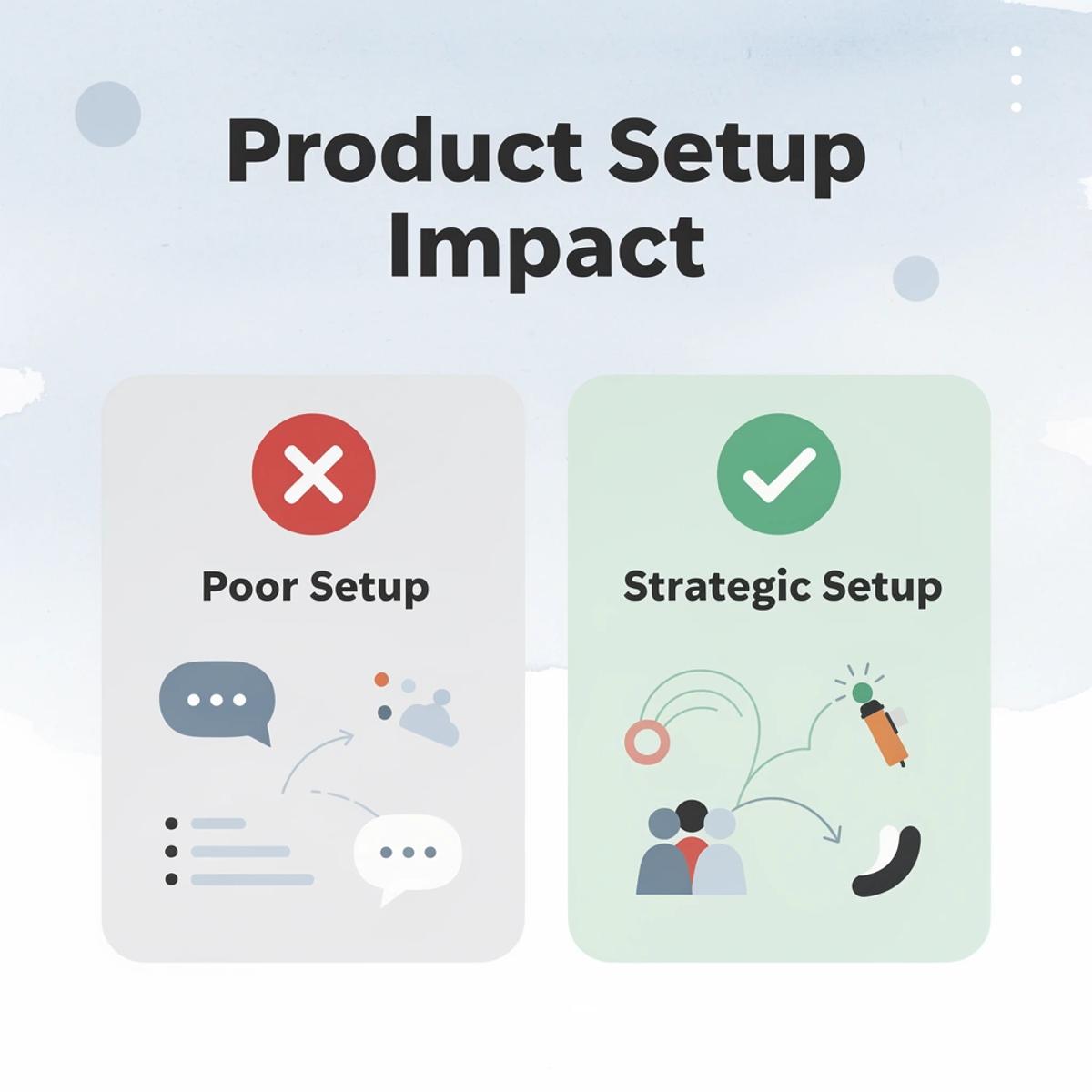
🔑 Takeaway: Speed matters more than perfection when launching products, but strategic setup prevents the silent conversion killers that destroy profit margins before you can optimize.
Copying Supplier Content Directly
When store owners import products from AliExpress or other sourcing platforms without changing titles, descriptions, images, or formatting, they create a trust problem. Shoppers notice identical listings across many stores and marketplaces, and seeing the same wording on competitor sites signals low brand value and increases purchase risk. You're copying an existing catalog rather than building a store.
Launching Without Mobile Optimization
A layout that looks clean on a computer can become cluttered, slow to scroll, or confusing on smaller screens. Mobile traffic now dominates ecommerce, yet many stores launch pages without testing the buying experience on a phone. When product images don't resize properly, call-to-action buttons sit below three scrolls of text, or load times exceed three seconds, conversion performance collapses regardless of how compelling the product is.
Adding Too Many Products Too Early
Starting a store with hundreds of items sourced from elsewhere creates a weak store identity, inconsistent branding, confusing navigation, and operational overload. Instead of learning what converts, operators spend time managing large catalogs that generate little actionable data. The fastest-scaling stores test products, offers, copy angles, and page structures quickly, then improve continuously using real customer behavior rather than guesses.
Why does manual page building slow down growth?
Building pages by hand slows down iteration. Spending hours rewriting descriptions, resizing images, and designing layouts means fewer tests and slower learning. By the time one page is finished, market demands and competitor strategies may have shifted. Tools like AI page builder accelerate this process by generating sales-focused layouts from product links in minutes. PagePilot lets you focus on testing and growing your business instead of manually constructing every page element.
How does speed compare to perfect design?
A product page that launches quickly and improves based on real data often outperforms a "perfect" page built over weeks without customer feedback. Speed and data-driven iteration matter more than perfect initial design.
But launching fast only works if the page itself converts traffic.
What High-Converting Shopify Product Pages Actually Include
The best product pages start by making it clear what the product does, who should use it, and why someone should care about it now. This critical information should be at the top of the page where people can see it without scrolling. It should not be hidden below technical details or generic descriptions.
🎯 Key Point: Your value proposition must be visible immediately—visitors decide whether to stay or leave within the first 3 seconds of landing on your page.
"The top of the page is your most valuable real estate. Use it to communicate core benefits, not feature lists or company history." — E-commerce Conversion Best Practices
💡 Tip: Place your primary benefit statement and target audience in the hero section. Everything else is secondary to establishing this foundation.

Visual Trust Signals That Actually Matter
Product images create the first judgment customers make about quality and legitimacy. According to EasyApps Ecommerce, products with 5+ images get 58% more add-to-cart actions than those with 1-2 images. Multiple angles let customers mentally rotate the product and inspect details before purchasing. Single supplier photos signal dropshipping, while varied lifestyle shots and close-ups build perceived brand value.
Visual hierarchy extends beyond product photos into mobile display: button sizing, color contrast, scrolling flow, and image load speed determine checkout completion. Thumb-friendly tap targets and readable text without zooming are conversion factors, not design preferences.
Copy That Guides Decisions Instead of Describing Features
Stronger product descriptions focus on outcomes rather than specifications. Instead of "Bluetooth 5.0 connectivity," conversion-focused copy explains what that means: "Pairs instantly with your phone and stays connected up to 30 feet away." Customers buy solutions to problems, not feature lists. The language should help someone picture using the product tomorrow.
Many store owners default to supplier copy that reads like a technical manual. The real issue isn't effort but approach. Effective copy answers unspoken questions: Will this work for my situation? How quickly will I see results? What happens if it doesn't fit my needs?
Trust-Building Elements That Reduce Purchase Hesitation
Reviews, guarantees, and social proof matter most for unfamiliar brands. According to EasyApps Ecommerce, products with at least 1 review convert at a 52.2% higher rate than those with zero reviews. A single review demonstrates that others have purchased and used the product successfully, while empty review sections raise doubts about whether customers actually buy from the store.
How do shipping policies and security badges address customer concerns?
Clear shipping information, return policies, and secure checkout badges reduce concerns about buying. Customers need to know when the product will arrive, what recourse they have if it fails, and whether their payment information stays safe. These details should appear on the product page where customers typically hesitate during purchase decisions.
Why does testing speed matter for conversion optimization?
Most stores using AI page builder workflows can test multiple page layouts, copy angles, and trust signal placements in the time it takes traditional methods to manually build a single page. This speed advantage matters because conversion optimization depends on testing different versions, not achieving perfection on the first attempt.
But even perfectly structured pages fail without one critical element most store owners overlook until traffic stops converting.
Related Reading
- Bigcommerce Alternatives
- Best Subscription Apps For Shopify
- Shopify Store Cost
- Shopify Web Design Experts
- How To Edit Pages In Shopify
- Shopify AI Apps
How PagePilot Helps Shopify Stores Build Product Pages Faster
Speed determines which stores survive product testing cycles and which ones exhaust budgets before finding winning offers. PagePilot lets operators enter a product URL and generate conversion-focused Shopify pages in minutes, rather than the hours spent manually formatting descriptions, resizing images, and rebuilding layouts. That compression transforms testing economics completely.

🎯 Key Point: The difference between minutes and hours in page creation directly impacts your ability to test more products with the same budget, giving you higher chances of finding profitable winners.
"Speed in e-commerce testing isn't just about efficiency—it's about survival. Stores that can launch faster test more products and find winners before competitors."
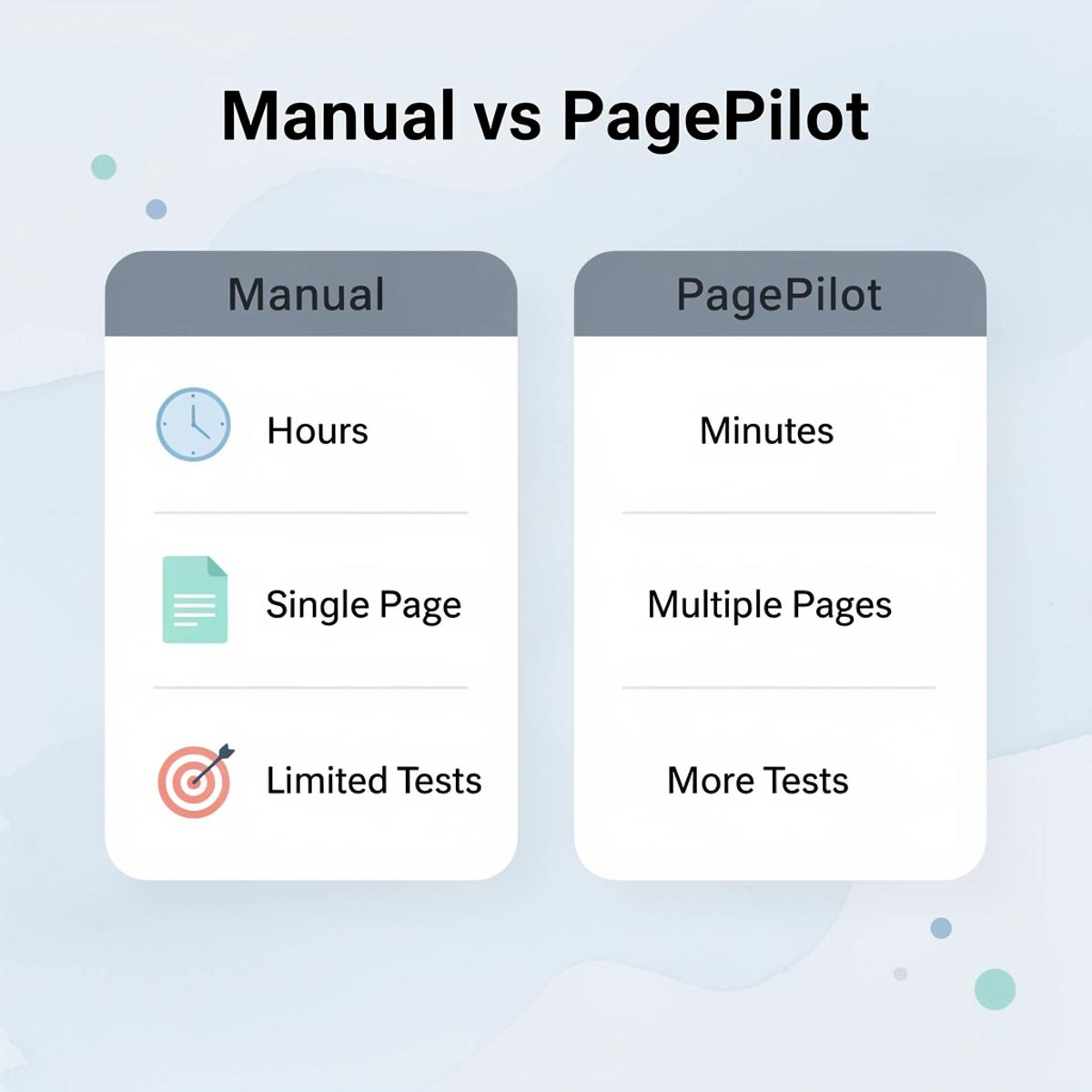
💡 Pro Tip: Use PagePilot's automation to create multiple product page variations simultaneously, allowing you to A/B test different approaches while your competitors are still building their first page.
URL-to-Page Generation
The platform accepts competitor or supplier URLs as starting points. Store owners paste an AliExpress link or an existing product page, and PagePilot extracts product information and restructures it into layouts designed for ecommerce conversion. Most supplier pages prioritize presenting the bulk catalog over persuading individual products. The AI page builder rewrites copy to focus on outcomes and customer benefits rather than generic feature lists, then organizes sections to support the trust-building sequence customers need before adding items to their cart. According to the PagePilot AI Shopify App Store, the tool has earned validation based on 118 reviews from operators who tested this workflow.
AI-Enhanced Product Imagery
Supplier photos create a sameness problem. When twenty stores source products from the same manufacturer, they compete using identical images that customers recognise from marketplace listings. PagePilot's AI image tools help operators generate a range of visuals so pages don't signal "dropshipped from the same catalog as everyone else." Visual differentiation builds trust faster because customers form quality impressions within seconds of landing on a page.
Conversion-Focused Page Structure
The platform organizes pages with mobile-first layouts, a benefit-driven copy hierarchy, and trust signal placement to reduce friction for paid-traffic visitors. Call-to-action buttons appear above the fold, product benefits take priority over technical specifications, and visual flow guides customers toward purchase decisions.
PagePilot handles structural work automatically, allowing operators to focus on testing offers and scaling winners rather than troubleshooting layout issues.
How does multilingual support accelerate international expansion?
The platform supports making pages in 30+ languages, removing localization barriers for international markets. Manually translating and reformatting product pages for different regions adds days to launch timelines.
Store owners testing products across English, Spanish, French, and German markets can generate localized versions simultaneously rather than launching one language at a time.
Why does iteration speed matter for conversion optimization?
Most stores using AI page builder workflows can test multiple page layouts, copy angles, and trust signal placements in the time it takes to manually build a single page with traditional methods. PagePilot optimizes conversion through rapid iteration rather than perfection on the first attempt.
But even perfectly structured pages fail without one critical element most store owners overlook until traffic stops converting.
Related Reading
- Best Shopify Plugins
- On Page Seo Shopify
- Builder.ai Competitors
- Shopify Ai Apps
- Builder.ai Competitors
- How To Edit Pages In Shopify
- How To Add A Custom Popup In Shopify
- Best Shopify Landing Pages
Start a FREE Trial and Generate 3 Product Pages with Our AI Page Builder today
Speed is critical. The faster you test new products, the faster you learn what your audience wants. Every week spent building pages by hand is a week competitors use to validate winning offers.

🎯 Key Point: Manual page creation kills momentum—automated generation keeps you ahead of the competition.
Start testing today without hiring designers, learning code, or spending hours formatting. Try PagePilot free and generate your first three product pages in minutes. No credit card required—paste a product URL and watch conversion-focused layouts appear ready to publish.
"Every week spent building pages by hand is a week competitors use to validate winning offers." — Market Reality, 2024
The stores outpacing competitors launch faster, learn faster, and iterate before others finish their first draft. Your next winning product awaits, but only if you reach customers before the opportunity passes.

💡 Tip: The difference between market leaders and followers isn't better products—it's faster execution and quicker validation.